

Popis
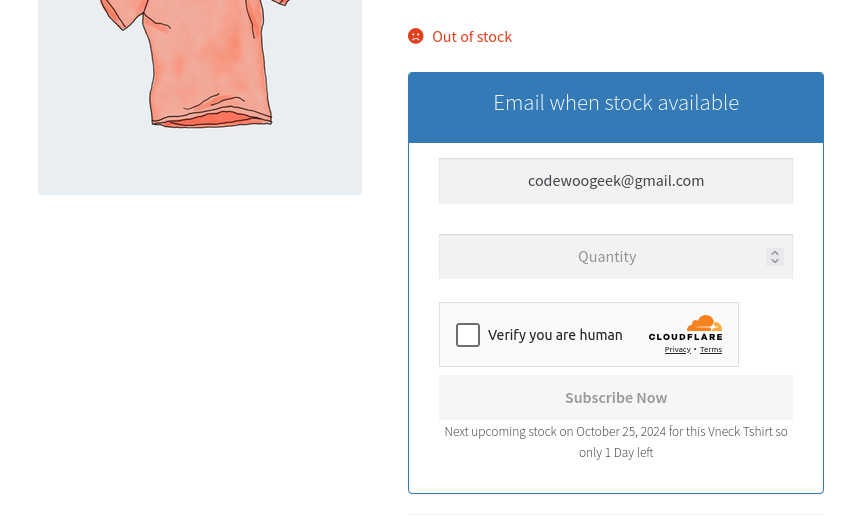
Every out-of-stock product is a lost sale waiting to happen. Back In Stock Notifier for WooCommerce captures those visitors instead of losing them. It shows an email subscription form on out-of-stock products, then automatically emails every subscriber the moment the product is restocked.
Try the Live Demo | Documentation | Support | Browse Add-ons
Why store owners choose this plugin
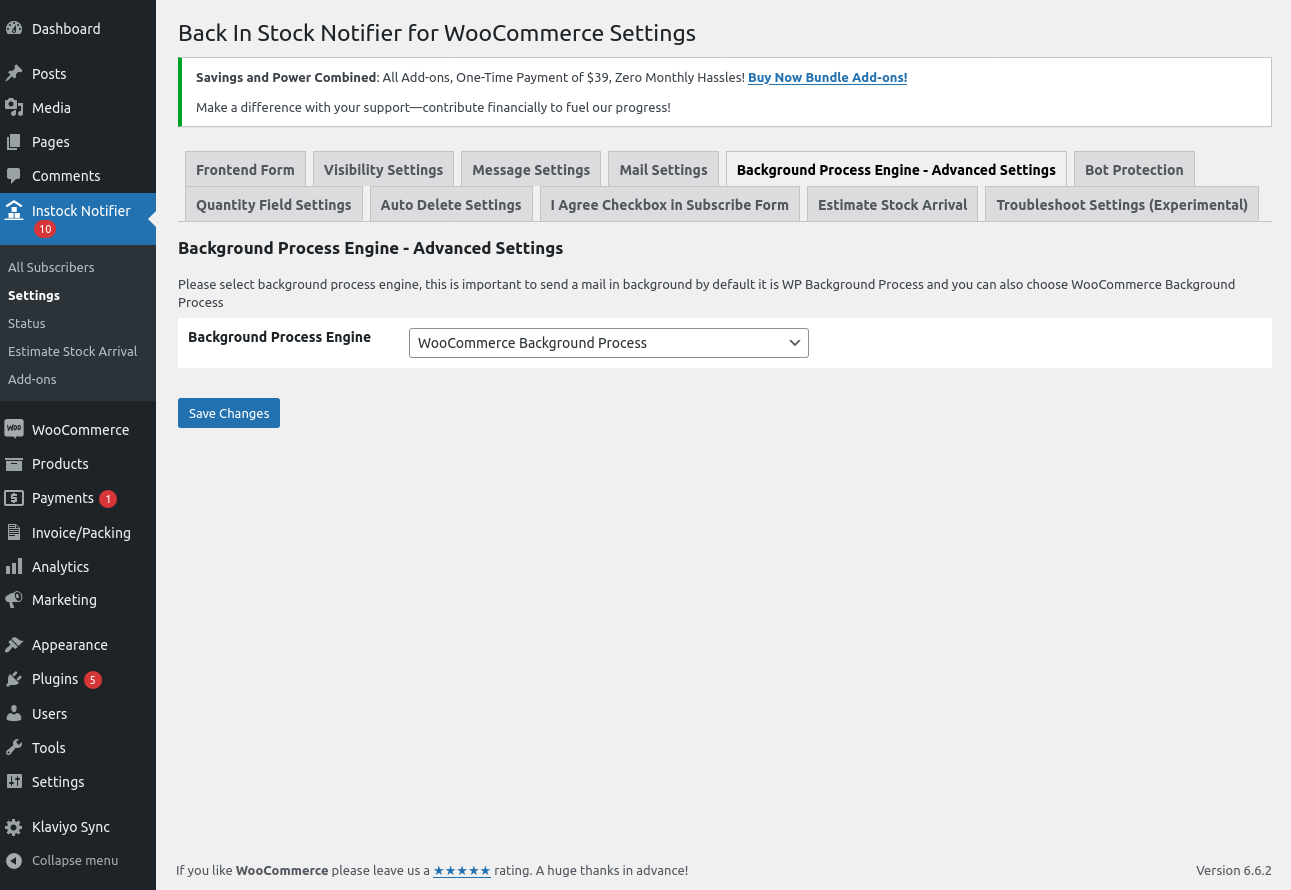
- Built for scale. Restock emails are sent through a background process engine. Even with 10,000+ subscribers on a single product, notifications go out reliably. No server crashes, no timeouts, no duplicate emails that loop-based plugins suffer from.
- Works out of the box. Activate the plugin and the waitlist form appears on out-of-stock products immediately. No setup required.
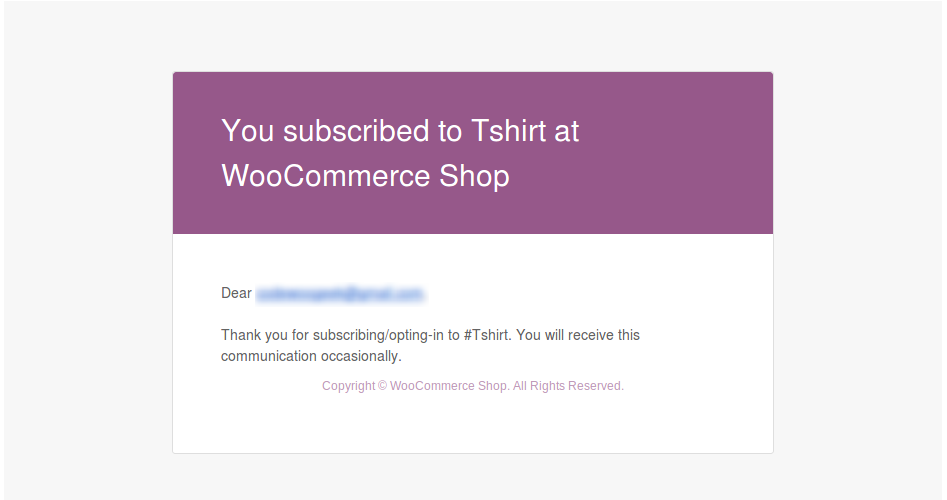
- Native WooCommerce emails. The subscription confirmation and restock notification emails use the WooCommerce email system, so they match your store branding and are fully customizable under WooCommerce > Settings > Emails.
- Trusted by 20,000+ stores worldwide.
Supported product types
- Simple and Variable products (product level and variation level)
- Grouped products
- Simple and Variable Subscriptions (WooCommerce Subscriptions)
- Product Bundles (WooCommerce Product Bundles)
Core features
- Automatic restock emails sent through a reliable background process
- Email subscription form on out-of-stock products, for both guests and members
- Email address pre-filled for logged-in members
- Duplicate check per product, the same email is never added twice to a waitlist
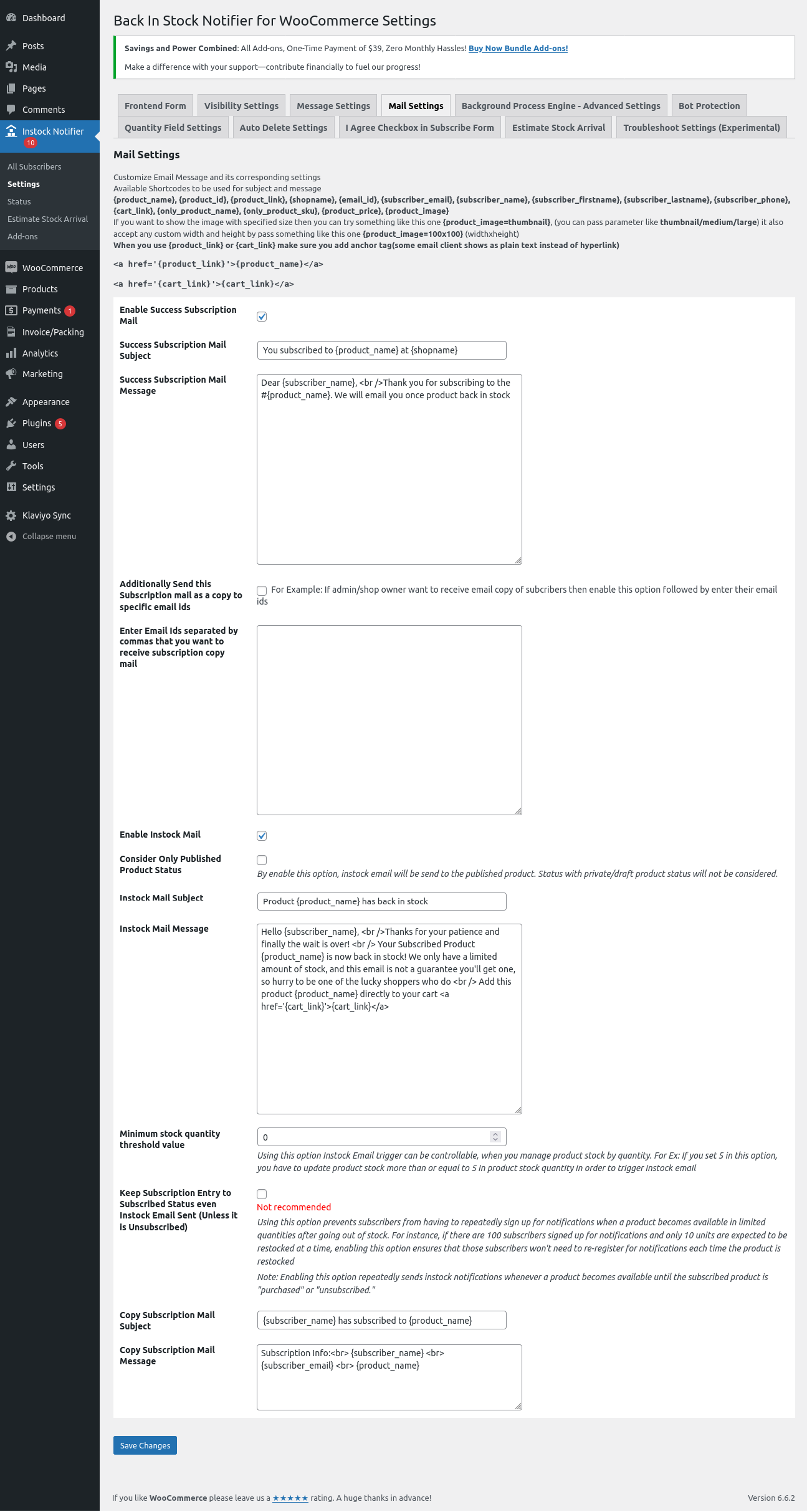
- Customizable subject and message with placeholders like {product_name}, {product_link}, {cart_link} and more
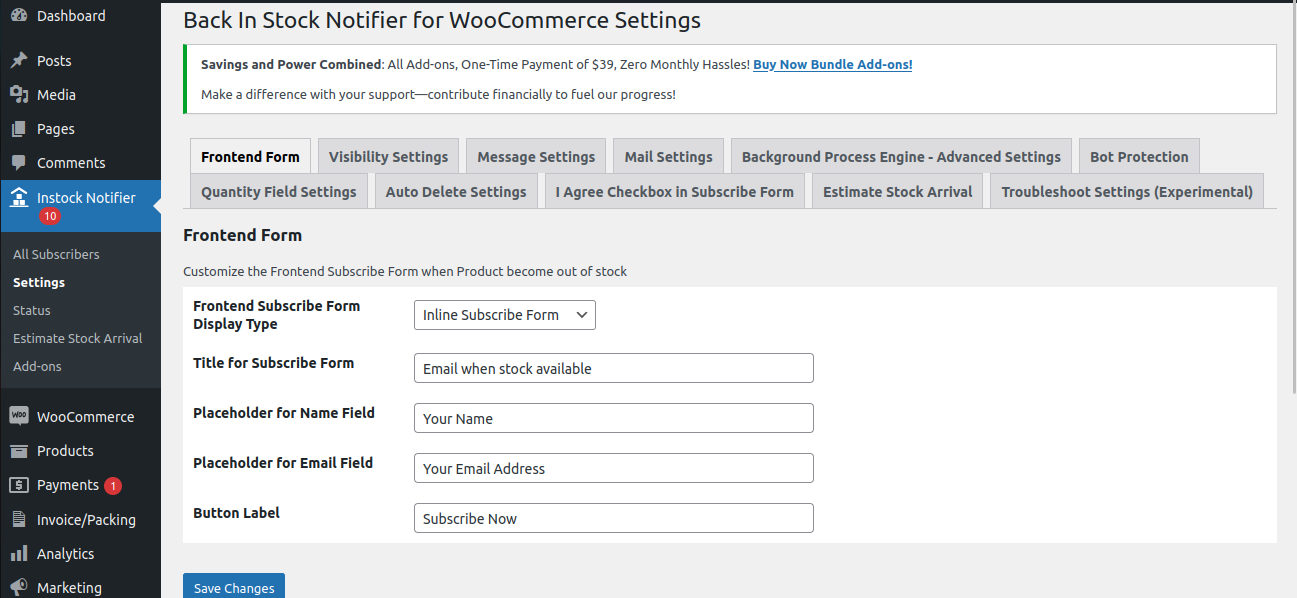
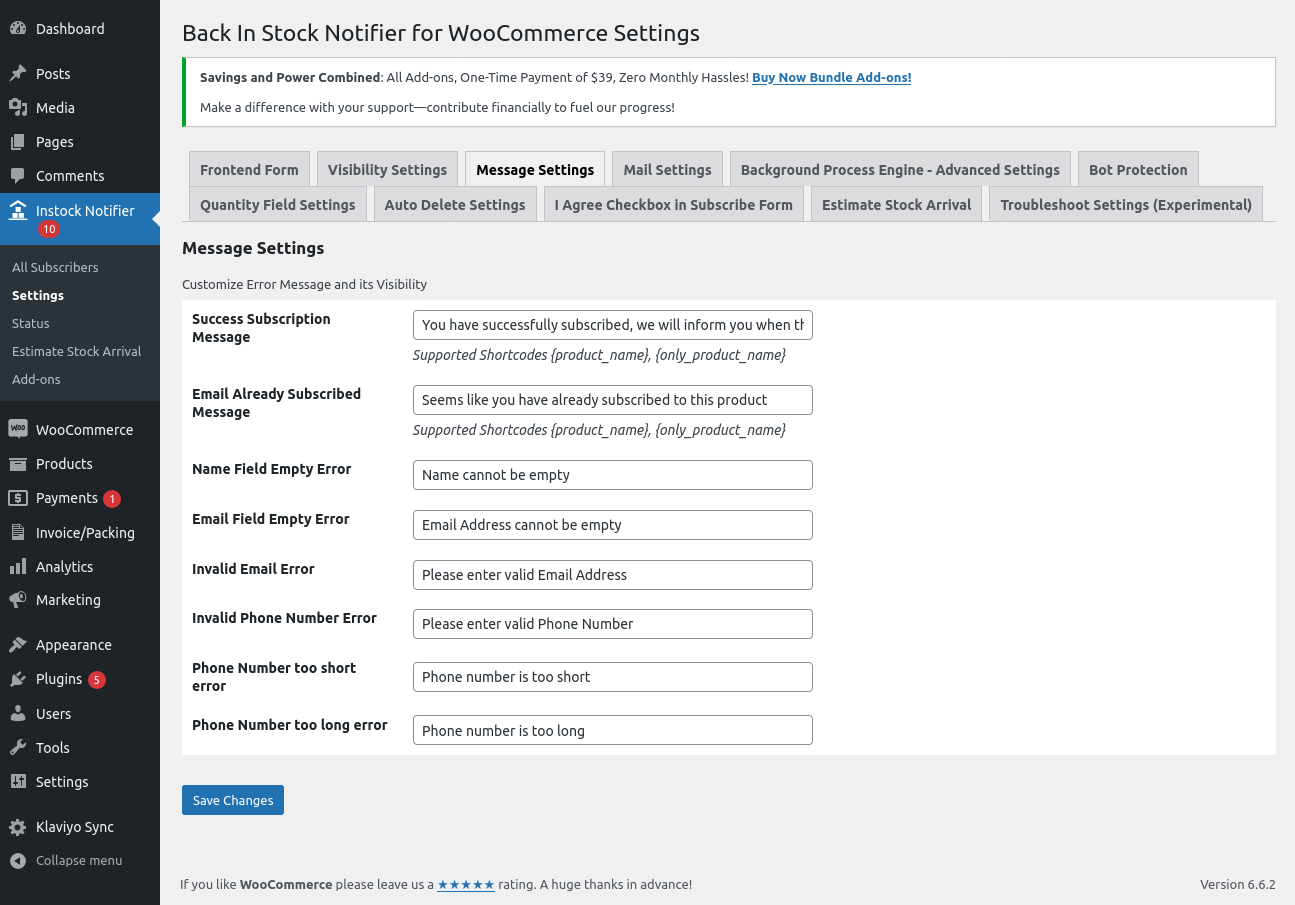
- Customizable form labels, messages, and error texts
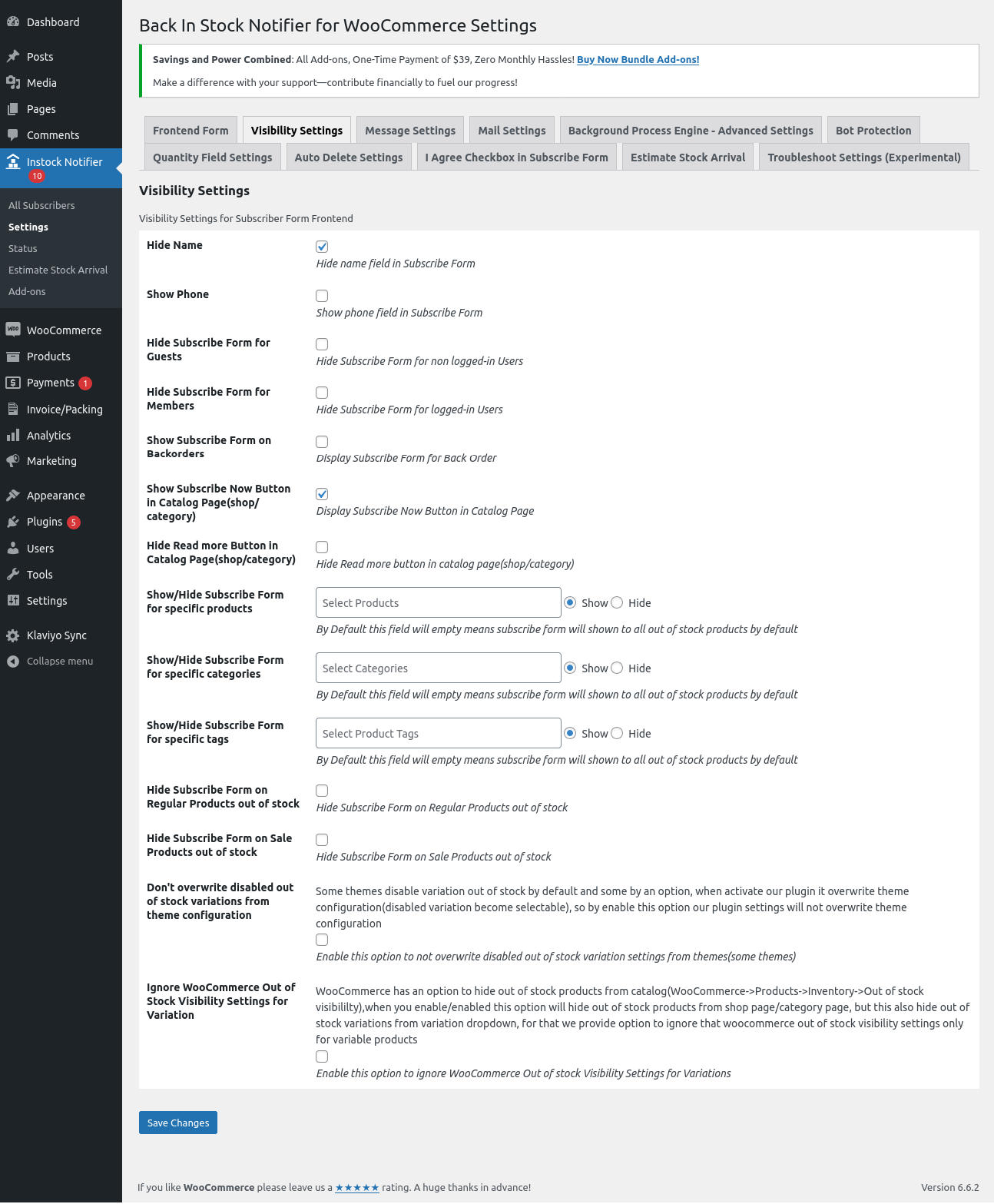
- Option to show the subscribe form for backorder products
- Fair Sending (First-Come-First-Served), on a limited restock notify only as many subscribers as units in stock, the rest stay on the waitlist for the next restock
- Email speed limit, send automatic emails gradually to respect hosting and SMTP provider limits
- Six subscribe form designs (Default, Card, Minimal, Compact, Bold, Outline) and six popup designs including five lightweight popups that need no extra library, all chosen from the settings page
- Auto Coupon, optionally send each subscriber a unique discount code that only works on the exact product or variation they waited for, with full control over discount type, amount, expiry, usage limit, minimum spend and sale item rules
- Product table placeholder for both emails, showing the subscribed product in a classic order style table with thumbnail, SKU, quantity and price
- Stock status filter on the subscribers list, including „in stock but below your notification threshold“ to find subscribers the automatic sender skipped
- Auto-retry for stuck emails, an optional recovery task that resends notifications when a background job fails or never runs
- New subscriber indicator on the admin menu and subscribers list, showing how many people signed up since your last visit
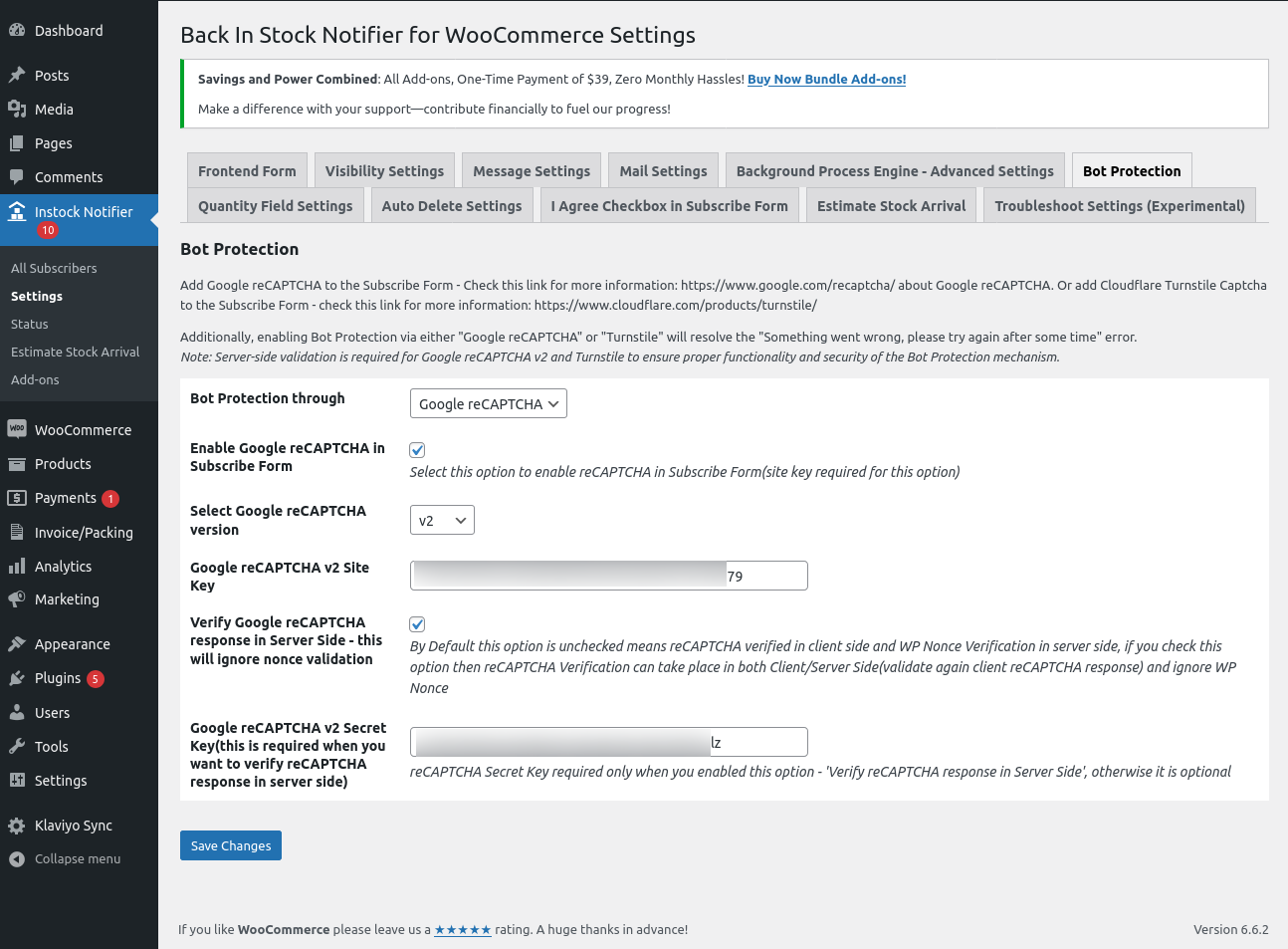
- Bot protection with Google reCAPTCHA (v2/v3) and Cloudflare Turnstile
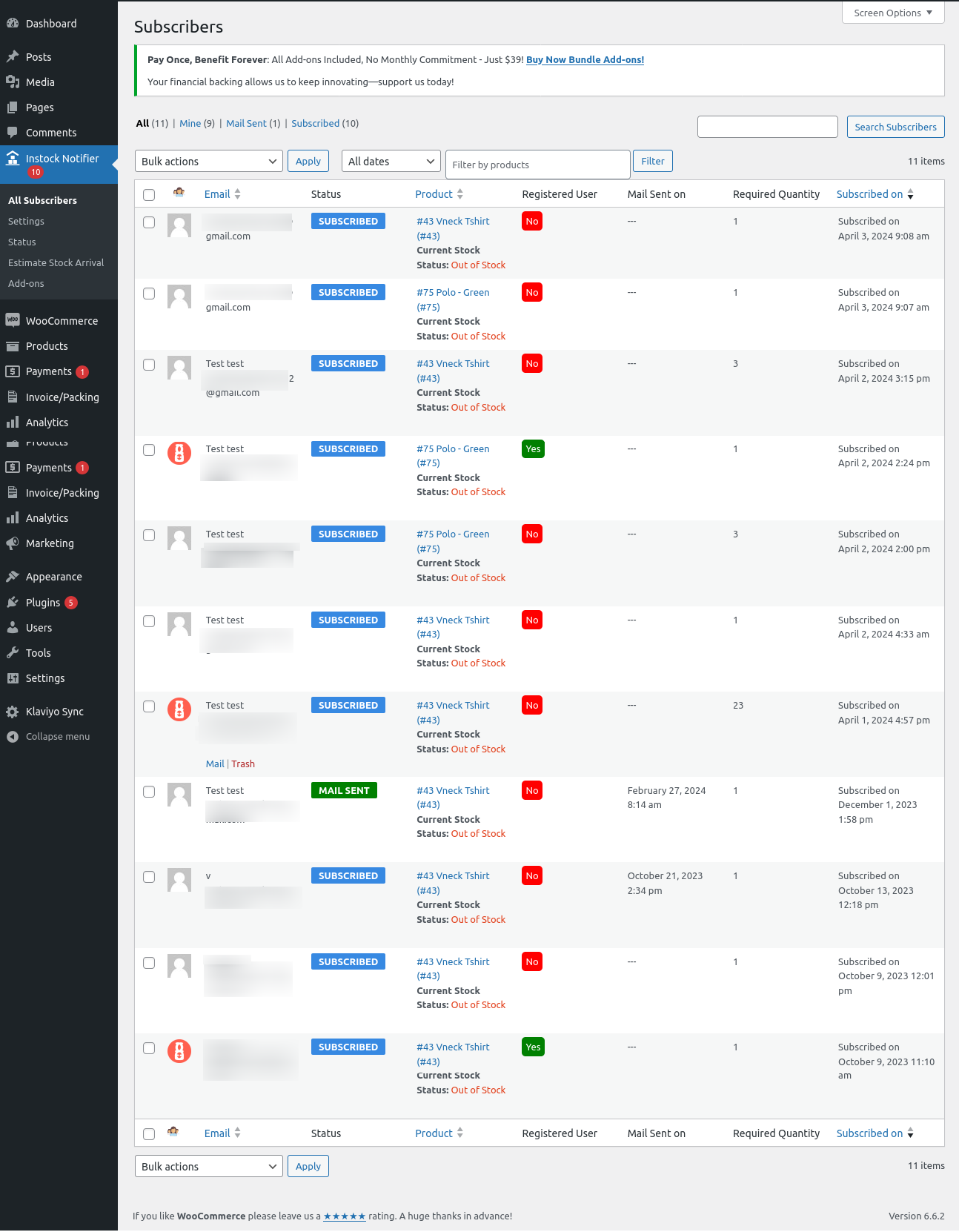
- Subscriber management dashboard to view, sort, filter, and delete subscribers
- Manual and bulk send instock mail actions
- Dashboard report widget with subscription and mail statistics
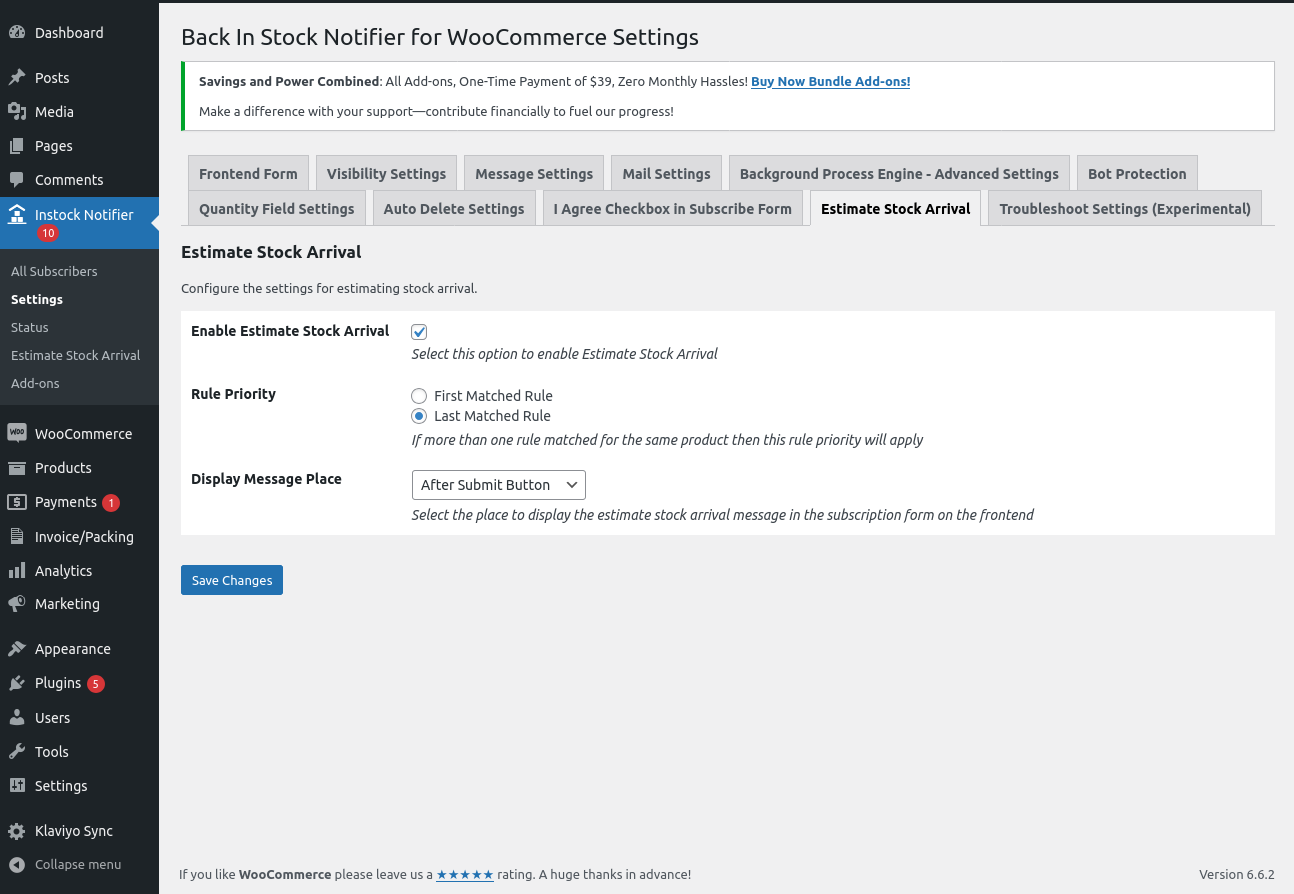
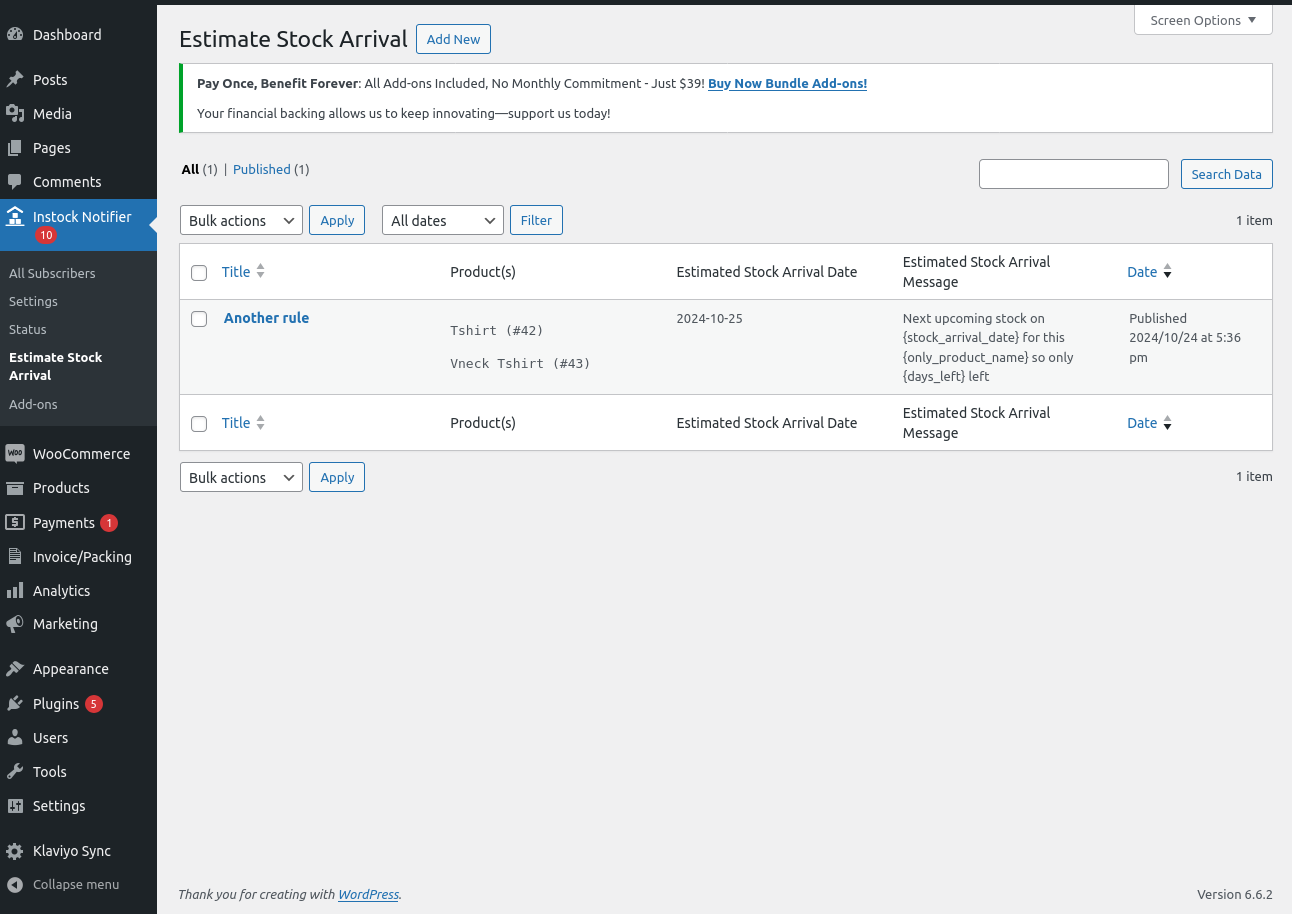
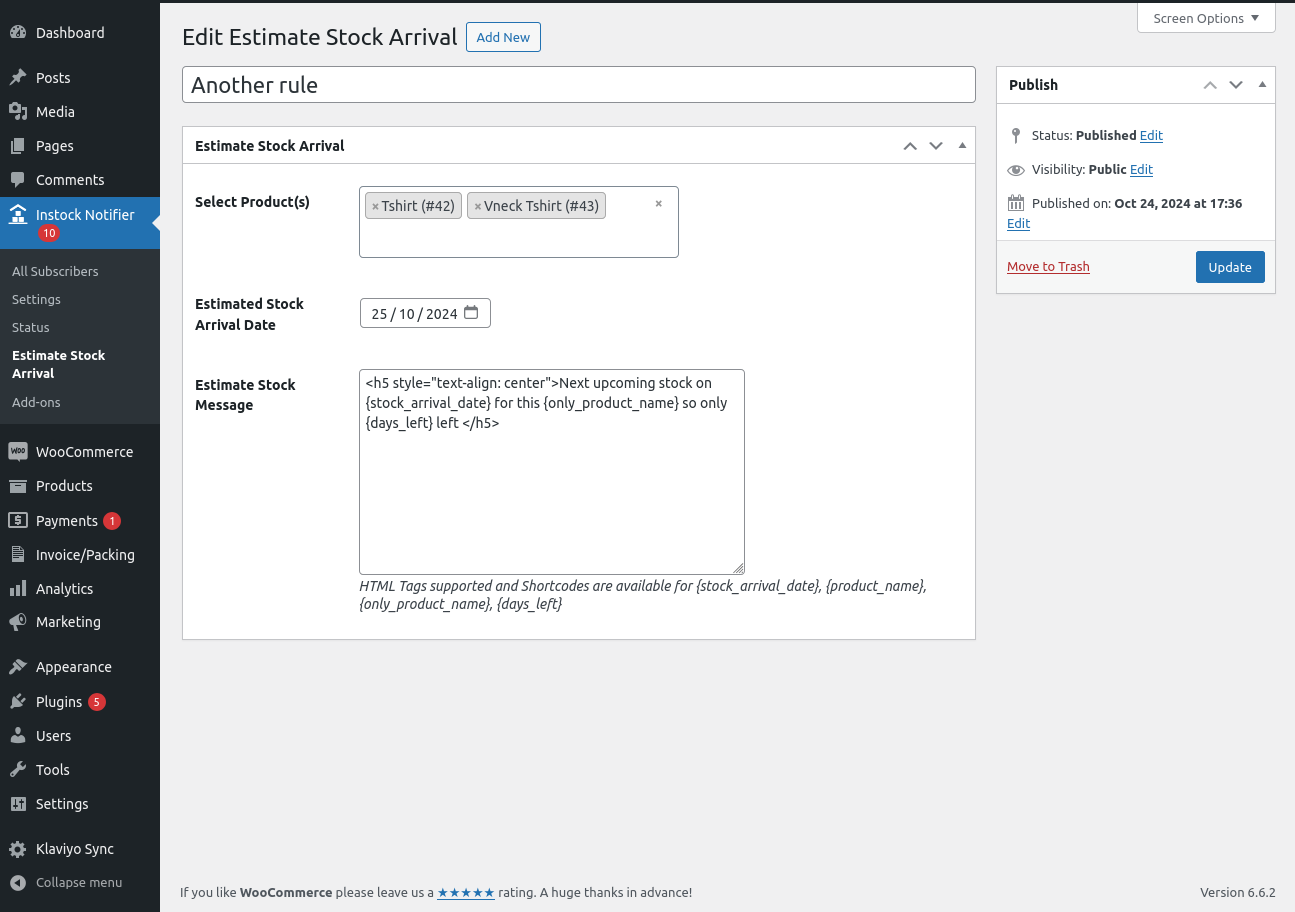
- Estimate Stock Arrival messages on the subscribe form
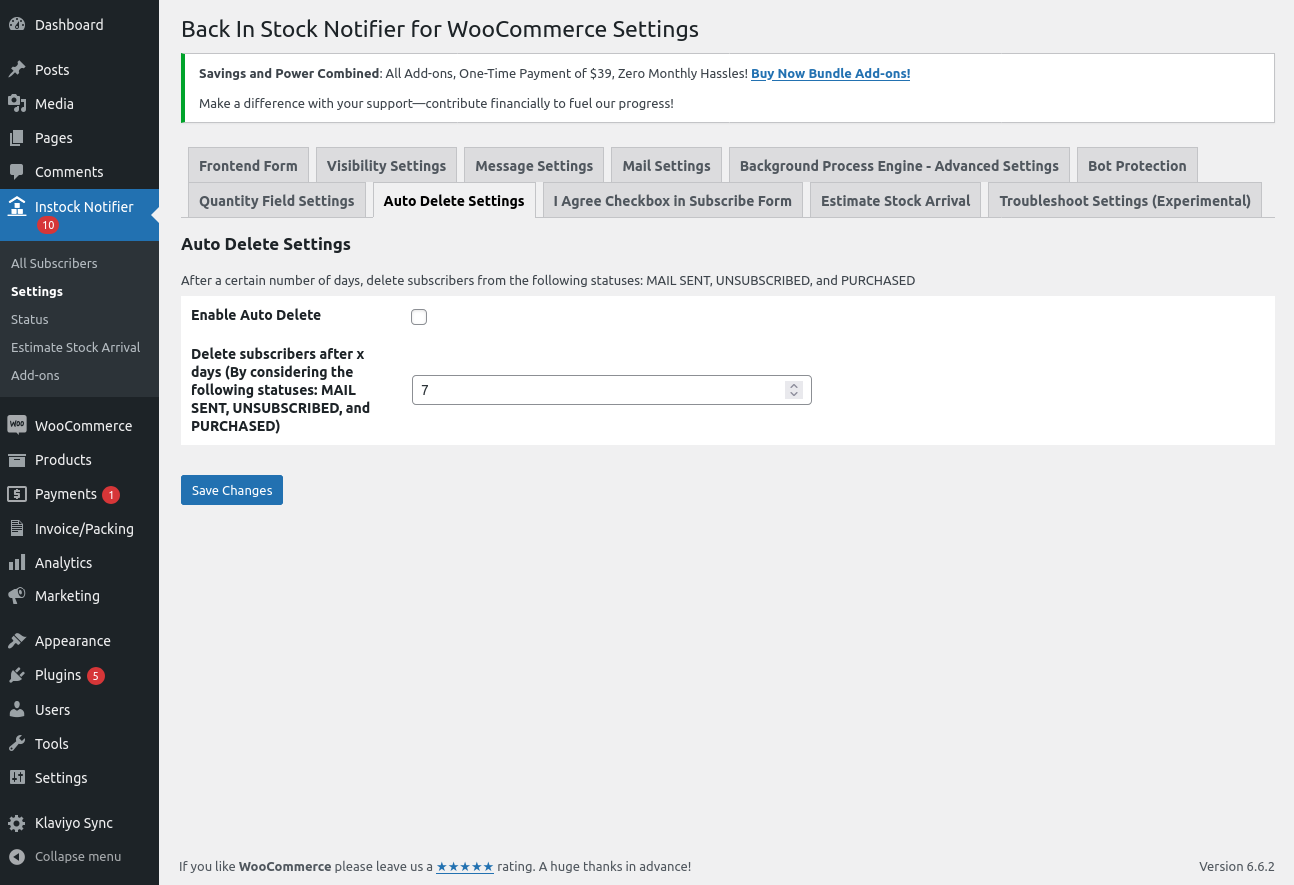
- Auto-delete old subscriber entries on a schedule
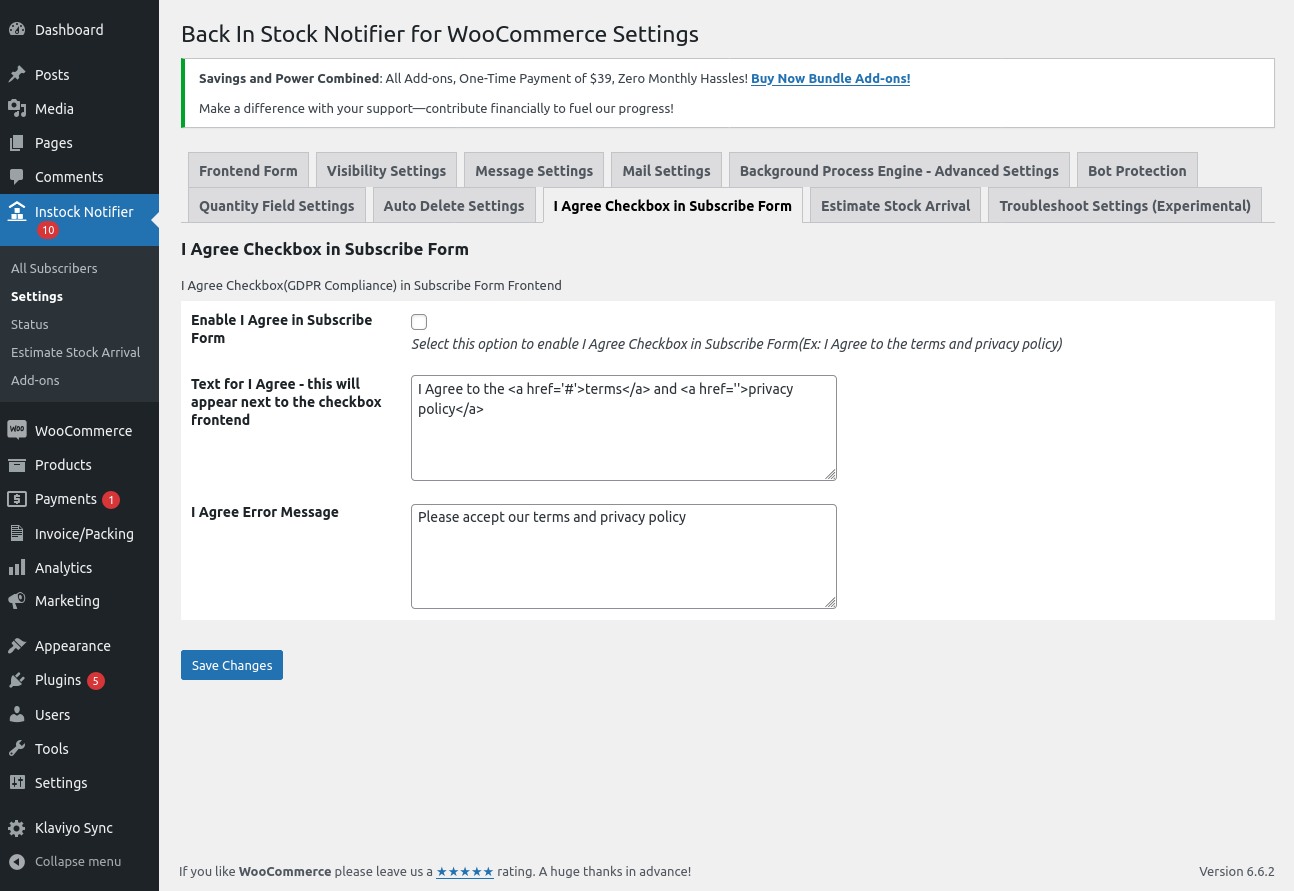
- GDPR-friendly privacy checkbox
- Third-party inventory management support (stock updated directly in the database)
- REST API to create, read, update, and delete subscribers
- Webhooks for subscription events
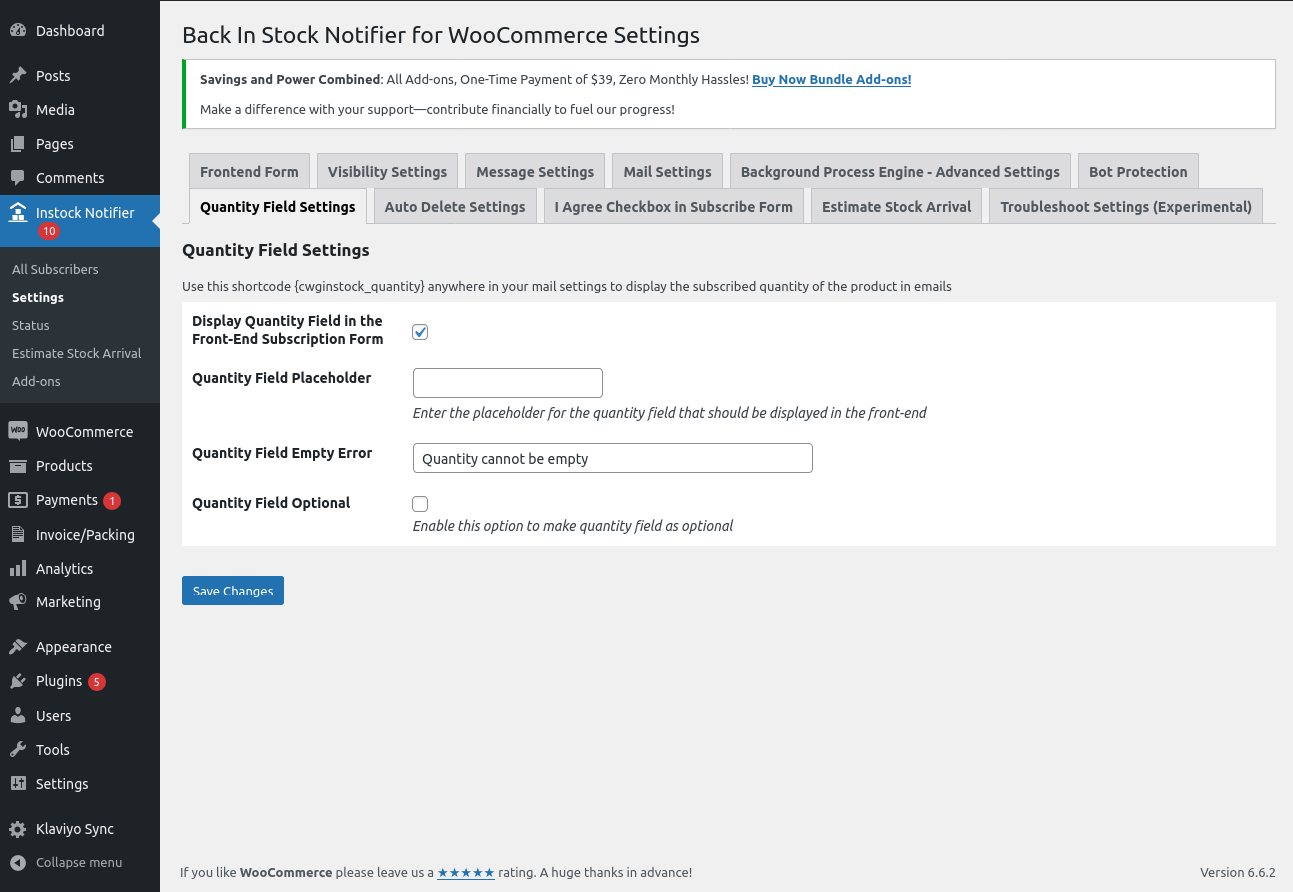
- Quantity field support
- Works with Elementor
- Translation ready
Add-ons
Supercharge your waitlist with premium add-ons. Every purchase is a one-time payment with lifetime updates. No subscriptions, no recurring fees. You can browse and manage everything from your dashboard under Instock Notifier > Plugins & Add-ons.
Best value: get Bundle Add-ons, all 26 add-ons in one plugin with one licence key, plus every future add-on, for one discounted price. Switch each add-on on or off individually.
Subscriber experience
- Double Opt-In – Subscribers confirm by email before joining the waitlist. Keeps your list clean and compliant, and unconfirmed entries are auto-deleted after X days.
- Unsubscribe – Adds an unsubscribe link to emails, and members can manage their waitlists from My Account.
- Demand Signals – Show how many people are already waiting for an out of stock product, and where a new subscriber sits in the queue.
- Priority – Decide who hears first when stock is limited by ordering the queue by signup time, spend, or customer role.
- Reminders – Follow up with people who were told a product is back but have not bought it yet, while it is still in stock.
- Never Restock – Product discontinued? Point waiting subscribers to an alternative product and notify them when it becomes available, so no waitlist goes to waste.
- Twilio SMS – Send restock alerts by SMS in addition to email, so customers never miss a restock.
- Custom CSS – Style the subscribe form with color, size, and custom CSS options. No coding needed.
Email marketing integrations
- Klaviyo – Sync subscribers to Klaviyo and trigger Klaviyo Flows for Back In Stock and Successful Subscription events, so you can build advanced automations and campaigns.
- Mailchimp – Automatically sync waitlist subscribers to your Mailchimp audience in the background.
- Brevo – Sync waitlist subscribers into a Brevo list with product attributes, and optionally send a Brevo transactional template as the restock notification.
- Omnisend – Sync waitlist subscribers into Omnisend as tagged contacts and fire a custom event on signup and restock.
- MailerLite – Sync waitlist subscribers into a MailerLite group, with the product they are waiting for saved in custom fields for automations.
- Constant Contact – Sync waitlist subscribers into a Constant Contact list over OAuth, with tokens refreshed automatically and the product they are waiting for recorded.
- ActiveCampaign – Sync subscribers to ActiveCampaign automatically.
Multilingual
- WPML – Send every email in the subscriber’s own language using WPML string translation.
- Polylang – Send subscription and restock emails in the subscriber’s chosen Polylang language.
- Weglot – Remembers the language each person was browsing in when they subscribed, and sends their restock notification in that language.
- TranslatePress – Remembers the language each person was browsing in when they subscribed, so their emails arrive in that language.
Insights and team
- Analytics – Turn the waitlist into a buying signal: demand ranked by product, conversion and revenue per restock, notification outcomes, and signup trends.
- Track Sales – See which subscribers purchased after receiving a restock email and measure the revenue your waitlist recovers.
- Team Alerts – Push waitlist signals to Slack, Discord, Microsoft Teams or any webhook, with demand threshold alerts and restock summaries.
Subscriber management
- Ban Emails – Block disposable email domains (mailinator and similar), public domains, and specific addresses to stop fake signups.
- Edit Subscribers – Correct or update existing subscriber entries directly from the admin.
- Import CSV – Import subscribers from a CSV file when migrating from another platform or store.
- Export CSV – Export subscriber lists to CSV for records, newsletters, or promotions.
See the full catalog at propluginslab.io, with more add-ons coming soon.
More plugins from ProPluginsLab
Free on WordPress.org:
- Recovero – Cart Recovery for WooCommerce – Recover abandoned carts with automated emails.
- Anticipo – Pre-Orders for WooCommerce – Take pre-orders before a product launches.
- Affireo – Affiliates for WooCommerce – Run an affiliate and referral program.
- Storefold – Multivendor Marketplace for WooCommerce – Turn your store into a multivendor marketplace.
- Dispatchio – Shipment Tracking for WooCommerce – Add tracking numbers and shipment updates to orders.
- Presentero – Gift Cards for WooCommerce – Sell and redeem digital gift cards.
- Kitero – Product Configurator for WooCommerce – Build composite products and kits.
- Plusero – Extra Fees for WooCommerce – Add conditional checkout fees and surcharges.
- Inputo – Name Your Price for WooCommerce – Let customers choose what they pay.
- Mercenza – B2B for WooCommerce – Sell wholesale with customer groups, wholesale prices and trade accounts.
- Visuaro – Product Designer for WooCommerce – Let customers design custom products in the browser.
- Christmas Snow – Festive Snowfall Effect – Add a lightweight snowfall effect to any site.
Pro plugins at propluginslab.io:
- Recovero – Cart Abandonment Recovery – Recover abandoned carts with email, SMS and WhatsApp reminders.
- Anticipo – Pre-Orders – Sell before release with deposits, pay on release and allocation limits.
- Affireo – Affiliates – Run an affiliate program with tiered commissions and scheduled payouts.
- Storefold – Multivendor Marketplace – Split orders between sellers with correct tax, shipping and payouts.
- Dispatchio – Advanced Shipment Tracking – Tracking for 285 carriers with Shipped and Delivered statuses.
- Presentero – Gift Cards – Sell and redeem gift cards online or in store, with PDF cards and QR codes.
- Kitero – Composite Products – Let shoppers build kits and bundles with live pricing and logic rules.
- Plusero – Extra Fees – Conditional fees on products, cart, checkout, shipping and payment.
- Inputo – Name Your Price – Let customers choose what they pay, within your limits.
- Mercenza – B2B – Wholesale with group prices, company accounts, quotes and payment on account.
- Visuaro – Product Designer – Customers design products and you get print ready files.
- Divisero – Multicurrency – Fixed prices per currency, live rates and checkout in every currency.
- Fedelto – Points and Rewards – Loyalty points, referrals, rewards catalog, missions and badges.
- Scontero – Dynamic Pricing – Bulk pricing, BOGO, gifts, bundles and cart level discounts.
External services
The plugin works without any external service. The services below are used only when you turn them on.
Google reCAPTCHA (off by default; Instock Notifier > Settings > Bot Protection). Protects the subscribe form from bots. When turned on, the reCAPTCHA script is loaded from google.com on pages that show the form, and the visitor’s reCAPTCHA token is sent to https://www.google.com/recaptcha/api/siteverify with your secret key when the form is submitted. Google may collect data about the visitor’s browser and device. Terms of Service, Privacy Policy.
Cloudflare Turnstile (off by default; Instock Notifier > Settings > Bot Protection). Protects the subscribe form from bots. When turned on, the Turnstile script is loaded from challenges.cloudflare.com on pages that show the form, and the visitor’s Turnstile token is sent to https://challenges.cloudflare.com/turnstile/v0/siteverify with your secret key when the form is submitted. Terms of Use, Privacy Policy.
ProPluginsLab catalogue (propluginslab.io, run by the plugin author). The Plugins & Add-ons admin page lists the available add-ons and plugins. The list is downloaded from https://propluginslab.io/wp-json/cwg-feed/v1/products and https://propluginslab.io/wp-json/cwg-feed/v1/promotion only when an administrator presses Refresh on that page, or once a day if „Refresh the Plugins & Add-ons catalogue daily“ is turned on (off by default) under Instock Notifier > Settings > Troubleshoot Settings. It is a plain request: no data about your store, its customers or its subscribers is sent. Terms and Conditions, Privacy Policy.
WooCommerce webhooks: the plugin adds subscriber topics to WooCommerce webhooks (WooCommerce > Settings > Advanced > Webhooks). If you create a webhook with one of these topics, subscriber details are sent to the delivery URL you choose. Nothing is sent unless you create one.
Obrázky
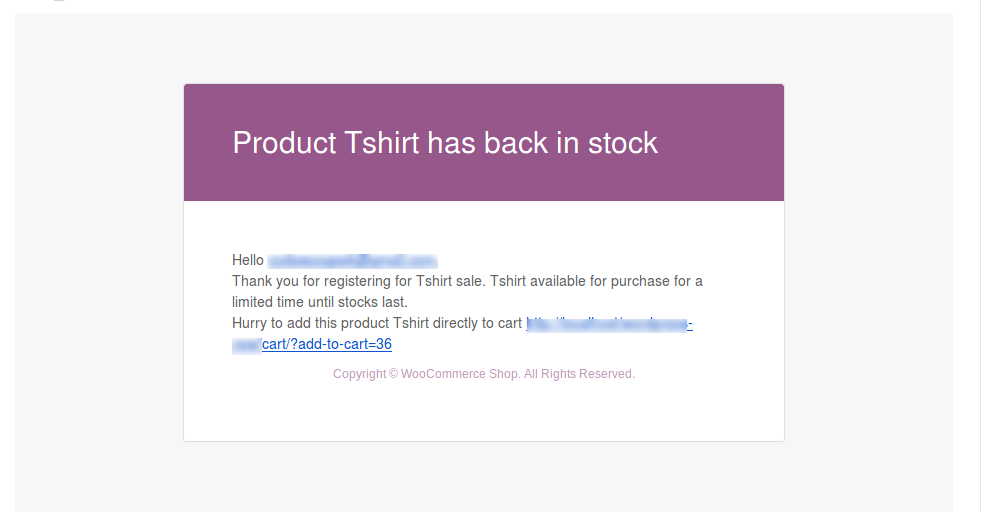
Inštalácia
Minimálne požiadavky
- PHP verzia 7.4 alebo novšia verzia
- MySQL 5.6 alebo novšia verzia
- WooCommerce 3.0+
- WordPress 4.7+
Automatická inštalácia
Automatická inštalácia je najjednoduchšia možnosť, pretože WordPress sám vykonáva prenos súborov a nemusíte opustiť svoj webový prehliadač. Pre automatickú inštaláciu Back In Stock Notifier sa prihláste do svojho WordPress dashboardu, prejdite do ponuky Pluginy a kliknite na Pridať nový.
Do vyhľadávacieho poľa zadajte „Back In Stock Notifier“ a kliknite na Hľadať pluginy. Keď nájdete náš plugin s autorom codewoogeek, môžete zobraziť podrobnosti o ňom, ako je verzia, hodnotenie a popis. Najdôležitejšie je, že ho môžete nainštalovať jednoducho kliknutím na „Nainštalovať teraz“.
Manuálna inštalácia
Metóda manuálnej inštalácie zahŕňa stiahnutie nášho pluginu a jeho nahratie na váš webový server pomocou obľúbeného FTP nástroja. WordPress codex obsahuje návody, ako to urobiť.
Časté otázky
-
Aký je rozdiel medzi týmto pluginom a inými podobnými pluginmi?
-
Vlastne, synchronizujeme a odosielame e-maily vašim odberateľom v pozadí, takže výpadky servera alebo časové limity sú ignorované pri používaní nášho pluginu. To zabezpečuje 99,99% úspešnosť odoslaných e-mailov.
-
Ako importovať údaje odberateľov na môj nový web?
-
Toto môžete urobiť pomocou natívneho spôsobu WordPressu. Prejdite na Admin Dashboard -> Nástroje -> Exportovať -> Odberatelia -> Stiahnuť exportovaný súbor (xml). Neskôr môžete tieto údaje importovať na svoju novú stránku tak, že prejdete na Admin Dashboard -> Nástroje -> Importovať -> Nahrať stiahnutý XML súbor a Dokončiť import. Teraz ste úspešne preniesli údaje o odberateľoch.
-
Chyba „Niečo sa pokazilo“ pri prihlásení a ako sa zbaviť takejto chyby?
-
We use one layer of security to our ajax request which is WP Nonce, but due to caching mechanism from third party plugins/hosting this security nonce also cached which cause this error „something went wrong, please try again after some time“, some cases by setting up cache timeout in plugin settings reduce this kind of issue.
Ako sa zbaviť tejto chyby?
We added new techniques in version 2.0 to avoid the Something Went Wrong Error. If your site has encountered such issues, we suggest you try the below steps to get rid of the Something Went Wrong Error.
-
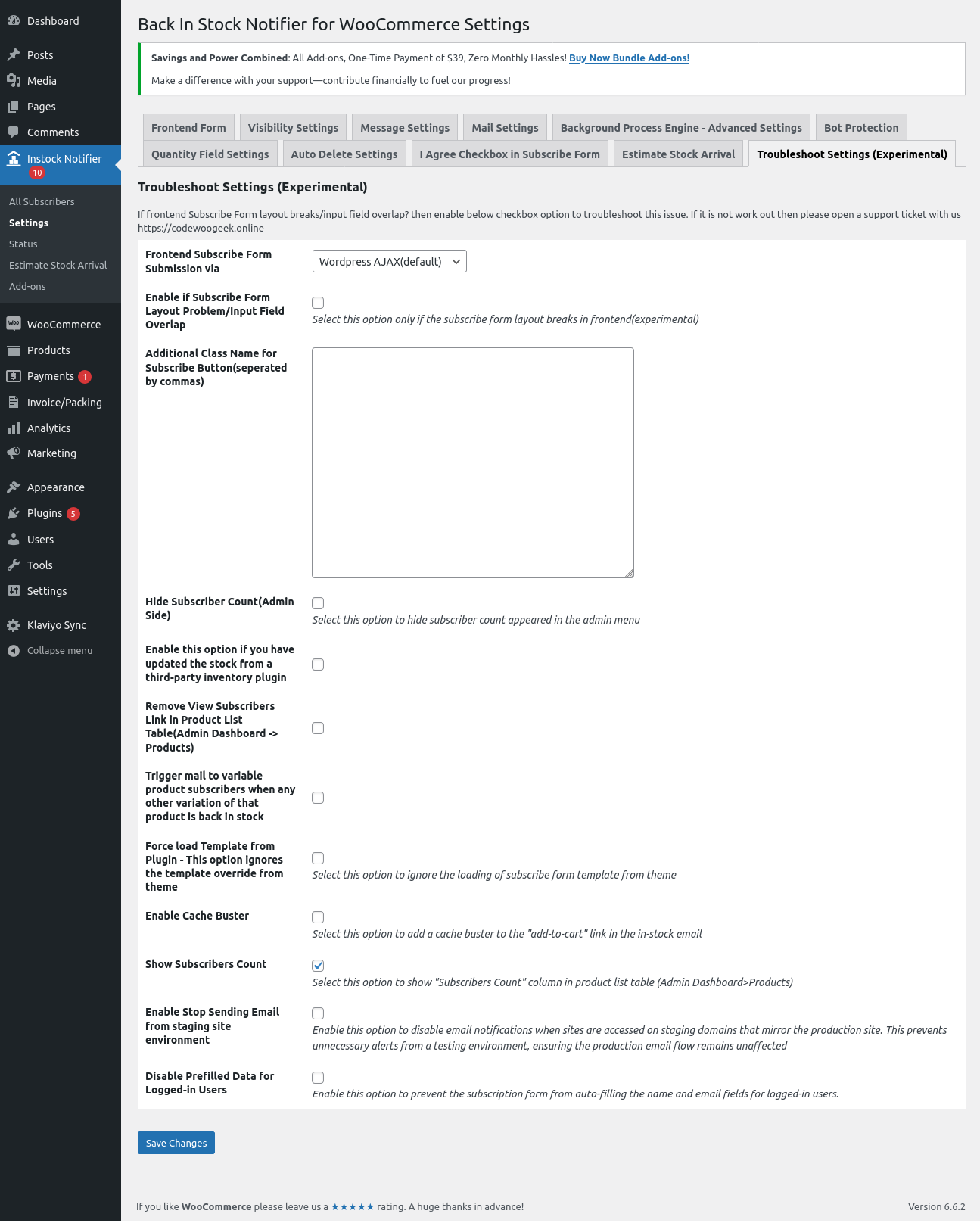
Switch to the WordPress REST API Route: Go to Admin Dashboard -> Instock Notifier -> Settings -> Troubleshoot Settings Section -> Frontend Subscribe Form Submission. One is WordPress AJAX (default) and the other is WordPress REST API Route. Try changing that option to „WordPress REST API Route“ and checking it out (purge your cache and check it out).
-
Google reCAPTCHA: Zvážte použitie Google reCAPTCHA v2 alebo v3. Budete potrebovať Site Key a Secret Key. (Prejdite na Admin Dashboard -> Instock Notifier -> Nastavenia -> Ochrana proti botom -> Ochrana proti botom cez -> Google reCAPTCHA -> 1. Povoliť Google reCAPTCHA vo formulári odberu: Povoliť 2. Vybrať verziu Google reCAPTCHA -> v2/v3. Zadajte Site Key a Secret Key zodpovedajúce vybratej verzii pre správnu funkciu.)
-
Turnstile: Zvážte použitie Turnstile ako ďalšej možnosti ochrany proti botom. Budete potrebovať Site Key a Secret Key. Prejdite na Admin Dashboard -> Instock Notifier -> Nastavenia -> Ochrana proti botom -> Ochrana proti botom cez -> Turnstile -> Povoliť Turnstile vo formulári odberu (Povoliť) -> Turnstile Site Key -> Turnstile Secret Key.
-
-
Ako prepísať/vytvoriť vlastnú šablónu pre front-endový formulár na odber?
-
-
Vytvorte priečinok vo vašej aktuálnej téme s názvom „back-in-stock-notifier-for-woocommerce“. Napríklad: wordpress -> wp-content -> themes -> storefront/(vaša téma) -> back-in-stock-notifier-for-woocommerce.
-
Prejdite do priečinka nášho pluginu a nájdite priečinok „templates“. (wordpress -> wp-content -> plugins -> back-in-stock-notifier-for-woocommerce -> templates -> default-form.php)
-
Otvorte složku „templates“ a skopírujte súbor s názvom „default-form.php“ z tejto složky.
-
Teraz vložte skopírovaný súbor do svojho motívu pod složku s názvom „back-in-stock-notifier-for-woocommerce“ (krok 1).
-
To je všetko. Teraz ste úspešne načítali šablónu z vášho motívu a môžete ju upravit podľa svojich predstáv.
-
-
Spravujem inventár skladových zásob v systéme tretej strany, zvládne tento plugin túto úlohu?
-
Nie všetci majitelia stránok spravujú zásoby priamo na stránke; niektorí spravujú zásoby prostredníctvom externých nástrojov na správu zásob. Problém s naším pluginom je ten, že Automatický Instock E-mail nie je spustený/rozoznaný, pretože niektorý externý softvér priamo aktualizuje zásoby v databáze.
Od verzie v2.4 sme metodicky implementovali podporu pre spravovanie zásob od tretích strán na odosielanie nášho Automatického Instock E-mailu. Postupujte nasledovne:
Prejdite na Admin Dashboard -> Instock Notifier -> Nastavenia -> Sekcia na riešenie problémov -> Aktivujte túto možnosť, ak ste aktualizovali zásoby cez plugin tretej strany na správu inventára. Zaškrtnite túto možnosť a uložte zmeny.
Teraz kontrolujeme produkt každých päť minút, aby sme spustili náš Automatický Instock E-mail, keď sa stav zásob stane „Na sklade“.
-
Ako môžem manuálne skontrolovať e-mail odberateľov?
-
Náš plugin sa synchronizuje s používateľmi WordPress, ktorí sa prihlásia na odber prostredníctvom nášho pluginu. V niektorých prípadoch môže byť e-mailová adresa pridaná bez odberu (napríklad pri opustení košíka, na stránke pokladne a pod.) vlastníkmi webovej stránky. Ak chcete skontrolovať takéto e-maily, môžete prejsť na Admin Dashboard -> Používatelia -> Pridať akékoľvek údaje, ktoré chcete. Napríklad vlastný text.
-
Čo robiť, keď je produkt na sklade, ale odberatelia nedostali e-maily?
-
Ak je váš produkt na sklade a vaši predplatitelia nedostali e-maily, postupujte nasledovne:
1. Prejdite na administrátorský panel -> Notifikátor skladu -> Nastavenia.
2. Prejdite na sekciu Odstraňovanie problémov.
3. Nastavte „Povoliť odoslanie e-mailu po ‚X‘ čase, keď je sklad opäť k dispozícii“ na niečo ako 5 minút.
4. Uložte zmeny. -
The status says „Mail Sent“ but the email never arrives. Why?
-
Without an SMTP plugin, WordPress sends email through the server’s PHP mail() function. The server accepts the email (which is why the status says sent), but many servers cannot actually deliver it, or the email lands in spam. To fix this, install and configure an SMTP plugin such as WP Mail SMTP or FluentSMTP so emails are sent through a real mail service. You can verify delivery from Admin Dashboard -> Instock Notifier -> Status -> Test Email.
-
Podporuje váš plugin REST API?
-
Od verzie 2.0 sme pridali podporu pre REST API, ktoré vám umožňuje vytvárať/aktualizovať/získať/mazať odberateľov. Na to potrebujete Kľúč spotrebiteľa a Tajný kľúč spotrebiteľa.
How to generate Consumer key and Consumer Secret?
Navrhli sme náš plugin tak, aby fungoval nad WooCommerce, takže poverenia vytvorené v WooCommerce (kľúč spotrebiteľa a tajný kľúč spotrebiteľa) môžu byť použité aj pre náš REST API Endpoint na vykonávanie rôznych akcií. Prejdite na WooCommerce -> Pokročilé -> REST API -> Vytvoriť kľúče (s oprávneniami na čítanie/písanie).
What endpoints are provided by your plugin?
Vytvorili sme dokumentáciu pre REST API, ktorú si môžete skontrolovať tu https://documenter.getpostman.com/view/15423262/TzJrDfTe
-
Ako kontaktovať vašu podporu?
-
Start with the documentation at https://docs.propluginslab.io/back-in-stock-notifier-for-woocommerce, which covers setup, the email placeholders and the most common questions. If you still need help, you can contact us via the support Forum of WordPress or by creating a support ticket from our site https://propluginslab.io/support
Recenzie


Prispievatelia a vývojári
“Notifikátor o opätovnej dostupnosti pre WooCommerce | WooCommerce Waitlist Pro” je softvér s otvoreným zdrojovým kódom. Do tohto pluginu prispeli nasledujúci ľudia.
Prispievatelia


„Notifikátor o opätovnej dostupnosti pre WooCommerce | WooCommerce Waitlist Pro“ bol preložený do 4 jazykov. Ďakujeme prekladateľom za ich príspevky.
Máte záujem o vývoj?
Prehľadávajte zdrojový kód, preskúmajte SVN repozitár, alebo sa prihláste na odber vývojárskeho logu cez RSS.
Zoznam zmien
Older entries are in changelog.txt, included with the plugin.
7.5.3 2026-11-10
- Security: A value entered in the subscribe form, such as the name, could contain WordPress shortcode markup that was then run on the server while the subscription email was being prepared, even for store owners who never turned the admin copy email on. Submitted values now have shortcode brackets removed before they are saved, and any subscriber detail placed into an email is encoded so it can only appear as text. Shortcodes you write yourself in the email templates are unaffected and still work. Reported by Patchstack.
- Security: The REST subscribe route, used when „Submit via WordPress REST API route“ is selected, now verifies the security token on the request instead of only checking that one was sent.
7.5.2 2026-11-05
- Fix: The {cwginstock_unsubscribe} placeholder could appear in customer emails as raw text. The token is now always registered, so it is never shown to a customer even when the Unsubscribe add-on is inactive or cannot build a link.
- Fix: {cwginstock_unsubscribe_all} was never replaced, because it was not offered to the add-on that resolves it. Both unsubscribe tokens are now offered.
- Fix: „Send Instock Mail“ could answer with „The link you followed has expired“. The handler required a referer header, which browsers, proxies and privacy settings often strip; the request was then left to edit.php, which treated it as a bulk action. The referer is no longer required, the nonce still is, and the request always ends with a clear message.
- Fix: Sending an instock mail manually could fail with a fatal error when the request did not carry post_type in the query string, because the notices library was only loaded in that case.
- Fix: Links in the add-ons notice were shown in the WordPress admin link colour against the notice’s dark background, a contrast ratio of 2.4 to 1, which made the add-on names hard to read. They now use the intended colours and meet WCAG AA.
- Tweak: The email settings now list the {cwginstock_unsubscribe} and {cwginstock_unsubscribe_all} placeholders, with a note that they need the Unsubscribe add-on. The note is shown only when the add-on is missing, and tells Bundle owners to switch the module on rather than pointing them at the shop.
- Tweak: On the Subscribers and Stock Arrival lists the add-ons notice is now a single line, so the list is not pushed down the page. The full notice is still shown on the plugin’s own pages.
- Tweak: The dismiss control on that notice has a larger click area.
7.5.1 2026-10-28
- New: UTM tracking for the links in both notification emails, under Instock Notifier > Settings > Email Link Tracking. Set the source, medium and campaign once and they are applied to every link: {product_link}, {cart_link}, the product link inside {product_table}, and the button in {coupon_box}. An optional setting labels each link with its own utm_content so you can tell which one was clicked. Links you tagged by hand keep their own values, and the product image is left alone.
- Fix: Coupon settings that are on by default could not be turned off. Unticking „Coupon Cannot Be Used on Sale Items“, „Cannot Be Combined with Other Coupons“ or „Restrict Coupon to Subscriber Email“ had no effect, because an unticked checkbox submitted nothing and the default switched the setting back on.
- Fix: The coupon could come through empty when the email body was written in the WooCommerce block email editor. A coupon is only created when a coupon placeholder is found in the email, and that editor keeps the body in a separate place which was not being checked.
- New: An „Always Create the Coupon“ setting for stores using a customised email template, where the placeholder cannot be detected automatically.
7.5.0 – 2026-10-15
- New: Waitlist summary box on the product edit screen. It shows how many people are waiting for the product and for each variation, how many were already notified or converted, and links to those subscribers. Turn it on under Instock Notifier > Settings > Troubleshoot Settings > „Show Waitlist Summary on Product Edit Screen“ (off by default).
- Tweak: The Plugins & Add-ons catalogue is no longer downloaded from propluginslab.io on a daily schedule unless you turn on „Refresh the Plugins & Add-ons catalogue daily“ (off by default). Pressing Refresh on that page still loads it. Add-on icons on that page no longer load from another site.
- Tweak: Added an External services section to this readme describing Google reCAPTCHA, Cloudflare Turnstile and the add-ons catalogue.
- Security: Hardening across admin actions and the REST API. The subscriber REST endpoints (wc-instocknotifier/v3) now require the Manage WooCommerce capability, deleting a subscriber is no longer allowed with read access only, and the update endpoint only accepts subscriber IDs. The manual „send mail“ action, the test email and the settings view switch now check the user’s capability as well as the security token.
- Tweak: Admin and form styles are added through the WordPress style queue instead of inline style tags, debug messages were removed from the browser console, and subscriber deletion logs are written as JSON.
- Fix: The cwginstock_payload_data filter for webhook payloads works again (its name had been lost in 5.5.0).
- Tweak: Renamed the bundled @2x flag and globe images so file names contain no special characters.
- Tweak: Requires at least is now WordPress 5.3, which the plugin already needed for its date handling.
- Tested with WordPress 7.1.3 and WooCommerce 11.2.1.
7.4.5 – 2026-10-01
- New: {coupon_box} placeholder for the back in stock email. One tag renders a complete coupon section with the discount, the code, the expiry date and a shop button, so no HTML is needed. It appears in the WooCommerce email preview with sample content.
- New: Coupon block colours, under Instock Notifier > Settings > Auto Coupon. Follow your WooCommerce email colour, follow your website colour when the theme provides one, or set your own. The background and the button text colour follow automatically so the block stays readable.
- New: Coupon block wording, under the same settings. The heading, subtext, expiry line and button label can each be changed and accept the {coupon_amount}, {coupon_code}, {coupon_expiry} and {shopname} placeholders. Empty fields keep the default wording.
- Fix: On multilingual sites the popup subscribe form and the validation and success messages appeared in the site default language instead of the visitor’s language. These load over AJAX, where a translation plugin cannot tell which language the visitor is on, so the language now travels with the request and is applied before any text is produced. Tested with WPML and Polylang. If you translate the plugin settings with our WPML or Polylang add-on, update that add-on as well.
7.4.4 – 2026-09-22
- Fix: Subscribers could receive the same back in stock notification repeatedly. The third-party stock check notified everyone waiting for a product that was in stock, on every run, instead of only when a product came back into stock. On sites using „Keep Subscription Entry to Subscribed Status even Instock Email Sent“, or auto-retry with its final status set to Subscribed, entries returned to the waiting state after each send and were notified again on the next run.
- Fix: The third-party stock check now acts only on a genuine change from out of stock to in stock. The first run after enabling it records the current stock status of each product and sends nothing, so enabling the option never notifies subscribers for stock that was already there.
- Fix: A subscriber is now notified at most once per restock, whatever state their entry is left in afterwards. A later genuine restock notifies them again.
- Fix: An entry finalized by auto-retry no longer has its retry counter cleared, which could give it a fresh set of retries on every cycle.
- Tweak: The third-party stock check processes at most 100 products per run, continuing on the next run, and records this in the logs.
- Tweak: Added a description to the third-party stock update setting explaining when it is needed and that it is not required when stock is updated through WooCommerce.
- New: Add-ons banner on the plugin’s own admin screens (subscriber list, Settings, Status, Estimate Stock Arrival) featuring Bundle Add-ons and a link to the Plugins & Add-ons page. It is not shown on the dashboard, the Plugins screen or the Plugins & Add-ons page, is hidden when Bundle Add-ons is active, and can be dismissed per user for 30 days. It replaces the previous promotion notices on the subscriber list and Settings page.
- Tweak: Links moved to propluginslab.io, including the add-ons feed on the Plugins & Add-ons page and the support links.
- Tweak: Removed the live demo link from the plugin description.
- Tested with WordPress 7.1.1 and WooCommerce 11.1.1.
7.4.3 – 2026-09-17
- Fix: Back in stock emails were never sent for variable products whose stock is managed on the parent product (Inventory set on the main product, not on each variation). WooCommerce only reports the stock change for the parent, so subscribers to its variations were never queued and nothing was logged. Restocking the parent now notifies the subscribers of every variation that uses the parent’s stock, whether stock is changed from Quick Edit, the product edit screen, or an order cancellation or refund.
- Fix: The third-party stock update check did not run after enabling it. Its scheduled task was only created on plugin activation (always daily) or when the recurrence was changed, so the chosen recurrence was ignored. It is now created as soon as the option is enabled, follows the selected recurrence, is removed when the option is disabled, and is recreated if it goes missing.
- Fix: Cloudflare Turnstile conflict with other plugins that use Turnstile, such as Fluent Forms. The shared Turnstile script was loaded with defer, which made turnstile.ready() throw „Remove async/defer from the Turnstile api.js script tag“ and stopped those forms from generating their spam protection token (submissions failed with HTTP 422). The script now loads without async or defer.
- Tweak: The Turnstile script now loads in the footer without a version query string, so the URL matches the one Cloudflare publishes.
- Tweak: Tested up to WooCommerce v11.1.0.
7.4.2 – 2026-09-01
- New: Filter by product category on the Subscribers list. Pick a category to see everyone waiting on products in it, without filtering one product at a time. Subcategories are included, and it works alongside the existing product and stock status filters.
7.4.1 – 2026-08-27
- Fix: PHP 8.4 deprecation notice „Implicitly marking parameter $httpHeaders as nullable is deprecated“. The bundled Mobile Detect library that caused it has been removed, and the plugin now runs notice free on PHP 7.4 through 8.4.
- Fix: On phones the Subscribers list attached the row actions and the details toggle to the small avatar column. The Email column is now the primary column on every screen size, so the subscriber address and its actions are always visible.
- Tweak: Removed 70KB of library code that was parsed on every frontend and admin request, including a table of 225 device matching rules that were only used to pick one admin column.
7.4.0 – 2026-08-18
- New: Subscribe form designs. Choose from six inline form designs (Default, Card, Minimal, Compact, Bold, Outline) under Settings > Frontend Form. „Default (classic)“ keeps the existing look exactly as it is and loads no extra stylesheet.
- New: Popup designs. Choose from six popup styles including the original SweetAlert popup plus five built-in lightweight popups (Centered, Slide Up, Side Drawer, Minimal, Card) that need no extra library.
- New: Auto Coupon. Optionally generate a unique discount coupon for each subscriber in the back in stock email to encourage the purchase. Coupons are valid only for the exact product or variation the person subscribed to and can be locked to their email address. Full control over discount type, amount, expiry, prefix, usage limit, minimum spend, free shipping, combining with other coupons, and skipping products already on sale. Off by default, and no coupon is ever created unless the email uses the {coupon_code}, {coupon_amount} or {coupon_expiry} placeholder.
- New: {product_table} placeholder for both the subscription confirmation and back in stock emails, rendering the subscribed product in a classic order style table with Product, Quantity and Price columns, including the product thumbnail and SKU. It matches the WooCommerce order table used in your other store emails.
- New: Stock status filter on the Subscribers list. Filter subscribers by the current stock status of the product they signed up for: In stock, Out of stock, On backorder, Product deleted, and „In stock but below notification threshold“ to quickly find and manually notify subscribers the automatic sender skipped.
- New: The WooCommerce email preview now shows sample content for both plugin emails, so you can check the layout without waiting for a real subscriber instead of seeing empty or raw placeholders.
- Tweak: The Popup Design setting is now shown only when Frontend Subscribe Form Display Type is set to Pop-Up Subscribe Form, so it is no longer misleading for stores using the inline form.
- Tweak: All available placeholders, including the coupon and product table ones, are now listed in the email settings under WooCommerce > Settings > Emails.
- Tweak: Tested up to WooCommerce v11.0.1.
7.3.3 – 2026-07-28
- New: Setting to choose what the Instock Notifier admin menu counter shows – „New subscribers since your last visit“ (default) or „Total number of subscribers“. Available under Settings > Troubleshoot. Choose „Total“ to restore the classic running-total badge.