

Popis
Ultra minimal plugin to let your users login to WordPress applications using their Google accounts. No more remembering hefty passwords!
Initial Setup
-
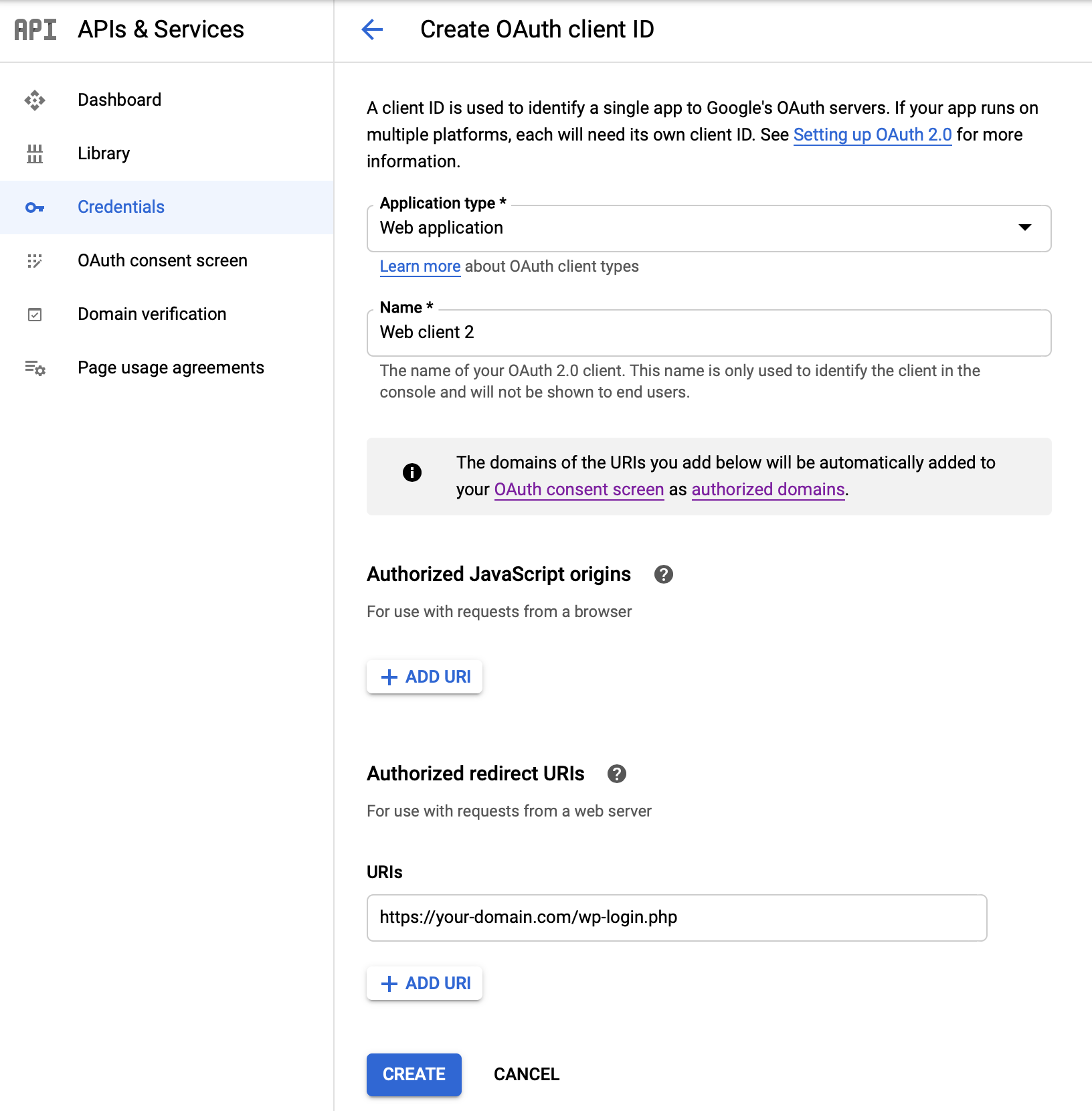
Create a project from Google Developers Console if none exists.
-
Go to Credentials tab, then create credential for OAuth client.
- Application type will be Web Application
- Add
YOUR_DOMAIN/wp-login.phpin Authorized redirect URIs
-
This will give you Client ID and Secret key.
-
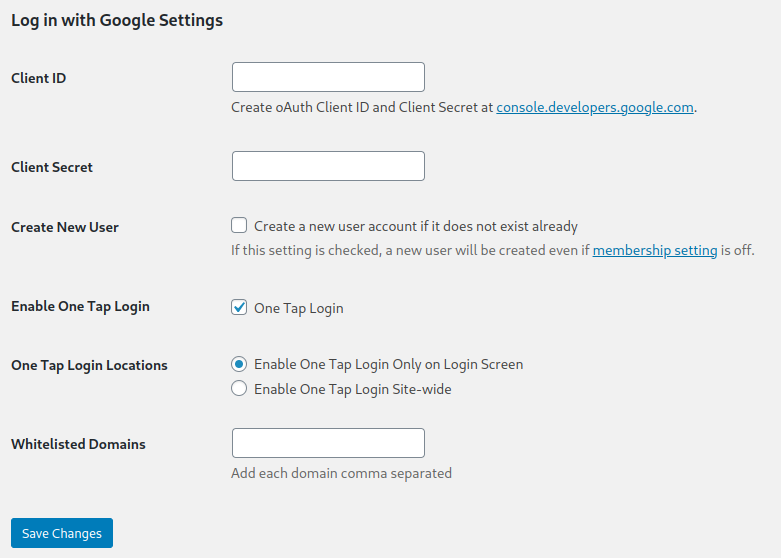
Input these values either in
WP Admin > Settings > WP Google Login, or inwp-config.phpusing the following code snippet:define( 'WP_GOOGLE_LOGIN_CLIENT_ID', 'YOUR_GOOGLE_CLIENT_ID' );
define( 'WP_GOOGLE_LOGIN_SECRET', 'YOUR_SECRET_KEY' );
Browser support
These browsers are supported. Note, for example, that One Tap Login is not supported in Safari.
How to enable automatic user registration
You can enable user registration either by
– Enabling Settings > WP Google Login > Enable Google Login Registration
OR
- Adding
define( 'WP_GOOGLE_LOGIN_USER_REGISTRATION', 'true' );
in wp-config.php file.
Note: If the checkbox is ON then, it will register valid Google users even when WordPress default setting, under
Settings > General Settings > Membership > Anyone can register checkbox
is OFF.
Restrict user registration to one or more domain(s)
By default, when you enable user registration via constant WP_GOOGLE_LOGIN_USER_REGISTRATION or enable Settings > WP Google Login > Enable Google Login Registration, it will create a user for any Google login (including gmail.com users). If you are planning to use this plugin on a private, internal site, then you may like to restrict user registration to users under a single Google Suite organization. This configuration variable does that.
Add your domain name, without any schema prefix and www, as the value of WP_GOOGLE_LOGIN_WHITELIST_DOMAINS constant or in the settings Settings > WP Google Login > Whitelisted Domains. You can whitelist multiple domains. Please separate domains with commas. See the below example to know how to do it via constants:
define( 'WP_GOOGLE_LOGIN_WHITELIST_DOMAINS', 'example.com,sample.com' );
Note: By default, whitelisted domain restrictions apply to both registration and login for existing accounts. To allow existing users to log in with Google regardless of domain allowlist, use the rtcamp.google_enforce_whitelisted_domains_on_login filter and return false.
Hooks
For a list of all hooks please refer to this documentation.
wp-config.php parameters list
-
WP_GOOGLE_LOGIN_CLIENT_ID(string): Google client ID of your application. -
WP_GOOGLE_LOGIN_SECRET(string): Secret key of your application -
WP_GOOGLE_LOGIN_USER_REGISTRATION(boolean) (optional): SettrueIf you want to enable new user registration. By default, user registration defers toSettings > General Settings > Membershipif constant is not set. -
WP_GOOGLE_LOGIN_WHITELIST_DOMAINS(string) (optional): Comma-separated list of allowed domains for login and registration. When configured, restricts authentication and account creation to matching email domains. By default, it will allow all domains. You can whitelist multiple domains.
BTW, We’re Hiring!
Obrázky
Bloky
Tento plugin poskytuje 1 blok.
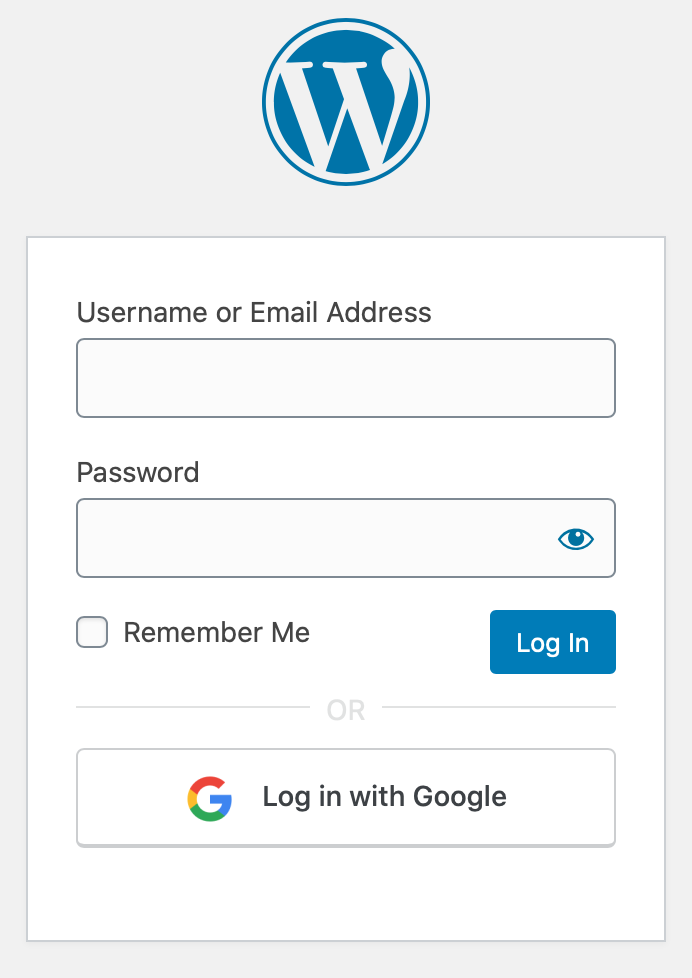
- Log in with Google Login with Google button block.
Inštalácia
- Upload
plugin-name.phpto the/wp-content/plugins/directory - Activate the plugin through the ‚Plugins‘ menu in WordPress
- Follow „Setup“ instructions in ReadMe to configure credentials from Google Developers Console.
Časté otázky
-
Reporting a bug 🐞
-
Before creating a new issue, do browse through the existing issues for resolution or upcoming fixes.
If you still need to log an issue, making sure to include as much detail as you can, including clear steps to reproduce the issue, if possible.
-
Creating a pull request
-
Want to contribute a new feature? Start a conversation by logging an issue.
Once you’re ready to send a pull request, please run through the following checklist:
-
Browse through the existing issues for anything related to what you want to work on. If you don’t find any related issues, open a new one.
-
Fork this repository.
-
Create a branch from
developfor each issue you’d like to address and commit your changes. -
Push the code changes from your local clone to your fork.
-
Open a pull request and that’s it! We’ll respond with feedback as soon as possible (Isn’t collaboration a great thing? 😌)
-
Once your pull request has passed final code review and tests, it will be merged into
developand be in the pipeline for the next release. Props to you! 🎉
-
-
Unit testing
-
-
Clone the plugin from repository.
-
Run
composer install && composer tests:unitto run unit tests.
-
-
Code Snippets
-
Code snippets to extend and customize the plugin can be found here.
Recenzie


Prispievatelia a vývojári
“Log in with Google” je softvér s otvoreným zdrojovým kódom. Do tohto pluginu prispeli nasledujúci ľudia.
Prispievatelia


„Log in with Google“ bol preložený do 8 jazykov. Ďakujeme prekladateľom za ich príspevky.
Preložiť „Log in with Google“ do vašho jazyka.
Máte záujem o vývoj?
Prehľadávajte zdrojový kód, preskúmajte SVN repozitár, alebo sa prihláste na odber vývojárskeho logu cez RSS.
Zoznam zmien
1.4.5
Security: Enforce whitelisted domains on login for existing users by default, with rtcamp.google_enforce_whitelisted_domains_on_login filter for backward compatibility.
Security: Bind Google OAuth sub to WordPress account on first verified login (TOFU).
Security: Use per-browser anti-CSRF state token with __Host- cookie boundary.
Security: Trigger standard WordPress authentication filters during One Tap login.
Security: Mask client secret in settings UI and add explicit option to clear stored secret.
1.4.4
Update: Updated Composer and NPM dependencies.
1.4.3
Security: Reject Google identities without a verified email address.
Update: Updated Composer and NPM dependencies.
1.4.2
Fix: Migrated rtcamp.google_redirect_url from action to filter.
Chore: Documentation update.
1.4.1
Fix: Resolved the issue of redirect_to parameters not working with the shortcode.
Update: Migrated block implementation to modern block implementations.
Update: Updated Composer and NPM dependencies.
Fix: Fixed the issue of One-tap script not being enqueued if the user was logged out.
Chore: Documentation update.
1.4.0
Update: Migrated One Tap Login to use FedCM.
Update: After a successful login or logout, users are now redirected to the page they originally intended to access.
Update: When the plugin performs a redirect, it now includes an x-redirect-by header.
Update: A settings page link has been added directly under the plugin name on the Plugins screen.
Fix: Resolved an issue with generating unique usernames.
Fix: Fixed a bug where JavaScript string translations were not being applied correctly.
Chore: Documentation update.
1.3.7
- Compatible with WordPress 6.7.2
1.3.6
- Fix: PHPCS Errors and Warnings
1.3.5
- Fix: FILTER_SANITIZE_STRING Deprecation warning
1.3.4
- Chore: Doc update
1.3.3
- Fix: Redirection back to login page issue.
1.3.2
- Compatible with PHP 8.1
- Compatible with WordPress latest version 6.3.1
1.3.1
- Maintenance release: Updated minimum requirements.
1.3.0
- Feature: Gutenberg block for Login button.
- Feature: Save user first name and last name on registration.
- Add: PHP 8.0 compatibility.
- Add: Added hook after user authentication.
- Add: Added hook after user is logged-in.
- Fix: set login cookie with shortcode display.
- Fix: Redirection back to login page issue.
- Updated npm packages and laravel-mix.
1.2.2
- Maintenance release. Requires PHP >= 7.4.
1.2.1
- Feature: Provide filter for client arguments: rtcamp.google_client_args
1.2
- Feature: One-Tap Login setting for supported browsers.
1.1
- Feature: Add shortcode
[google_login]with optional attributes:[google_login button_text="Login with Google" force_display="no" redirect_to="https://example.url/page"]. - Feature: Replace third-party oAuth client with custom GoogleClient class.
- Fix: Identification of state value, whether a given oAuth login is relevant to this plugin.
- Remove: Google oAuth library from composer.
1.0.14
- Revert Login with GitHub state fix.
1.0.13
- Fix login issue related to oAuth state.
1.0.12
- Fix conflict with Login with GitHub plugin.
1.0.11
- Add ‚login_with_google/client_arguments‘ filter for Google_Client arguments.
1.0.10
- Fix issue where JS/CSS were not loading.
1.0.9
- Initial release.
1.3.1
- Maintenance release: Updated minimum requirements.