Prejsť na obsah
WordPress.org

Slovensko

  • Témy
  • Pluginy
  • News
  • Podpora
  • O nás
  • Meetupy
  • Slack
  • Preklad
  • Komunita
  • Kontakt
  • Získajte WordPress
Získajte WordPress
WordPress.org

Plugin Directory

SimpleShare: Auto-posting + Share Buttons for Social

  • Nahrať plugin
  • Moje obľúbené
  • Prihlásiť sa
  • Nahrať plugin
  • Moje obľúbené
  • Prihlásiť sa

SimpleShare: Auto-posting + Share Buttons for Social

Od Web Guy
Stiahnuť
  • Podrobnosti
  • Recenzie
  • Inštalácia
  • Vývoj
Podpora

Popis

💬 Ask Question | 📧 Email Me

Auto-post to your social profiles + add share buttons to your posts.

Features

  • Auto-post to Facebook, Instagram, LinkedIn, Pinterest, Reddit, and X when you publish
  • Schedule manual posts to go out at a specific date and time
  • Send custom messages to all connected accounts at any time
  • Skip auto-posting per post, or exclude specific platforms or categories
  • Add custom text before or after every auto-post, globally or per post
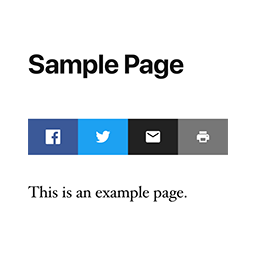
  • Share buttons for Facebook, X, LinkedIn, Reddit, Threads, Bluesky, WhatsApp, Telegram, Email, Copy Link, and Print
  • Place share buttons above, below, or both above and below post content
  • Hide share button text or align buttons left, center, or right

Automatic Posting

Automatically posts your content to your social media accounts when you publish. Currently supports: Facebook, Instagram, LinkedIn, Pinterest, Reddit, and X.

Manual Posting

You can also post any custom message to all connected accounts at any time using „Send a Message“ without needing to publish a post.

Share Buttons

Automatically added to posts and other selected post types. Use the [simpleshare] shortcode to place buttons anywhere, or in PHP: <?php echo do_shortcode( '[simpleshare]' ); ?>.

Inštalácia

  1. Install and activate the plugin.
  2. Go to Settings > SimpleShare.
  3. On the „Posting“ tab, enable the platforms you want to post to and follow the setup instructions for each one.
  4. On the „Buttons“ tab, choose which post types to show buttons on and which buttons to display.

Časté otázky

How do I connect my website with my social profiles?

Each platform requires a developer app. The plugin guides you through setup with step-by-step instructions and handles all connections directly in your WordPress admin.

You can find more in-depth documentation here.

How quickly should new posts appear on my social profiles?

  • Internal Feed: Posts are sent approximately 1 minute after publishing.
  • External Feed: The default is every 10 minutes, but can be adjusted.

Why is auto-posting not working?

If you’ve followed the instructions, created the app, connected your website, and it’s still not working, start by checking the logs, then email me if you need help.

Can I style the share buttons?

To override the default styles, target .simpleshare and .ssbtn in your theme or custom CSS. Platform color classes: .ssbtn.facebook, .ssbtn.x, .ssbtn.linkedin, .ssbtn.reddit, .ssbtn.threads, .ssbtn.bluesky, .ssbtn.whatsapp, .ssbtn.telegram, .ssbtn.email, .ssbtn.copy, .ssbtn.print.

Recenzie

Pre tento plugin nie sú žiadne recenzie.

Prispievatelia a vývojári

“SimpleShare: Auto-posting + Share Buttons for Social” je softvér s otvoreným zdrojovým kódom. Do tohto pluginu prispeli nasledujúci ľudia.

Prispievatelia
  • Web Guy

Preložiť „SimpleShare: Auto-posting + Share Buttons for Social“ do vašho jazyka.

Máte záujem o vývoj?

Prehľadávajte zdrojový kód, preskúmajte SVN repozitár, alebo sa prihláste na odber vývojárskeho logu cez RSS.

Zoznam zmien

2026.11

  • Added more share buttons (Threads, Bluesky, WhatsApp, Telegram)
  • Added more share buttons customization
  • Improved accessibility

2026.10

  • Fixed connection/posting for LinkedIn company pages

2026.9

  • Improved skipped post handling

2026.8

  • Fixed encoding issue

2026.7

  • Fixed checkboxes for manual posts

2026.6

  • Added documentation section
  • Improved URL and image handling for manual posts
  • Improved Fallback Image feature

2026.5

  • Added option to skip auto-posting at the individual post level
  • Added default pre/post content for auto posts
  • Added Fallback Image option for auto posts
  • Added scheduling option for manual posts

2026.4

  • Added image support to LinkedIn

2026.3

  • Improved manual posting

2026.2

  • Improved image handling for Instagram

2026.1

  • Added option to exclude categories

2026

  • Auto-posting to Facebook, Instagram, LinkedIn, Pinterest, Reddit, and X
  • RSS feed checking for external feed sources with configurable interval
  • Send custom messages to all connected accounts
  • Share buttons for Facebook, X, LinkedIn, Reddit, Email, Copy, and Print
  • Per-post-type and per-position controls for share button placement
  • Activity log with platform, status code, and response body

Meta

  • Verzia 2026.11
  • Posledná aktualizácia Pred 4 týždne
  • Aktívne inštalácie 10+
  • Verzia WordPress 5.3 alebo novšia
  • Testované do verzie 7.0.3
  • Jazyk
    English (US)
  • Značky
    auto postfacebooksocial mediasocial sharingtwitter
  • Rozšírené zobrazenie

Hodnotenia

Zatiaľ neboli odoslané žiadne recenzie.

Your review

See all reviews

Prispievatelia

  • Web Guy

Podpora

Máte čo povedať? Potrebujete pomoc?

Zobraziť fórum podpory

Podporiť

Chceli by ste podporiť pokrok tohto pluginu?

Prispieť na plugin

  • O WordPress
  • Novinky
  • Hosting
  • Súkromie
  • Ukážka
  • Témy
  • Pluginy
  • Vzory
  • Vzdelávanie
  • Podpora
  • Vývojári
  • WordPress.tv ↗
  • Zapojte sa
  • Podujatia
  • Prispieť ↗
  • Swag ↗
  • WordPress.com ↗
  • Matt ↗
  • bbPress ↗
  • BuddyPress ↗
WordPress.org
WordPress.org

Slovensko

  • Navštívte náš účet na X (predtým Twitter)
  • Navštívte náš účet na platforme Bluesky
  • Navštívte náš účet na Mastodone
  • Navštívte náš účet na platforme Threads
  • Navštívte našu stránku na Facebooku
  • Navštívte náš účet Instagram
  • Navštívte náš účet LinkedIn
  • Navštívte náš účet na platforme TikTok
  • Navštívte náš kanál YouTube
  • Navštívte náš účet na platforme Tumblr
Kód je poézia.
The WordPress® trademark is the intellectual property of the WordPress Foundation.