
Popis
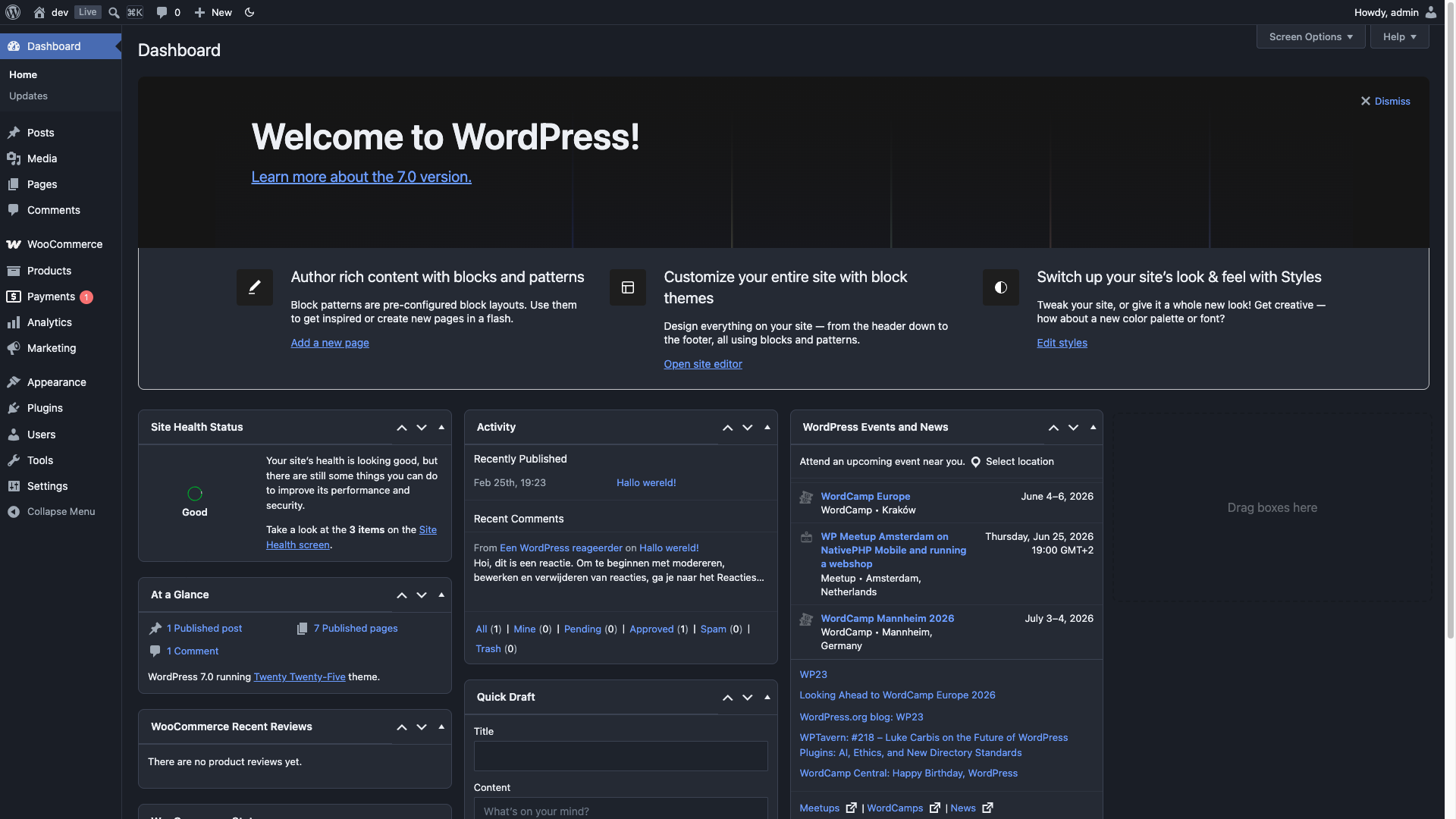
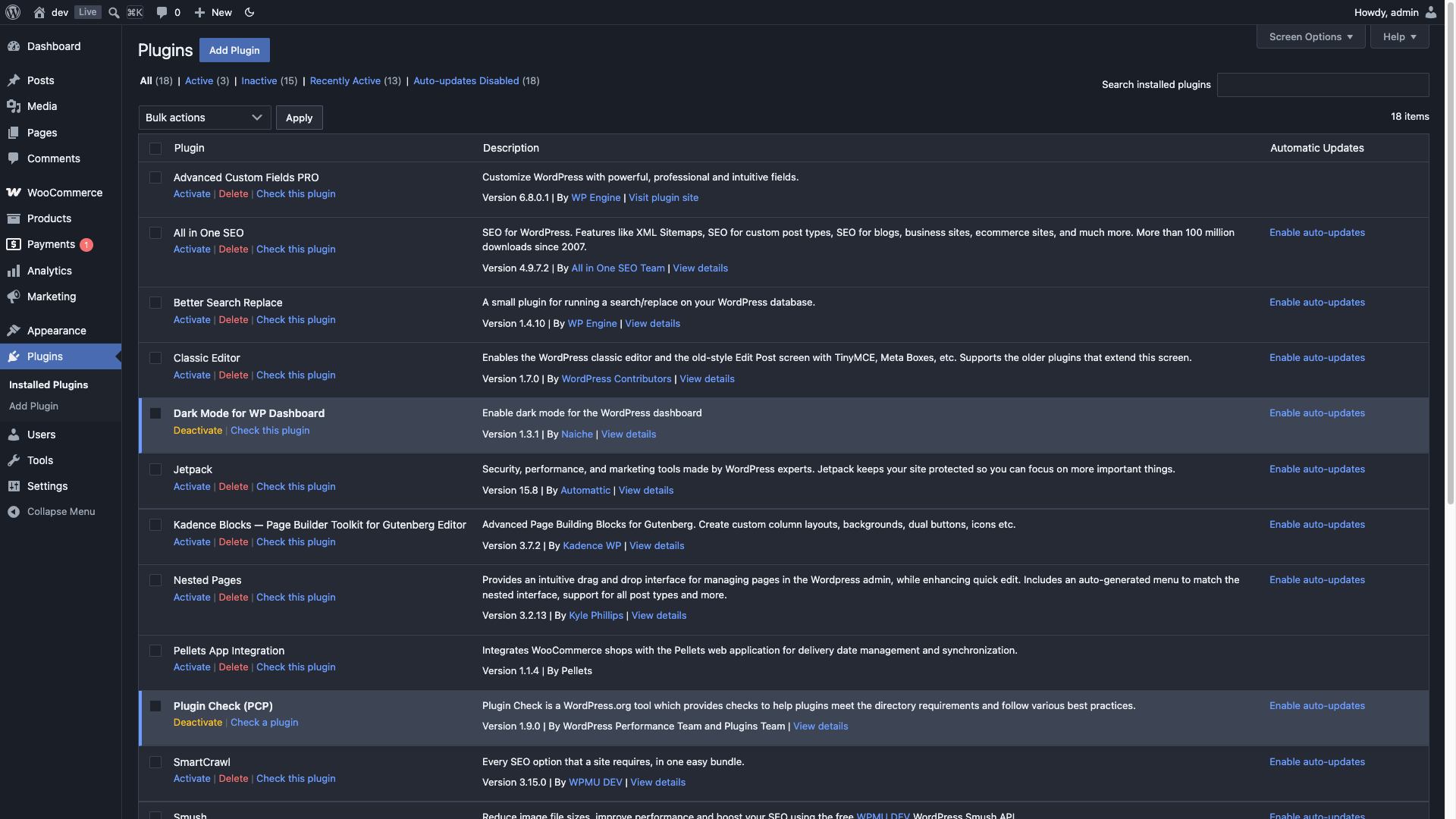
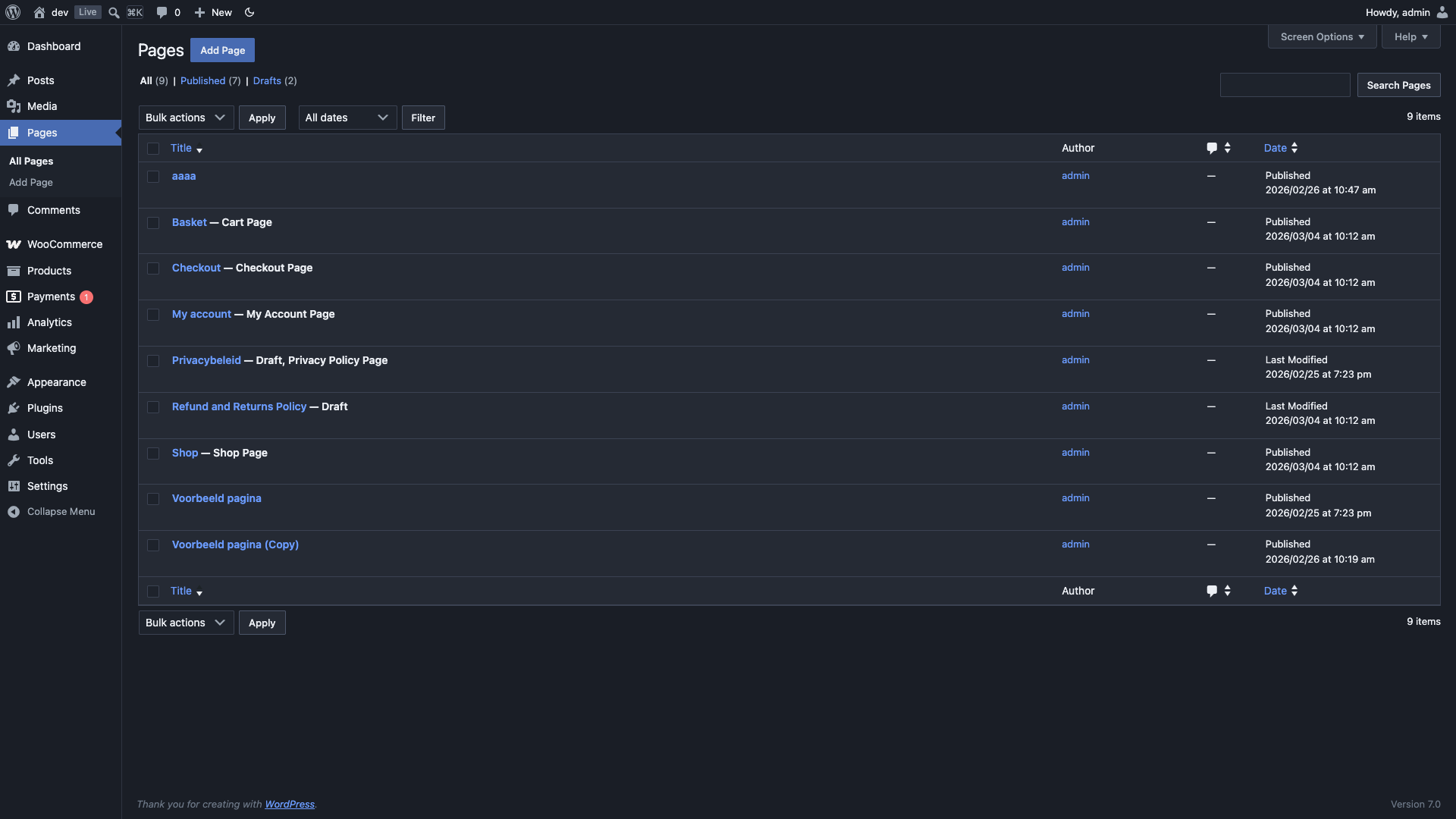
No settings page, no bloat — just activate and go. Dark mode for every corner of your WordPress admin.
- Instant toggle in the admin bar — no page reload
- Per-user preference: Dark / Light / Auto (follows system)
- Full block editor and Site Editor support
- 12 popular plugins supported out of the box
- Developer-friendly: filters for default preference, custom CSS, and editor canvas control
Supported plugins:
- Advanced Custom Fields
- AIOSEO
- Better Search Replace
- Jetpack
- Kadence Blocks
- Nested Pages
- SmartCrawl SEO
- Smush
- The SEO Framework
- WooCommerce
- Yoast SEO (including Premium, Local, News, WooCommerce)
- Zamok
The plugin adds a dark-mode class to the admin body when active, and provides three filters for customization:
add_filter( 'dark_mode_dashboard_css', 'your_custom_stylesheet' )— load a custom stylesheetadd_filter( 'dark_mode_dashboard_default_preference', function() { return 'disabled'; } )— change the default mode for new usersadd_filter( 'dark_mode_dashboard_editor_canvas', '__return_false' )— disable dark mode for the editor content area
Obrázky
Inštalácia
- Upload the plugin package to the plugins directory.
- Activate the plugin.
- Done! Your WordPress dashboard is now in dark mode 🙂
Use the toggle in the admin bar to switch between dark and light mode instantly. You can also set your preference to Auto in your user profile to follow your system’s dark mode setting.
Recenzie

18. augusta 2026
2 replies
I really like dark mode and use it everywhere whenever possible.
My main browser is Google Chrome, and I normally use the Dark Reader extension for WordPress. However, Dark Reader has a couple of problems: the WordPress left sidebar sometimes turns white, and images pasted into the block editor can appear inverted.
I tried this plugin hoping it would solve those issues, and overall I like the idea. However, I found two problems that prevent me from using it regularly:
In the Cocoon settings screen, some tabs become white and the text is difficult or impossible to read.
The background of the WordPress block editor remains white, which is still very bright when using dark mode.
I’m not sure if there are settings available to fix these issues, but I couldn’t find them.
If these two points are improved, I would definitely use this plugin as my everyday dark mode solution for WordPress.

14. júla 2026
2 replies
Amazing, lightweight, and it just works! Simple to use; download, activate, and DONE. I’ve used others in and they just don’t work like they should. This one is perfect for my needs.I like the toggle switch on the top bar to easily turn it off/on without having to click through settings, etc. Excellent plugin.

30. mája 2026
2 replies
I tried several options to help darken up the admin sections, some of which have come and gone because they just weren’t updated much beyond initial release. Most of them were haphazard and either broke the admin section in odd ways or just didn’t look right. I remember one went completely overkill, making it impossible to use any plugins like AIOSEO.
Then came this plugin. It was the closest thing to perfect, then got better, and finally became the plugin I stuck with. In the latest update, things changed a little, causing a few problems, but the plugin author was on top of it, quickly rolling out a fix. Much appreciate, and heavily enjoyed. This is quite possibly the best dark mode option you’ll ever find.

26. októbra 2025
outstanding!!! Best!!!

16. októbra 2025
Works great. So much nicer on the eyes.

22. októbra 2024
This plugin does exactly what it says it will do. 5/5. BUT, there is an error being generated, possibly because the plugin hasn’t been maintained for a long time, that causes the post creation page to not fully switch to dark mode. Which is sad, because that’s what I mainly want to use it for. But hey, if the dev gets that fixed, we are back to the best dark mode plugin. I love the decision to not make any spammy „premium“ features. Just hope the dev is okay.
Prispievatelia a vývojári
“Dark Mode for WP Dashboard” je softvér s otvoreným zdrojovým kódom. Do tohto pluginu prispeli nasledujúci ľudia.
Prispievatelia
Preložiť „Dark Mode for WP Dashboard“ do vašho jazyka.
Máte záujem o vývoj?
Prehľadávajte zdrojový kód, preskúmajte SVN repozitár, alebo sa prihláste na odber vývojárskeho logu cez RSS.
Zoznam zmien
1.3.7
- Fixed: the block editor’s writing area could end up unreadable — light text on a white canvas, or the theme’s dark text on our dark background. The canvas background was only ever coming from an inline style that WordPress discards when „Use theme styles“ is switched off, and the canvas stylesheet as a whole depended on a class that JavaScript adds from outside the iframe, which could arrive late or not at all. The stylesheet now sets the canvas colours itself and defaults to dark rather than to nothing
- Fixed: in WordPress 7 the post sidebar’s excerpt was almost invisible — near-black text on the dark panel, at 1.16:1 contrast. WP 7 rebuilt that sidebar on component primitives the plugin had never styled. Reported on the support forum
- Fixed: the „Post“ label beside the title in the editor’s document bar had the same problem, at 1.07:1
- Fixed: the unapprove action on the comments screen, and the skip-to-content link that keyboard users land on first, were both below the readable threshold
1.3.6
- Added: Cocoon theme support. The Cocoon settings screen has a strip of 36 tabs that Cocoon paints with its own light backgrounds, so in dark mode they rendered as blank white rectangles with unreadable captions — reported in a review. Tabs, the active tab, the panel behind it and the template screen’s snippet browser are now themed; the live site preview embedded on the settings screen keeps the site’s own colours, as it should
1.3.5
- Fixed: the block editor loaded the post content in light mode; switching to light and back made it dark. The editor renders the content in an iframe and the dark class was applied only once, before the editor finishes mounting its canvas — so the canvas WordPress ends up using never received it, and only a toggle put it back. It is now kept in sync for as long as the editor is mounting, and auto mode is honoured there too
- Fixed: the editor stylesheet was registered on a hook WordPress no longer wants for iframe styles, warning „added to the iframe incorrectly“ on every editor load and relying on a compatibility shim; it now uses enqueue_block_assets
1.3.4
- Fixed: activating the plugin made the Gutenberg Custom HTML block preview render the site’s 404 page inside the sandboxed preview iframe (with console sandbox violations). Caused by a leftover reference to a deleted editor stylesheet; editor styles are now only registered when the file exists
- Fixed: ACF Link field — the selected-link summary box rendered as a white island (ACF hardcodes a white background); now themed to the dark surface with a legible URL and visible external-link icon
- Fixed: WooCommerce variable-product Variations panel — variation rows, headers, row separators, and inner fields rendered light; now fully dark
- Fixed: WooCommerce product-data tab column showed a white strip below the last tab (the
ul.wc-tabspseudo-element fill); now dark - Fixed: AIOSEO focus keyphrase pills (metabox + editor sidebar) rendered as bright light „islands“ — now themed to the dark surface, with legible keyphrase text, icons, inline rename field, and score colours
- Fixed: AIOSEO Score button in the classic Publish box had a white background — now dark, keeping the green/orange/red score colour on the text and border
- Fixed: Zamok module warning notices rendered as light-on-light — now a readable amber-tinted notice on dark
- Fixed: WooCommerce Select2 multi-select chips (e.g. product tags) rendered as light-grey islands — now themed to the dark surface, including the remove (×) button
1.3.3
- Fixed: jQuery UI autocomplete dropdowns (tags, classic editor) now readable in dark mode
- Fixed: Command palette (⌘K) icons and „No results found“ text were invisible (dark on dark)
- Fixed: Admin bar kbd shortcut badge no longer shows a light border
1.3.2
- Added:
dark_mode_dashboard_editor_canvasfilter to disable editor canvas dark mode - Fixed: Editor toggle now properly reverts Classic Editor content area to light mode
1.3.1
- Added: SmartCrawl SEO support
- Added: Smush support
- Fixed: Form table left/right padding on settings pages
1.3.0
- Complete CSS rewrite using CSS custom properties (design tokens)
- Full block editor support including editor canvas (iframe)
- Full Site Editor (FSE) support
- Instant toggle — no page reload needed
- Auto mode: follows your OS dark mode preference
- Added
dark_mode_dashboard_default_preferencefilter for developers - Added
dark-modebody class for third-party CSS hooks - Fixed: PHP warning on user profile page (Undefined array key)
- Fixed: Missing JS file causing console errors
- Fixed: Dark mode toggle showing on frontend
- Fixed: Unsanitized user meta save
- Fixed: Block editor content area not fully dark
- Fixed: Template parts / Site Editor pages not themed
- Updated: All plugin-specific styles for current versions
- Added: The SEO Framework support
- Added: WP Nested Pages full page listing support
- Fixed: WooCommerce order notes and order heading styling
- Fixed: Plugin Check escaping and sanitization issues
- Removed: MonsterInsights and WP to Twitter support
- Removed jQuery dependency
- Tested up to WordPress 7.0
1.2.4
- Update: Added nonce to requests
1.2.3
- Update: Added a toggle in the WP Admin toolbar. Also added support for Gutenberg Blocks by Kadence Blocks and fixed minor Gutenberg issues
1.2.2
- Fixed: Minor issue with ACF Group field
1.2.1
- Update: Added support for Google Analytics for WordPress by MonsterInsights & WP to Twitter
1.2.0
- Update: Added support for Yoast SEO Premium, Yoast SEO Local, Yoast SEO News, Yoast SEO Video, Yoast SEO WooCommerce & AIOSEO. Some minor fixes
1.1.3
- Update: Added Better Search Replace support
1.1.2
- Update: Added Advanced Custom Fields support
1.1.1
- Update: Fixed Gutenberg editor
1.1.0
- Update: Added the option to disable the dark mode in the user profile.
1.0.7
- Fixed: Issues with the graphs within the Jetpack plugin
1.0.6
- Fixed: Some issues with the Jetpack plugin
1.0.5
- Added: WooCommerce support
1.0.4
- Added: Nested Pages (plugin) support
1.0.3
- Update: Ownership change
1.0.2
- Added: Jetpack support
1.0.1
- Fixed: Notice: wp_register_style was called incorrectly.
1.0.0
- First public version