
Popis
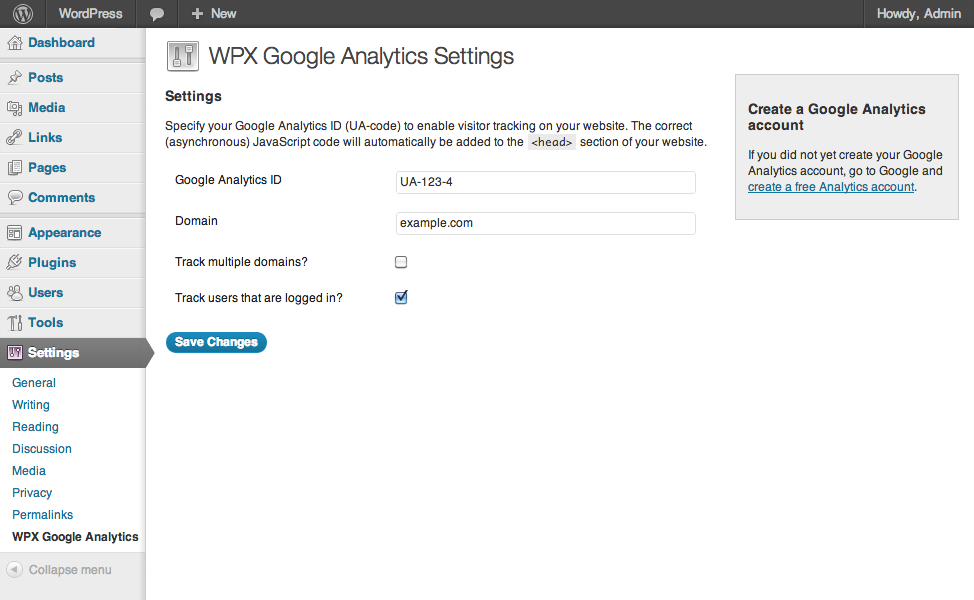
Adding Google Analytics to your website never has been easier. Just add your analytics ID and the correct asynchronous Javascript code is added to every page. No fiddling around anymore with manually pasting the code in your template.
Obrázky
Inštalácia
- Upload
wpx-google-analytics.phpto the/wp-content/plugins/directory - Activate the plugin through the ‚Plugins‘ menu in WordPress
- Go to
Settings>WPX Google Analyticsand paste in your analytics ID
Recenzie
Pre tento plugin nie sú žiadne recenzie.
Prispievatelia a vývojári
“WPX Google Analytics” je softvér s otvoreným zdrojovým kódom. Do tohto pluginu prispeli nasledujúci ľudia.
Prispievatelia
Preložiť „WPX Google Analytics“ do vašho jazyka.
Máte záujem o vývoj?
Prehľadávajte zdrojový kód, preskúmajte SVN repozitár, alebo sa prihláste na odber vývojárskeho logu cez RSS.
Zoznam zmien
1.1
- Language support added
1.0.2
- Cleaned up the code, removed debug statements that caused issues on certain installations.
1.0.1
- Added: Forbidden characters are stripped from the domain.
1.0
- First public release of the plugin.