
Popis
Send customer emails to a Mailchimp list at the completion of a Cart66 transaction. Customer will receive a confirmation email from Mailchimp to opt-in.
Obrázky

Inštalácia
To Install Cart66 to Mailchimp
- Download the cart66-to-mailchimp.zip file
- Extract the zip file so that you have a folder called ‚cart66-to-mailchimp‘
- Upload the ‚cart66-to-mailchimp‘ folder to the
/wp-content/plugins/directory - Activate the plugin through the ‚Plugins‘ menu in WordPress
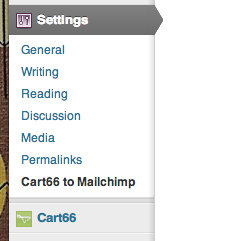
- Configure your settings in the Settings panel
To Uninstall Cart66 to Mailchimp
- Deactivate Cart66 to Mailchimp thorugh the ‚Plugins‘ menu in WordPress
- Click the „delete“ link to delete the Cart66 to Mailchimp plugin. This will remove all of the Cart66 to Mailchimp files from your plugins directory and will delete the data used by Cart66 to Mailchimp.
Recenzie
Pre tento plugin nie sú žiadne recenzie.
Prispievatelia a vývojári
“Cart66 to Mailchimp” je softvér s otvoreným zdrojovým kódom. Do tohto pluginu prispeli nasledujúci ľudia.
Prispievatelia
Preložiť „Cart66 to Mailchimp“ do vašho jazyka.
Máte záujem o vývoj?
Prehľadávajte zdrojový kód, preskúmajte SVN repozitár, alebo sa prihláste na odber vývojárskeho logu cez RSS.