
Popis
A11yFleet checks your posts and pages against WCAG 2.1 AA success criteria, scores each page, and shows exactly what to fix and why — with a compliance report and a draft accessibility statement aimed at the European Accessibility Act (EAA).
What it does
- Automated WCAG checks on content and on the full rendered page (theme header, nav and footer included): missing image alt text, non-descriptive link text, skipped heading levels, unlabelled form controls, buttons with no accessible name, duplicate IDs, empty headings, missing iframe titles, and missing document language.
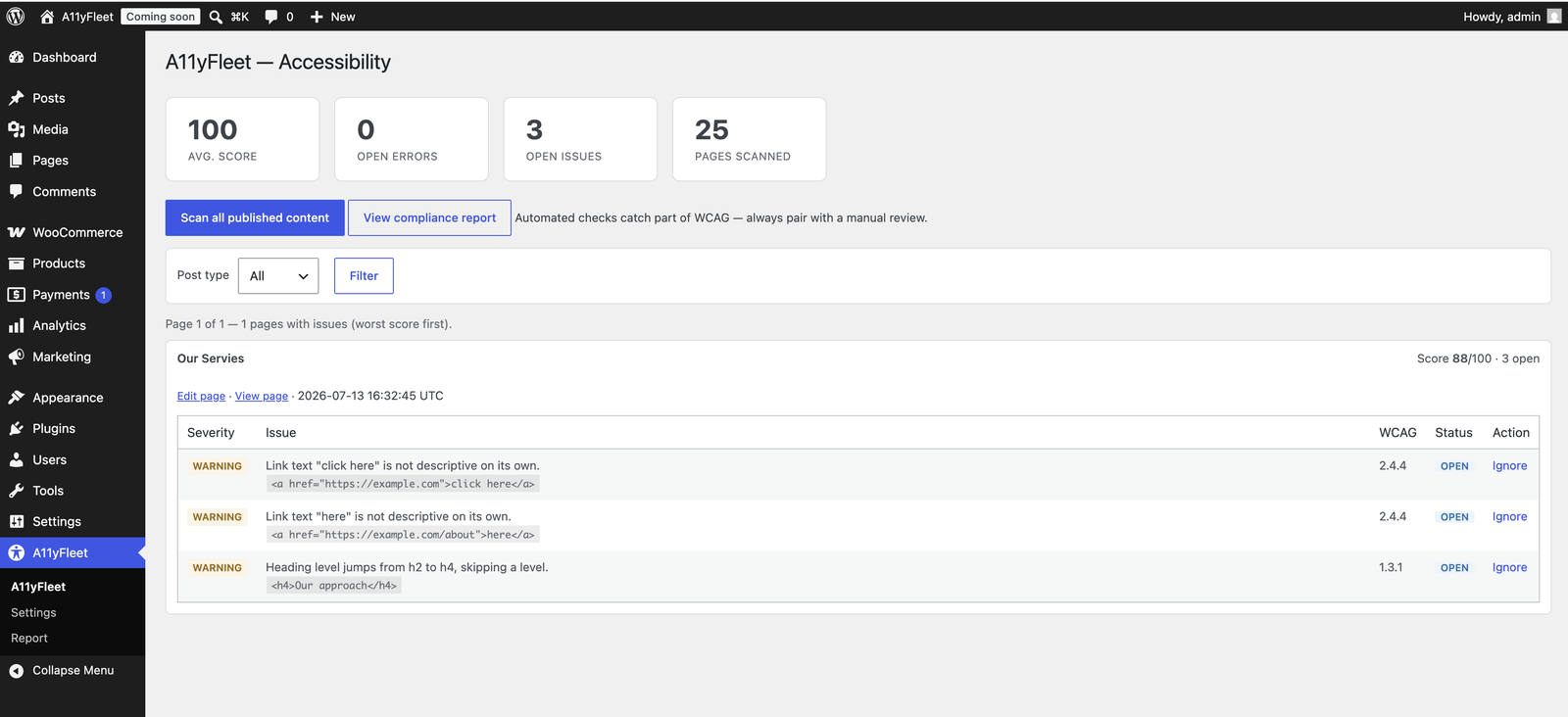
- A dashboard listing pages that have issues, worst score first, with per-issue ignore / restore that persists across re-scans.
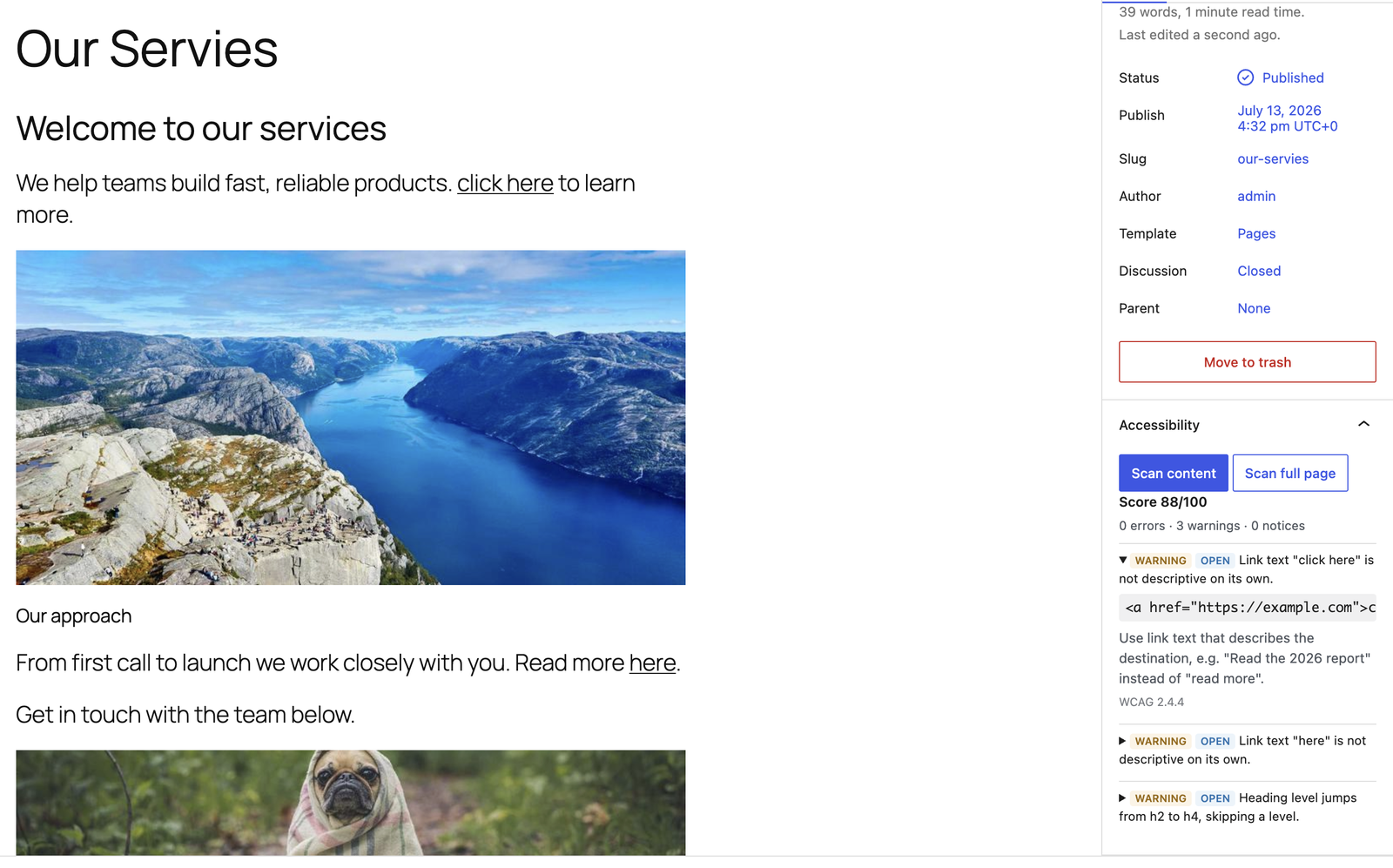
- An Accessibility panel in the block editor to scan the content you’re editing (before saving) or the full page, kept in sync with the dashboard.
- Background, batched scanning with an optional scheduled full-site scan (hourly, daily or weekly).
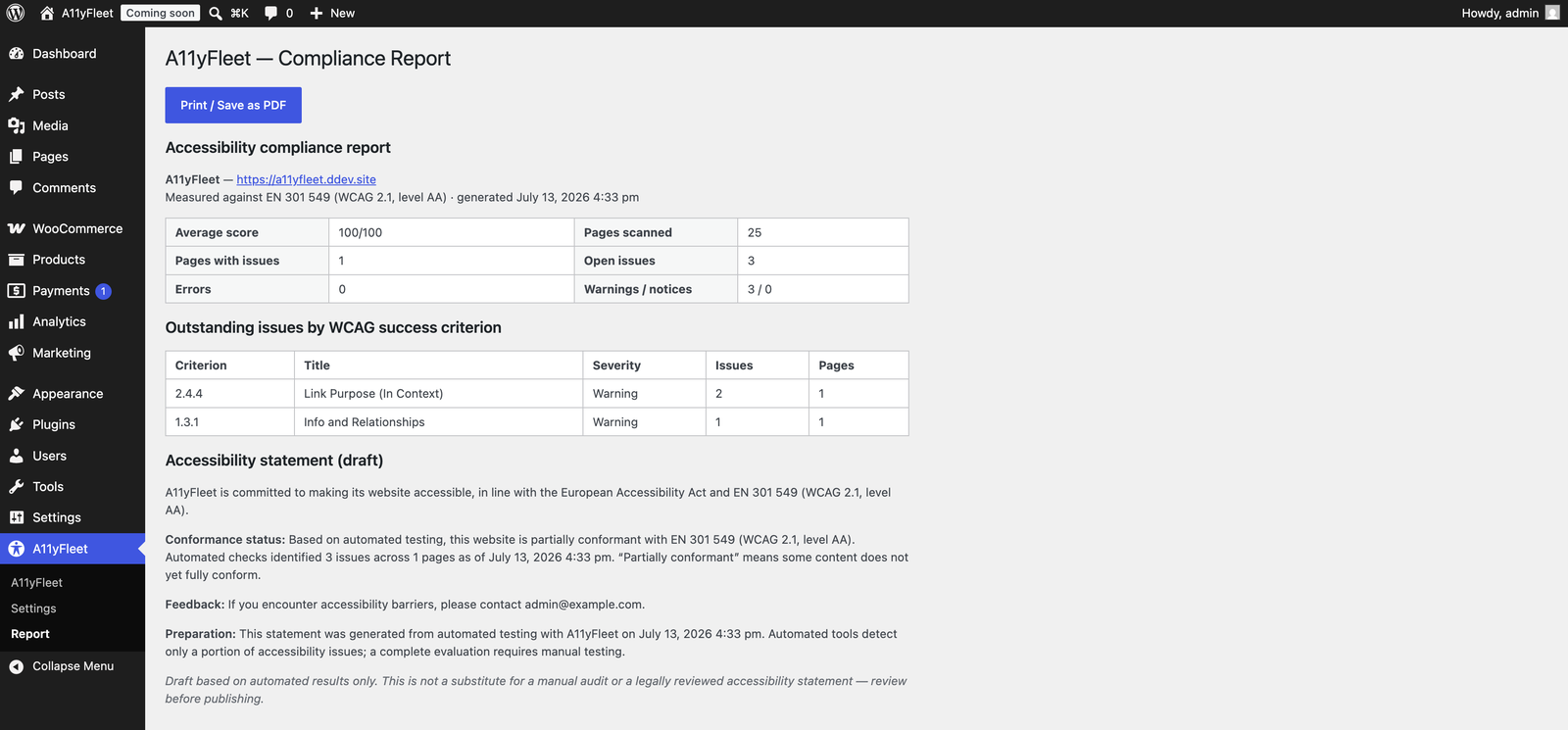
- A compliance report mapped to EN 301 549 with an auto-generated accessibility-statement draft, exportable to print/PDF or HTML.
Honesty note
Automated tools can only detect a portion of WCAG success criteria. A11yFleet does the automatable part well and clearly flags where human review is still required — it never claims a site is „100% compliant“.
Development
The admin JavaScript/CSS is built with @wordpress/scripts from the human-readable source in src/Admin/resources/. To build: npm install && npm run build. Composer, PHPCS/WPCS, PHPStan and PHPUnit are configured in the repository.
Obrázky
Inštalácia
- Upload the
a11yfleetfolder to/wp-content/plugins/, or install the zip via Plugins Add New Upload. - Activate the plugin. Its database tables are created on activation.
- Go to A11yFleet in the admin menu and click Scan all published content.
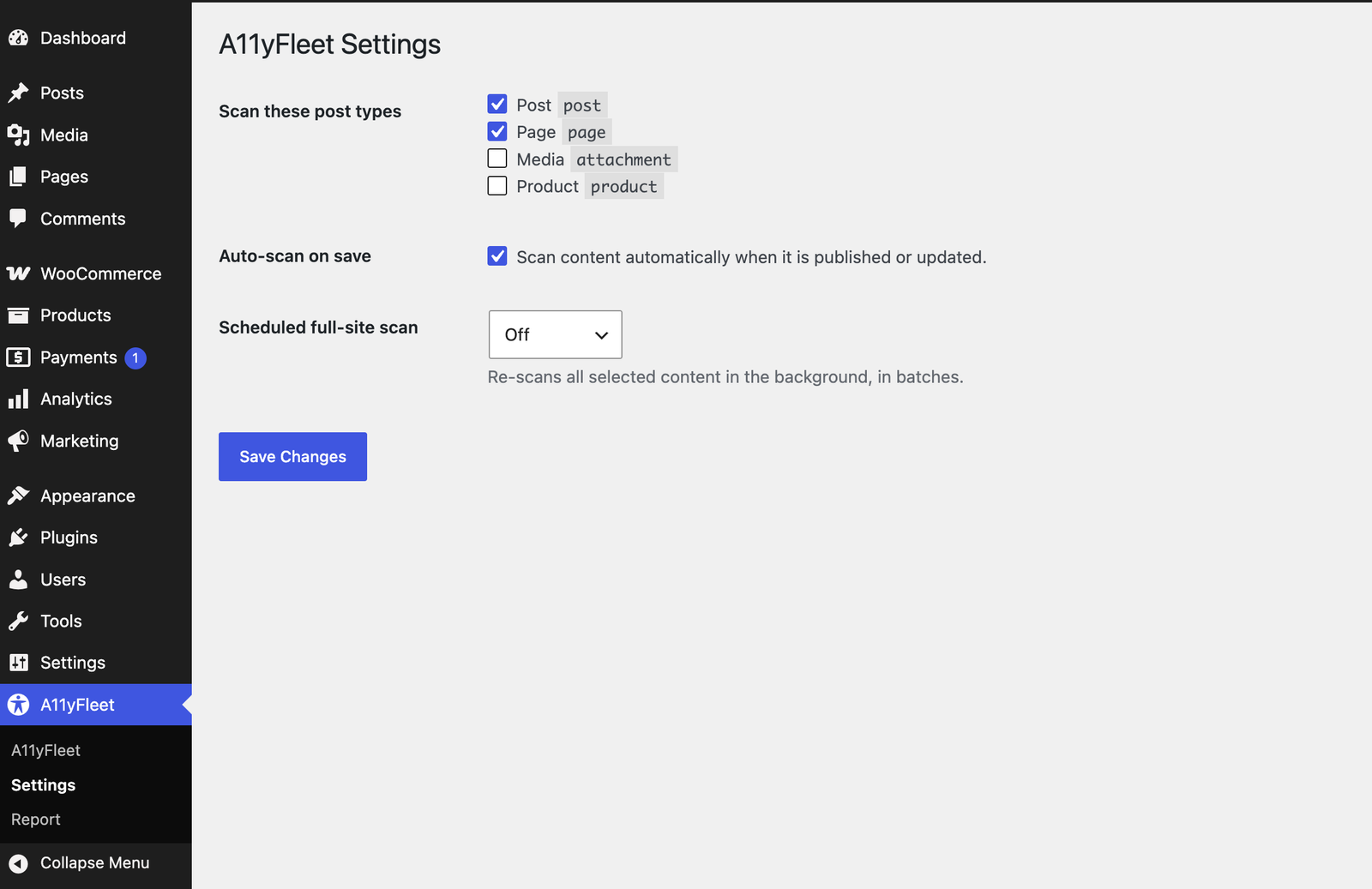
- Choose scanned post types and scheduled scans under A11yFleet Settings.
Časté otázky
-
Does this make my site automatically compliant?
-
No. No automated tool can. A11yFleet finds and helps you fix the machine-detectable issues and shows where manual review is still needed.
-
Which content is scanned?
-
Published posts and pages by default. Choose post types in Settings, or use the
a11yfleet_scannable_post_typesfilter. -
Does it send my data anywhere?
-
No. Scanning runs on your own server, and the full-page scan requests only your own site’s URLs. No data leaves your site.
-
Does it work on Multisite?
-
It works on standard single-site installs and when activated on an individual site within a network (each site keeps its own data). Network-wide activation and a cross-site (network admin) dashboard are planned for a future release — for now, activate it per site rather than „Network Activate“.
Recenzie
Pre tento plugin nie sú žiadne recenzie.
Prispievatelia a vývojári
“A11yFleet” je softvér s otvoreným zdrojovým kódom. Do tohto pluginu prispeli nasledujúci ľudia.
Prispievatelia
Preložiť „A11yFleet“ do vašho jazyka.
Máte záujem o vývoj?
Prehľadávajte zdrojový kód, preskúmajte SVN repozitár, alebo sa prihláste na odber vývojárskeho logu cez RSS.
Zoznam zmien
1.0.0
- Initial release: WCAG scan engine (9 rules), content + full-page scanning, block-editor panel, ignore/restore workflow, batched + scheduled scans, and the EN 301 549 compliance report + accessibility-statement generator.