

Popis
CarRentory gives independent car rental businesses a focused WordPress workflow for turning vehicle searches into organized booking requests. Manage fleet availability, locations, extras, prices, customers, and booking status without WooCommerce or an external booking platform.
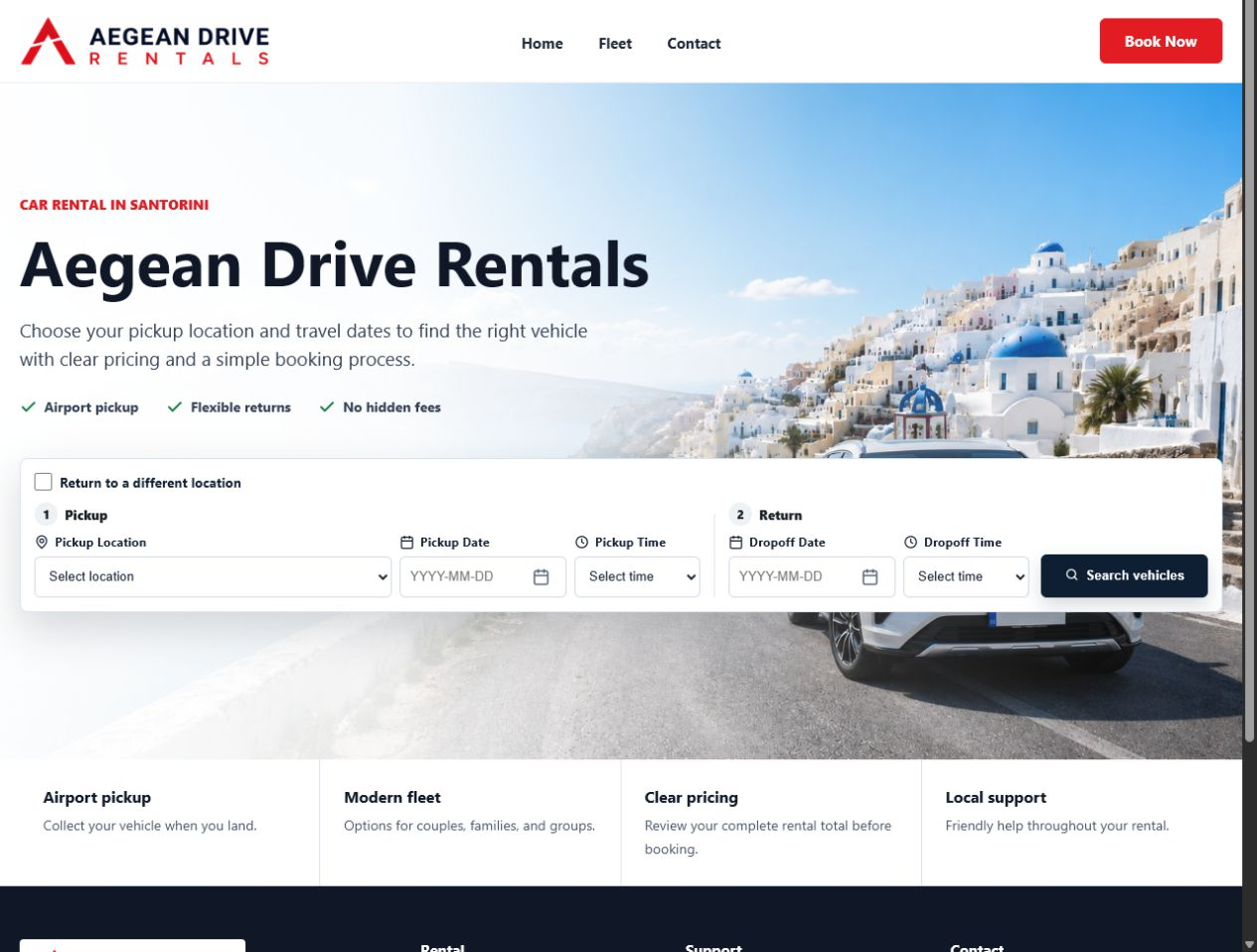
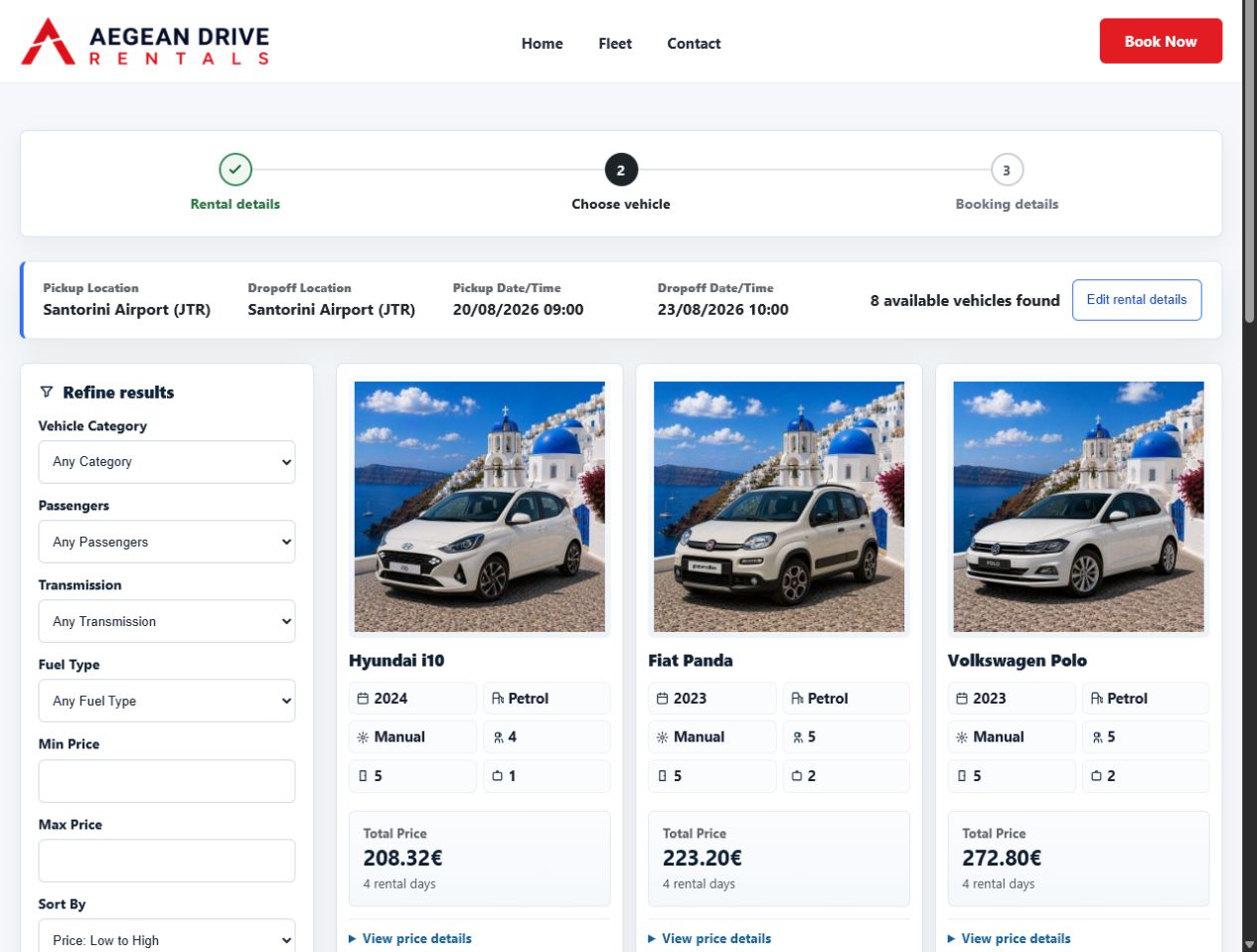
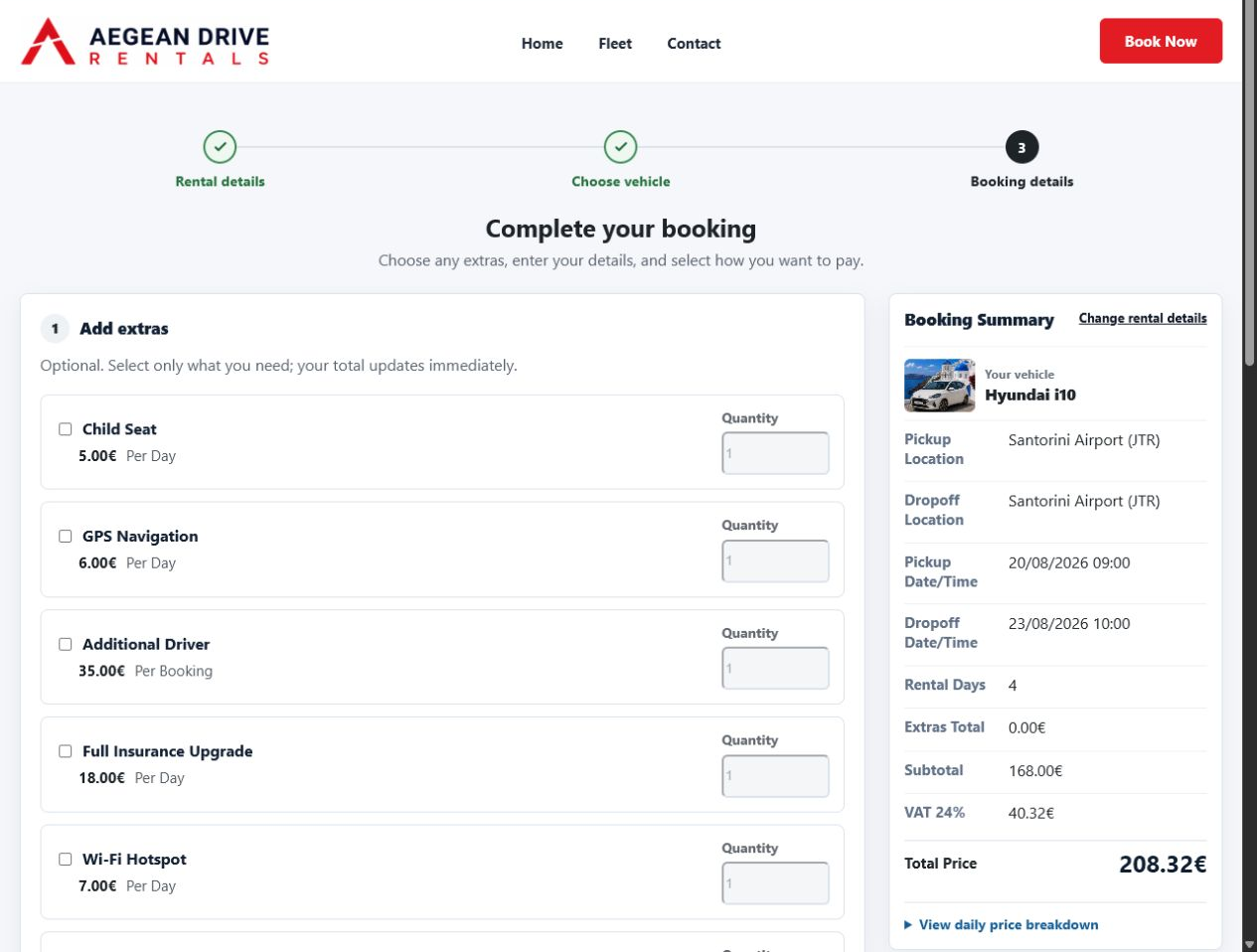
Customers follow a responsive journey from rental details and vehicle comparison to price review and booking. Search, results, filters, calendars, progress steps, and the checkout-style form keep the next action clear on desktop and mobile.
CarRentory Free works on its own and includes the complete offline booking workflow. The optional CarRentory Pro add-on extends it with advanced commercial and operational tools, but it is not required to accept and manage bookings.
- CarRentory website
- Documentation
- Live Demo – The demo may include CarRentory Pro features.
Complete Free booking workflow
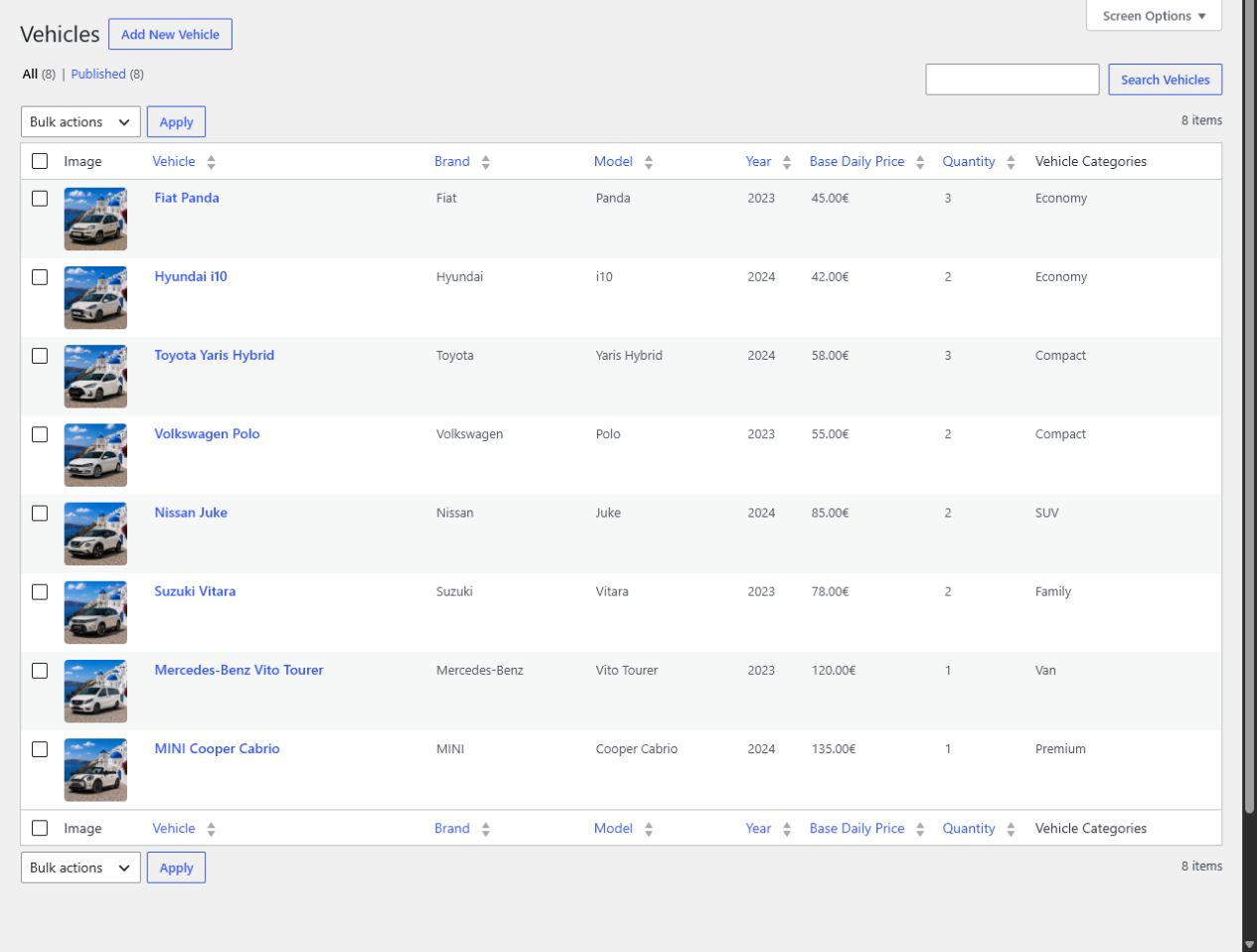
- Create and manage vehicles, categories, rental locations, and fleet quantities.
- Check availability across the selected pickup and return period.
- Configure business hours, closed weekdays, and closed dates.
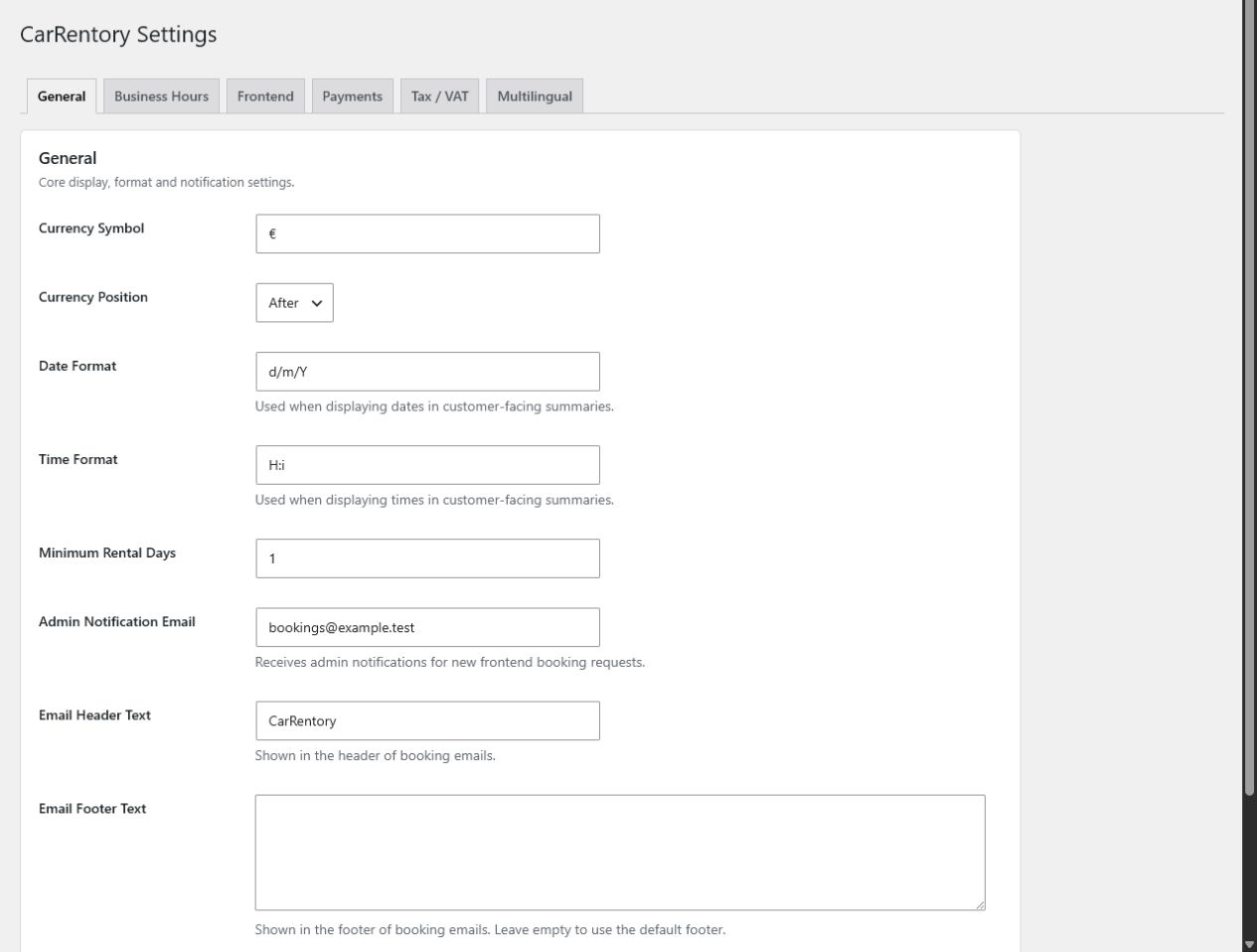
- Set base daily prices, currency display, and optional booking extras.
- Guide customers through responsive search, results, filters, and booking forms.
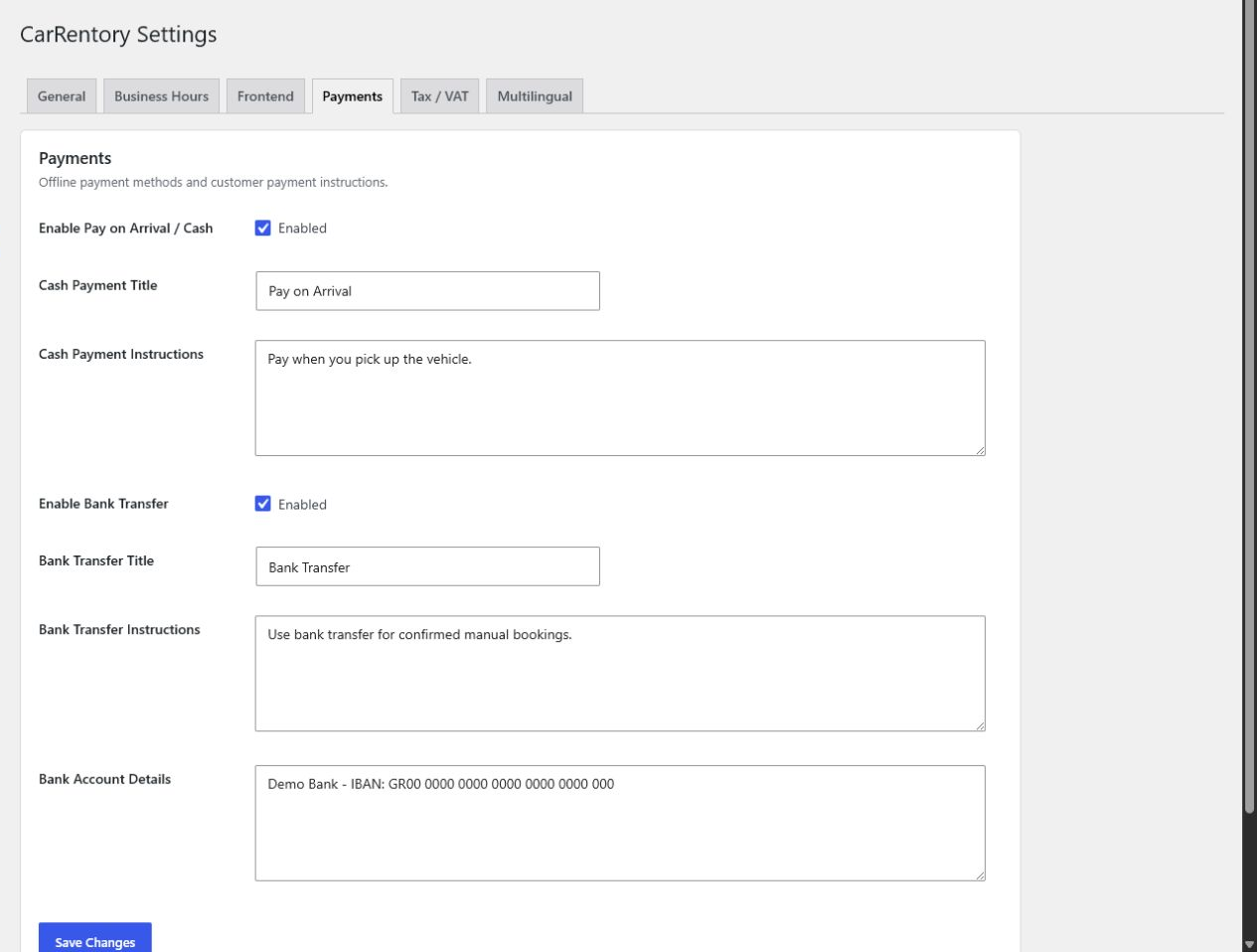
- Accept pay on arrival and bank transfer without an external payment service.
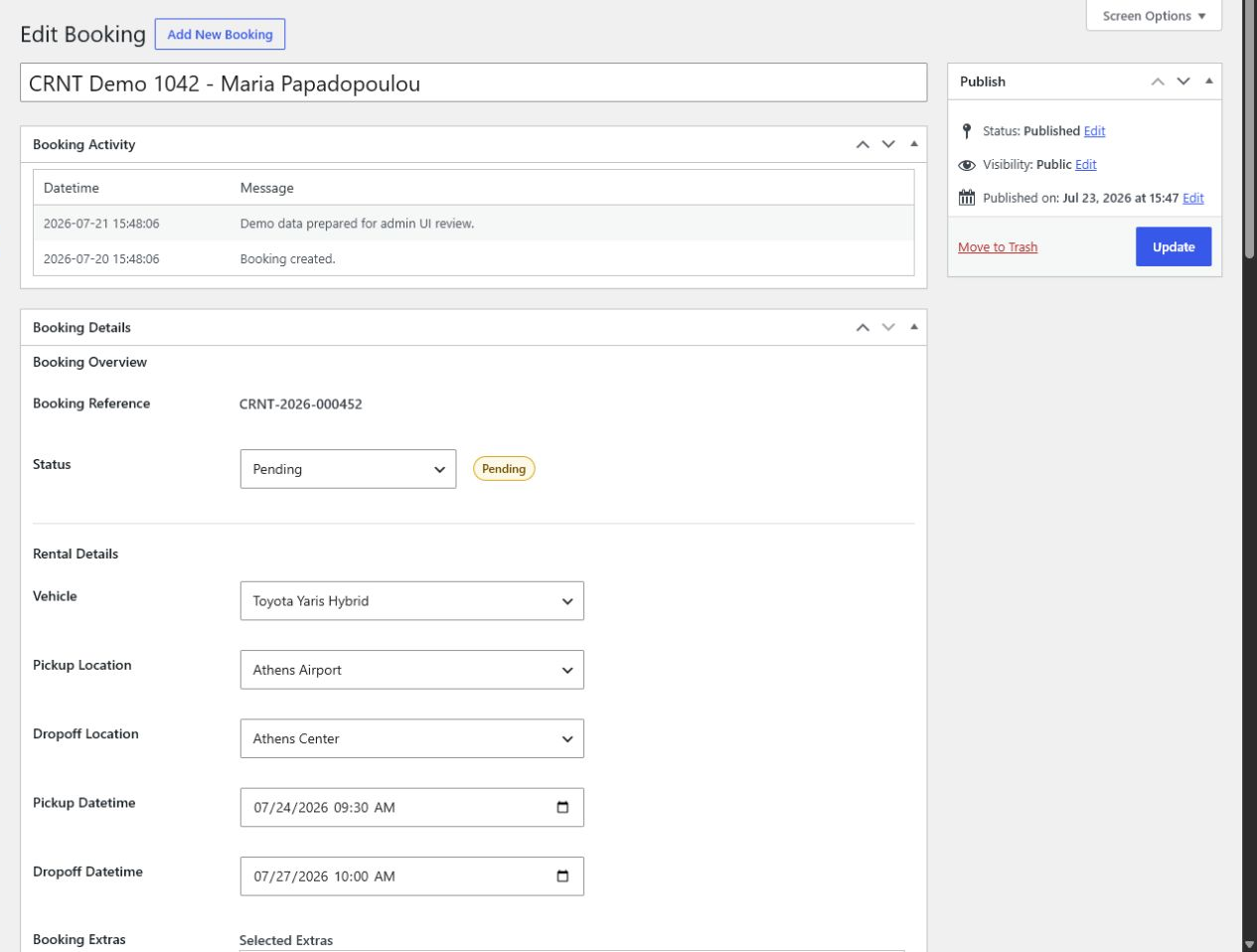
- Store and manage bookings, customers, payment status, and booking status in WordPress.
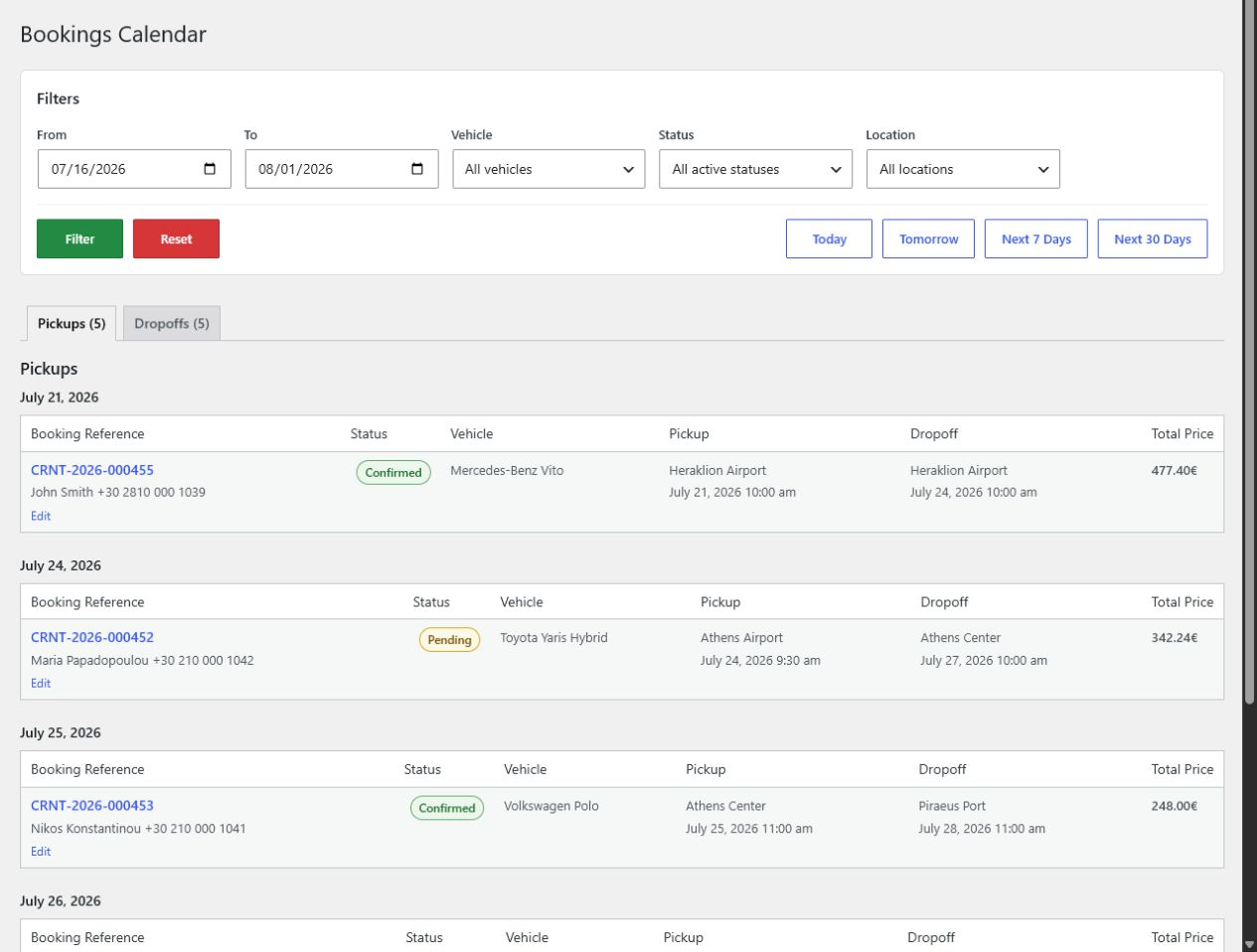
- Review bookings through basic calendar and availability screens.
- Send HTML booking confirmation emails.
Multilingual and fully translation-ready
CarRentory is multilingual and fully translation-ready, with prepared translations for English, German, Greek, Spanish, French, Italian, and Dutch. Customer-facing text uses the active WordPress locale where available, and emails can use the booking’s saved locale.
The multilingual runtime includes Polylang-aware page and locale handling. WPML is not supported.
Built for conversion-focused rental journeys
CarRentory is purpose-built for vehicle rental instead of adapted from a generic product cart. Rental details stay visible, results keep the booking action clear, and the booking page groups customer details, extras, payment, terms, and price into a guided flow.
No plugin can guarantee a conversion increase, but CarRentory gives you a focused booking experience designed around clarity, responsive use, and fewer unnecessary decisions.
Control every customer-facing template
Every customer-facing Free template can be overridden from a theme or child theme, including search, filters, results, vehicle cards, notices, booking sections, payments, pricing, and confirmation.
For example, copy:
wp-content/plugins/carrentory/templates/search/form.php
to:
wp-content/themes/your-child-theme/carrentory/search/form.php
Keep the same relative path inside the theme’s carrentory directory. Keep business logic in plugin services and hooks, not templates.
Developer extension points
Developers can adjust template data and template locations without editing core files. Useful extension points include:
carrentory_get_template_argscarrentory_locate_templatecarrentory_before_templatecarrentory_after_templatecarrentory_frontend_view_data- View-specific search, vehicle, booking, payment, and pricing filters.
See the documentation for examples and the supported template structure.
CarRentory Pro
CarRentory Pro is the released, optional, separately licensed add-on for businesses that need more pricing control, online payments, financial visibility, and faster booking administration.
CarRentory Pro includes:
- Seasonal Pricing with date-based daily rates per vehicle.
- Pickup and drop-off Location Fees.
- Stripe Checkout with webhook payment confirmation.
- Inclusive VAT calculation controls.
- Financial dashboard summaries.
- Payment and outstanding-balance reports.
- CSV exports for bookings, calendars, payments, and balances.
- Printable booking views.
- Quick booking status and payment actions.
CarRentory Free remains fully usable without Pro. Pro licensing, account management, downloads, and updates are handled only by the separate Pro add-on.
Data and privacy
CarRentory stores booking and customer information in the site’s WordPress database. Site owners are responsible for privacy notices, legal terms, retention, access controls, and compliance. Business details entered in settings may appear to customers and in emails.
Features
- Vehicle, category, location, and fleet quantity management.
- Quantity-aware availability checks.
- Business hours, closed weekdays, and closed dates.
- Base daily pricing and currency settings.
- Optional booking extras.
- Responsive search, results, filters, and booking flow.
- Pay on arrival and bank transfer payment methods.
- Admin booking and payment-status management.
- Basic booking calendar and availability screens.
- HTML booking confirmation emails.
- Seven prepared languages and translation-ready strings.
- Theme and child-theme overrides for all Free customer-facing templates.
- Template, view-data, pricing, payment, and workflow hooks.
- No WooCommerce dependency.
Shortcodes
Use these shortcodes on your frontend pages:
[carrentory_search_form]– Displays the rental search form.[carrentory_vehicle_results]– Displays matching vehicle results.[carrentory_booking_form]– Displays the booking request form.
Recommended page setup:
Search and results page:
[carrentory_search_form]

[carrentory_vehicle_results]
Booking page:
[carrentory_booking_form]
Select these pages in CarRentory settings so the booking flow can create the correct links and redirects.
Payments
Enable pay on arrival, bank transfer, or both in Payments settings. Staff can update the selected method and payment status from the booking screen.
Stripe Checkout is part of the optional CarRentory Pro add-on and is not included in Free.
Obrázky
Inštalácia
- Install CarRentory from the WordPress Plugins screen and activate it.
- Open CarRentory > Setup and create or select the search/results and booking pages.
- Configure currency, business hours, closed dates, emails, and offline payment methods.
- Add locations, vehicle categories, vehicles, quantities, base prices, and any extras.
- Confirm that the required CarRentory shortcodes are present on the selected pages.
- Complete a test search and booking before accepting customer requests.
Časté otázky
-
Does CarRentory require WooCommerce?
-
No. CarRentory provides its own fleet, availability, search, booking, and administration workflow.
-
Can I use CarRentory Free without buying Pro?
-
Yes. Free is a standalone booking plugin with fleet management, availability, offline payments, admin bookings, and a basic calendar. Pro is an optional add-on.
-
Which payments are included in Free?
-
Pay on arrival and bank transfer are included. Stripe Checkout is available in CarRentory Pro and is not part of Free.
-
Which languages are available?
-
CarRentory is translation-ready and has prepared translations for English, German, Greek, Spanish, French, Italian, and Dutch.
-
Does CarRentory support WPML or Polylang?
-
WPML is not supported. CarRentory’s built-in multilingual runtime and normal WordPress translation system do not require it. The plugin includes Polylang-aware page and locale handling but does not claim official Polylang certification.
-
Can I customize the complete frontend booking flow?
-
Yes. All customer-facing templates owned by CarRentory Free can be copied to a
carrentorydirectory in a theme or child theme and customized there. -
Will template overrides change pricing or availability logic?
-
Templates control presentation. Keep business rules in plugin services or hooks so pricing stays consistent across previews, saved bookings, emails, and admin views.
-
Where is booking data stored?
-
Booking and customer details are stored in the site’s WordPress database and managed through the CarRentory admin screens.
Recenzie
Pre tento plugin nie sú žiadne recenzie.
Prispievatelia a vývojári
“CarRentory” je softvér s otvoreným zdrojovým kódom. Do tohto pluginu prispeli nasledujúci ľudia.
Prispievatelia
Preložiť „CarRentory“ do vašho jazyka.
Máte záujem o vývoj?
Prehľadávajte zdrojový kód, preskúmajte SVN repozitár, alebo sa prihláste na odber vývojárskeho logu cez RSS.
Zoznam zmien
1.0.0
- Prepared CarRentory Free for its first public release.
- Completed the responsive search, results, filters, booking, and calendar experience.
- Added complete frontend template overrides and a reviewed, contract-tested developer extension API.
- Completed multilingual catalogs for seven languages.
- Hardened webhook request matching, shortcode output, payment returns, and admin notice scoping for the public release.
- Kept Seasonal Pricing, Location Fees, Stripe, financial reports, exports, print, and quick actions in the separate Pro add-on.