
Popis
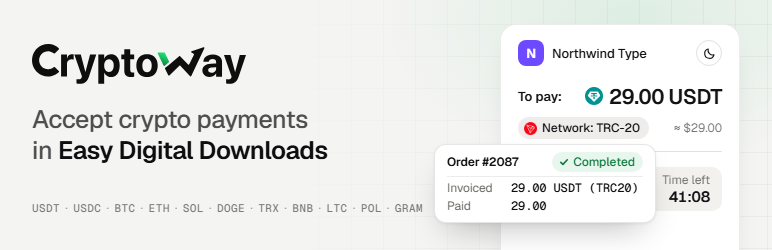
Let customers pay for your downloads in crypto. The order completes and the file becomes available only when the whole amount has arrived; anything less holds the order until you look at it. Every order shows what was invoiced and what was paid, in the coin the customer used.
How it works
- At checkout the customer picks Cryptoway and is sent to the Cryptoway payment page.
- There they choose a coin and network and pay by QR code or address before the time runs out (60 minutes unless you change it).
- Cryptoway notifies your store. The plugin reads the invoice back from Cryptoway and checks the amount and currency.
- The order becomes Complete and the download link works — or the order goes On Hold with a note saying how much is missing.
Coins and networks
USDT on seven networks: Tron (TRC-20), Ethereum (ERC-20), BNB Smart Chain (BEP-20), Polygon, Arbitrum, Solana and The Open Network.
USDC on two networks: Ethereum (ERC-20) and Solana.
- BTC on Bitcoin
- ETH on Ethereum (ERC-20) and Arbitrum
- SOL on Solana
- DOGE on Dogecoin
- LTC on Litecoin
- TRX on Tron (TRC-20)
- BNB on BNB Smart Chain (BEP-20)
- POL on Polygon
- GRAM on The Open Network
What you get in the store
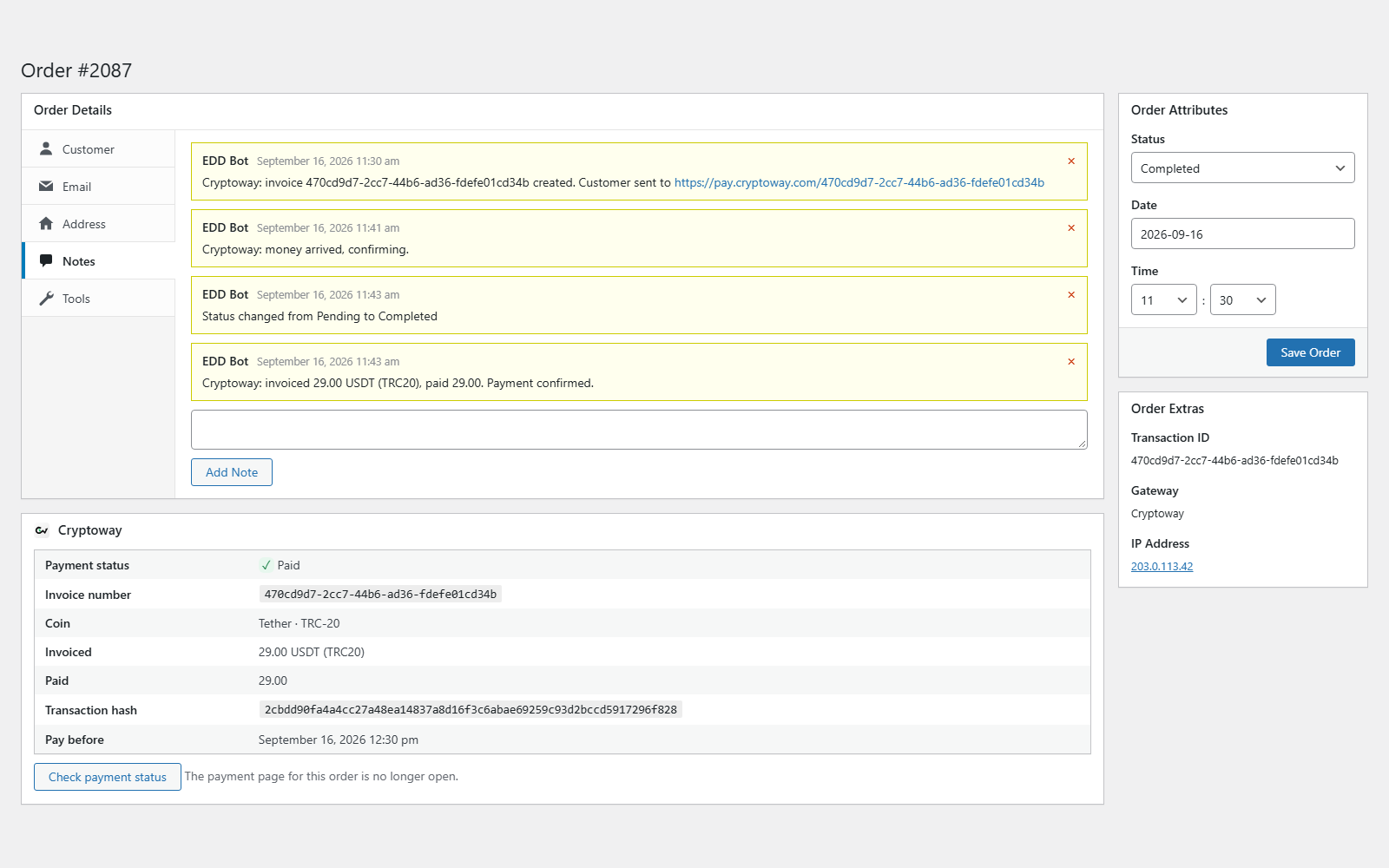
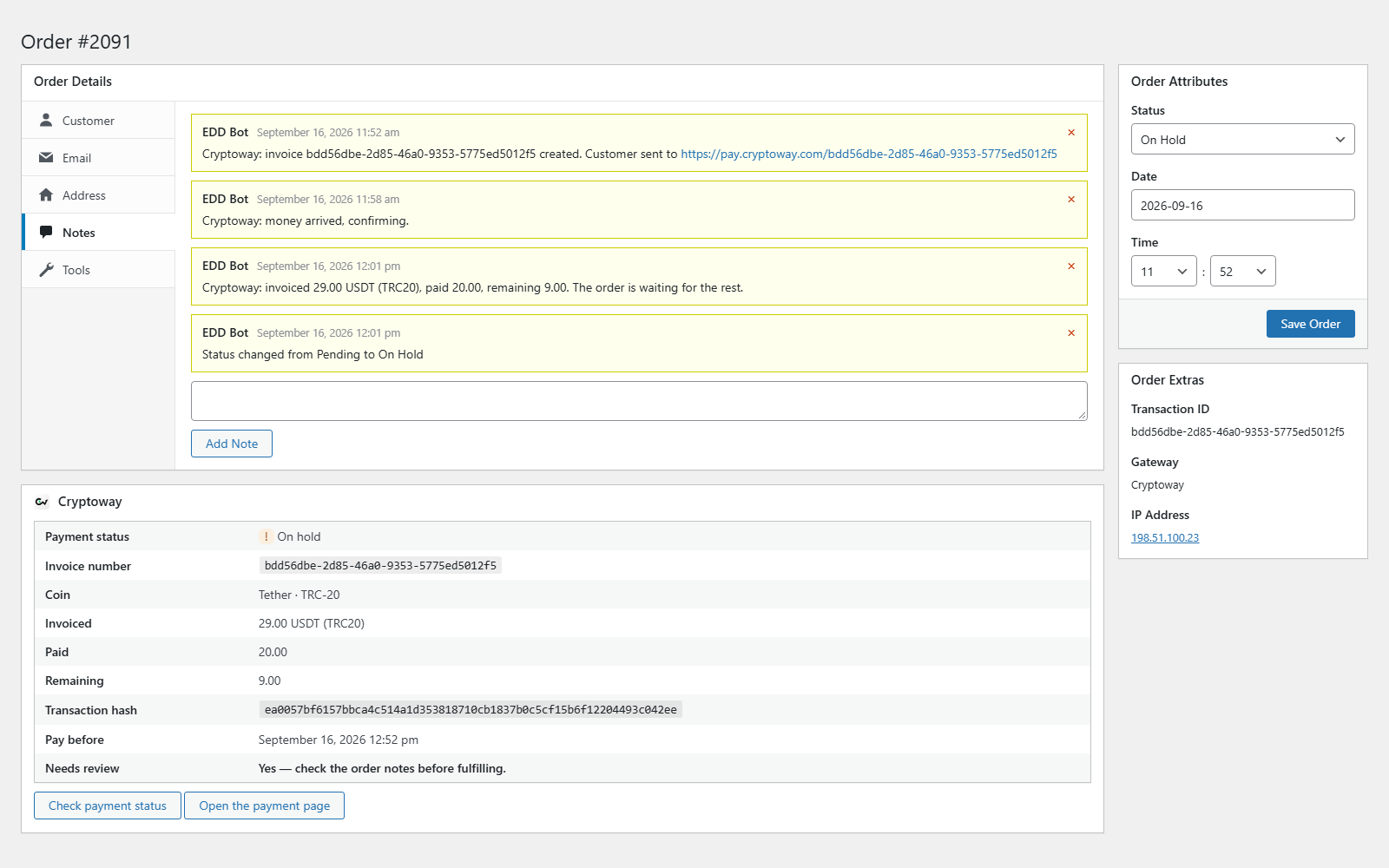
- A Cryptoway box on every order: payment status, invoice number, coin and network, invoiced and paid amounts, what is still owed or was overpaid, transaction hash and the deadline to pay. A button re-checks the payment with Cryptoway.
- One short order note per event, with amounts in the customer’s coin: invoiced, paid, remaining or overpaid.
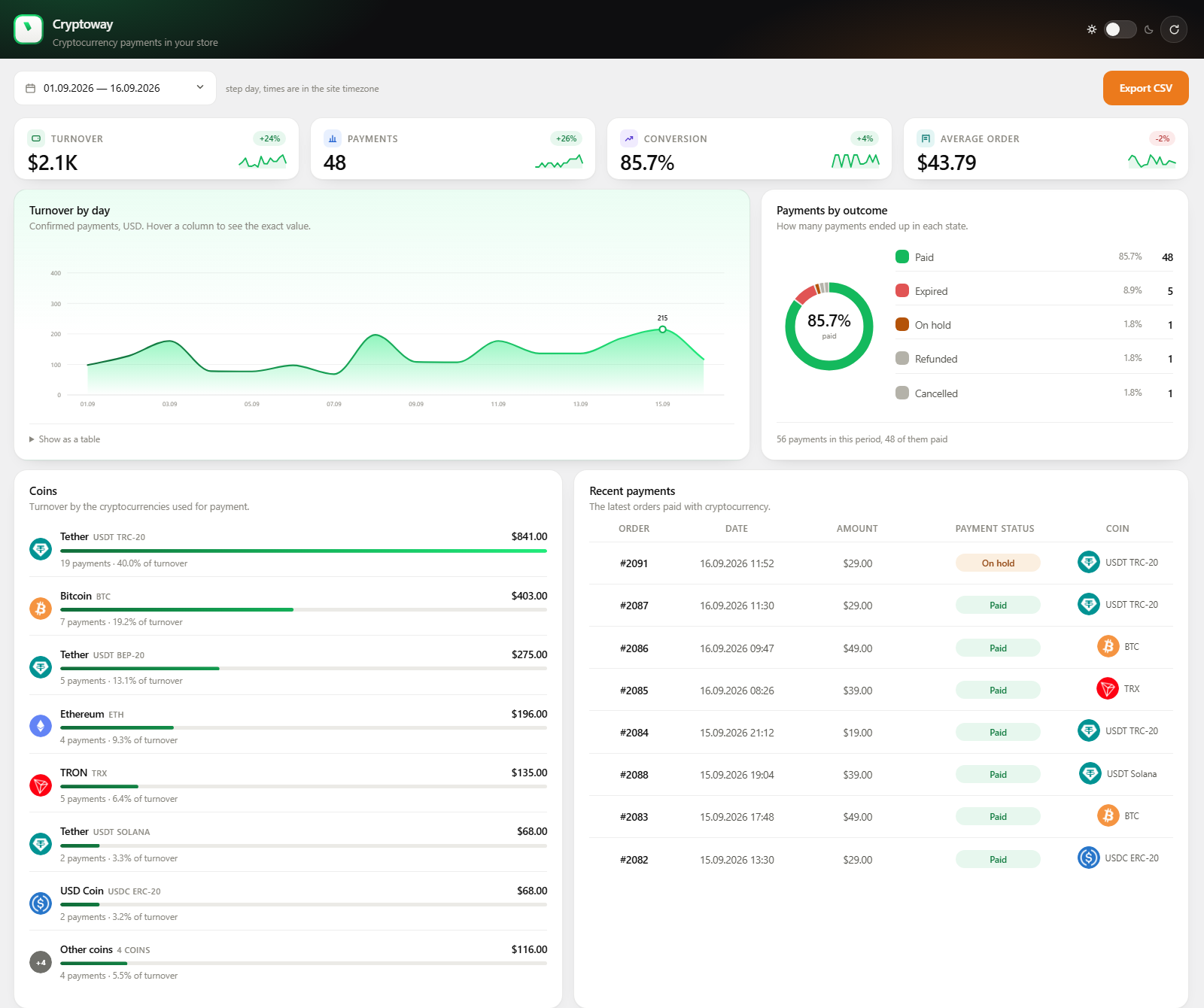
- A Cryptoway menu with statistics for any period — turnover, payments, conversion, average order, a chart, outcomes and coins — and CSV export.
- Other languages: the payment method’s name and description for each language your store runs in, set in the gateway settings.
- A status check every 10 minutes for payments whose notification did not arrive, and a check at the deadline.
- No ads, no upsell notices, no tracking.
Set in your Cryptoway project
These live on the project’s Settings tab in your Cryptoway account; nothing changes in the store.
- Fees and markup: who pays the Cryptoway fee (0 means you, 100 the customer) and a markup. With a markup or the fee on the customer, the invoice asks for more than the order total, and the store accepts it. Keep the markup at zero or above: with a discount (a minus markup) the invoice is below the order total, and the plugin puts the order on hold for you to check.
- Checkout branding and layout: your colour, logo and theme on the payment page, as one card or two columns.
- Auto-convert on deposit: incoming coins are converted to the currency you pick.
Fees and requirements
Cryptoway takes a percentage of each successful payment, with no setup fee and no monthly minimum. Rates are on the pricing page.
- A Cryptoway account with an active project. Create an account.
- Easy Digital Downloads 3.0 or later, on a site reachable from the internet.
- One project per store: Cryptoway ties a project’s keys to the IP address of the server that first uses them.
Documentation · Support: support@cryptoway.com
Obrázky




Inštalácia
- In Plugins Add New Plugin, search for „Cryptoway“, install and activate it. Easy Digital Downloads must be active.
- In your Cryptoway account open Projects your project API keys.
- In Downloads Settings Payments Cryptoway paste the Project ID and Secret key and save. The callback key that verifies payment notifications is fetched automatically.
- On the General tab of Payments, tick Cryptoway under Active Gateways. The box stays greyed out until the keys are saved.
- Change Time to pay if 60 minutes does not suit you (15 to 1440 minutes).
- Buy one of your own downloads for a small amount and check that the order becomes Complete with a Cryptoway note.
Časté otázky
-
What if the customer pays less, more, or late?
-
- Less: the order goes On Hold with a note such as „invoiced 12.17 USDT (TRC20), paid 10.00, remaining 2.17. The order is waiting for the rest.“ If the rest arrives in time, the order completes.
- More: the order completes. From 1% over the invoice, the note shows the overpaid amount to return from your Cryptoway account.
- Nothing within Time to pay: the order is marked Abandoned.
- Late, after the time ran out: the order goes On Hold with the amounts and „The money is with Cryptoway — settle it manually“. No file is released until you decide.
-
Which coins can customers pay with?
-
BTC, ETH, USDT, USDC, SOL, DOGE, TRX, BNB, LTC, POL and GRAM, on the networks listed in the Description. The customer picks the coin and network on the payment page.
-
Which languages does the plugin speak?
-
English, Russian, Spanish and Turkish — the settings, the checkout and the order notes. The Cryptoway payment page itself is available in English, Russian, Spanish and Turkish too, and the customer can switch the language there.
-
Who pays the network fee?
-
The customer’s wallet adds it on top. A customer paying from an exchange that deducts its withdrawal fee sends less, and the order goes On Hold as a short payment.
-
Can I test without real money?
-
No. Cryptoway has no test environment, and EDD’s Test Mode does not change how the gateway works: every order creates a real invoice. Make one real payment a little above the coin’s minimum deposit (for example 5 USDT) from your own wallet.
-
How do I refund a payment?
-
From your Cryptoway account, as a new transfer to an address the customer gives you. The plugin does not send refunds; mark the order as refunded in EDD yourself.
-
Does it work with subscriptions?
-
No. Orders from EDD Recurring Payments are not supported: a crypto transfer cannot be charged again automatically.
-
An order did not update after payment. What can I check?
-
- Payment notifications arrive at
https://your-domain/index.php?edd-listener=cryptoway. The address is sent with each invoice and must be reachable from the internet. - Open the order and press „Check payment status“ in the Cryptoway box. If the check fails, the order note says why.
- The 10-minute status check runs on WP-Cron, which WordPress starts from visits to the site. On a shop with few visitors set up a server cron job: add
define( 'DISABLE_WP_CRON', true );towp-config.phpand callwp-cron.phpevery five minutes. Without it a lost notification may go unnoticed until someone opens the site. - Logs are in Downloads Tools Debug Log. Errors and payment events are always written there; with EDD’s Debug Mode on, the full exchange with Cryptoway is added.
- Payment notifications arrive at
-
Where are my keys, and what is sent to Cryptoway?
-
The keys are stored with the other EDD settings. The Secret key only signs requests: it is never sent, shown again or logged.
The plugin relies on the Cryptoway payment service (API: https://api.cryptoway.com) and makes no requests until the keys are saved:
- At checkout: the order total, currency, order number and reference, store name, payment deadline, and the notification and return addresses, to create the invoice.
- Every 10 minutes while a payment is unresolved, at the payment deadline, on payment notifications and on „Check payment status“: a request for that invoice’s status. Cryptoway sends payment notifications to your site.
- When you save the settings, and again while the callback key is missing: a request for the project’s callback key.
Each request carries the Project ID, a timestamp, a signature and a User-Agent with the plugin version and your site address. No customer name, email or billing address is sent.
Recenzie
Pre tento plugin nie sú žiadne recenzie.
Prispievatelia a vývojári
“Cryptoway – Crypto Payment Gateway for Easy Digital Downloads” je softvér s otvoreným zdrojovým kódom. Do tohto pluginu prispeli nasledujúci ľudia.
Prispievatelia
Preložiť „Cryptoway – Crypto Payment Gateway for Easy Digital Downloads“ do vašho jazyka.
Máte záujem o vývoj?
Prehľadávajte zdrojový kód, preskúmajte SVN repozitár, alebo sa prihláste na odber vývojárskeho logu cez RSS.
Zoznam zmien
1.0.1
- Added: Spanish and Turkish translations; the Russian one was proofread.
- Added: USDC, Solana (SOL) and Dogecoin (DOGE), and USDT on Solana — the coins Cryptoway accepts now.
- Changed: the statistics screen lists eight coins and sums the rest into one „Other coins“ row, so the rows add up to the total.
- Changed: the Cryptoway logo in the admin menu, the order screen and the statistics now matches the current Cryptoway brand.
- Fixed: a payment on Arbitrum was named by its raw code in the order notes, and its amount was shown with eight decimals instead of two.
- Fixed: a period picked in the statistics covers whole days, so the figures and the CSV no longer depend on the time of day.
- Fixed: the Cryptoway box on the order screen is styled again, and it stops asking for a review once the order is settled.
- Changed: deleting the plugin now removes the stored keys as well; WordPress 6.5 is enough to run it.