

Popis
Widgets for Google Reviews plugin is a no-code solution that helps you display real Google reviews on your website in customizable, responsive widgets.
Embed live customer feedback in just a few steps and showcase your ratings in a way that builds trust and drives conversions. With automatic syncing, your reviews stay up to date so your website always reflects your latest customer experiences.
Designed for simplicity and flexibility, you can place review widgets anywhere on your site, customize their appearance to match your brand, and turn social proof into measurable business impact.
💬 What does the Jotform Widgets for Google Reviews plugin do?
Jotform Review Widgets for Google allows you to easily connect your Google Business profile and display real customer reviews on your WordPress site.
Instead of manually copying testimonials, the plugin automatically pulls and displays your latest reviews in dynamic, responsive widgets.
You can place these widgets anywhere on your site: landing pages, product pages, or homepages to instantly boost credibility and engagement.
🚀 Top features of Jotform Widgets for Google Reviews Plugin
- No-code setup: Add Google reviews to your website in minutes with a simple embed process
- Live auto-sync: New reviews and ratings update automatically without manual effort
- Multiple layout options: Choose from carousel, grid, slider, badge, or list views
- Fully customizable design: Match colors, fonts, and layout to your brand
- Responsive & mobile-friendly: Looks great on all devices
- Flexible placement: Embed anywhere on your WordPress site
- Improves trust & conversions: Showcase real customer feedback where it matters most
👩💻 Who can benefit from the Jotform Widgets for Google Reviews plugin?
This plugin is ideal for:
- Small businesses looking to build credibility
- E-commerce stores aiming to increase conversions
- Agencies and freelancers showcasing client feedback
- Local businesses with Google Business profiles
- SaaS companies highlighting customer satisfaction
Displaying authentic reviews helps visitors trust your brand more quickly and make more confident decisions.
🔒 Data Protection
Jotform prioritizes security and data privacy.
- Only publicly available Google review data is displayed
- No sensitive customer data is stored or processed
- Secure infrastructure ensures reliable widget performance
- Full control over what is displayed on your website
Your data and your customers’ trust remain protected at all times.
🚀 Features
- Connect with Jotform for secure authorization
- Gutenberg block (Jotform – Widgets for Google Reviews) – pick a saved widget from the list or paste an ID; shortcode optional
- Classic shortcode
[jfrwg_widget id="..."]still supported - Simple setup process
- Extensible structure for future widget types (TripAdvisor, etc.)
External services
This plugin connects to Jotform services to authenticate your Jotform account, create and manage review widgets, retrieve your saved widgets, and load the published widget on your site.
When an administrator clicks „Connect with Jotform“, the plugin opens Jotform OAuth at https://www.jotform.com/api/oauth.php. The request includes the plugin client name and your WordPress site URL as the OAuth referrer so Jotform can authorize the connection and return an API key.
In the plugin admin, the widget builder connects to Jotform API endpoints such as https://api.jotform.com/website-widgets, https://api.jotform.com/website-widgets/mywidgets, and https://api.jotform.com/user/combinedinfo. If your account uses EU, HIPAA, or Enterprise settings, equivalent Jotform regional or enterprise endpoints may be used. These requests send the connected Jotform API key, widget IDs, widget configuration values, and selected review source details when you create, edit, list, preview, or delete widgets.
On the public site, the shortcode and block load the published widget script from the connected Jotform site, for example https://www.jotform.com/website-widgets/embed/{widget_id} or the configured regional or enterprise Jotform domain. The browser sends the widget ID and normal web request data such as IP address, user agent, and referrer to Jotform so the widget can be rendered.
This service is provided by Jotform: Terms of Use and Privacy Policy.
Obrázky
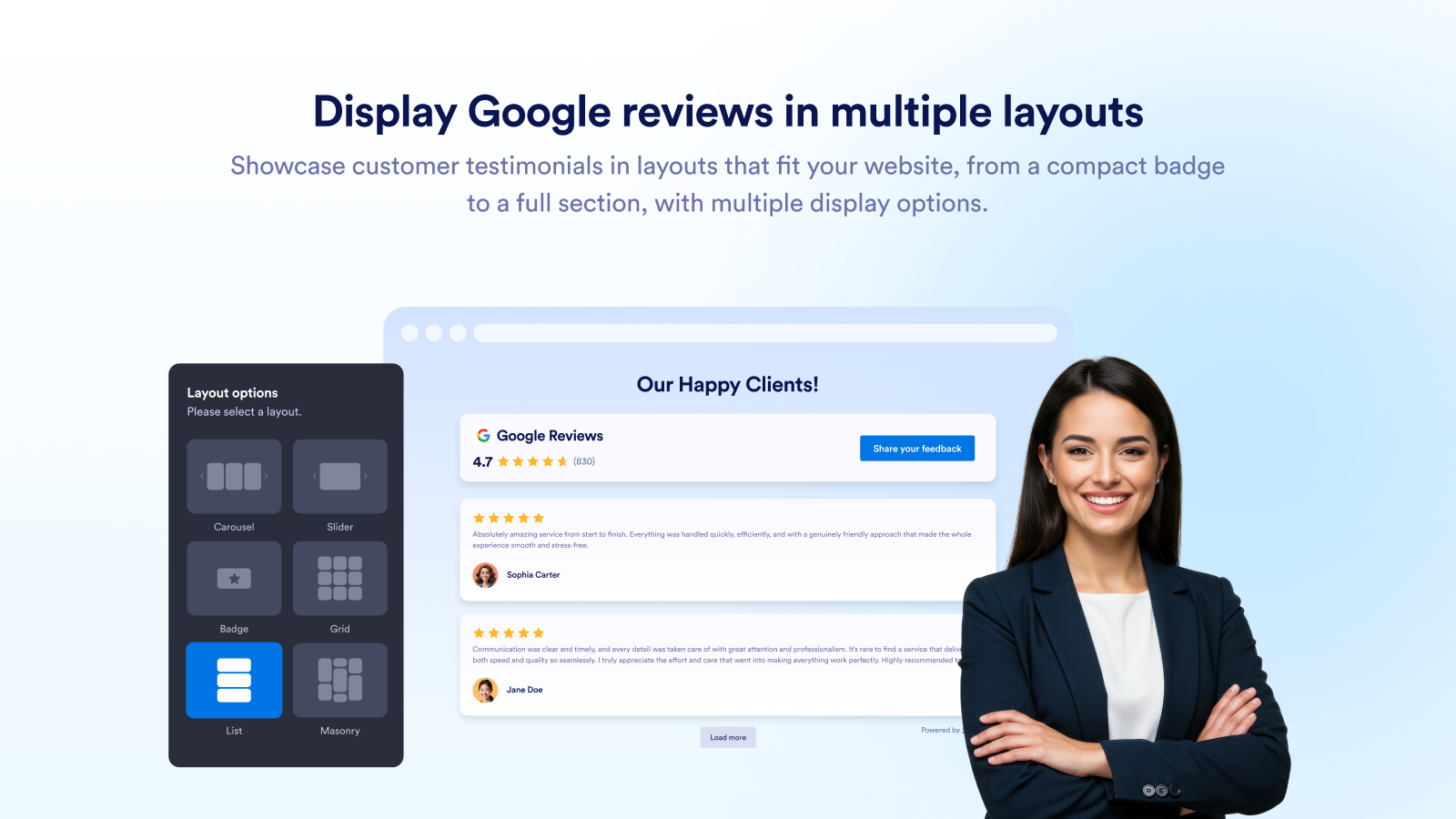
Display Google reviews in multiple layouts 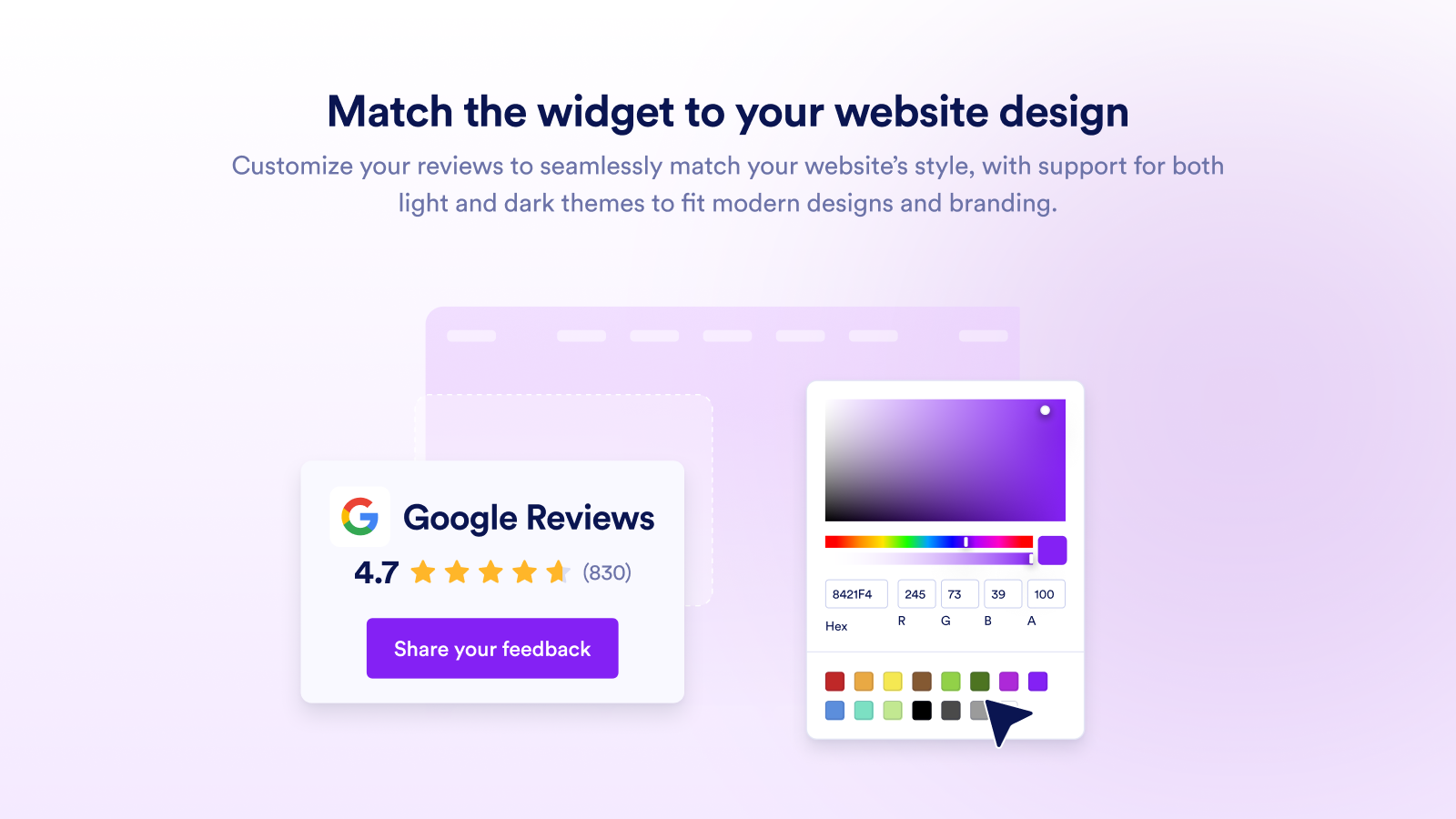
Match the widget to your website design 
Let visitors browse reviews easily 
Control how reviews appear on your website 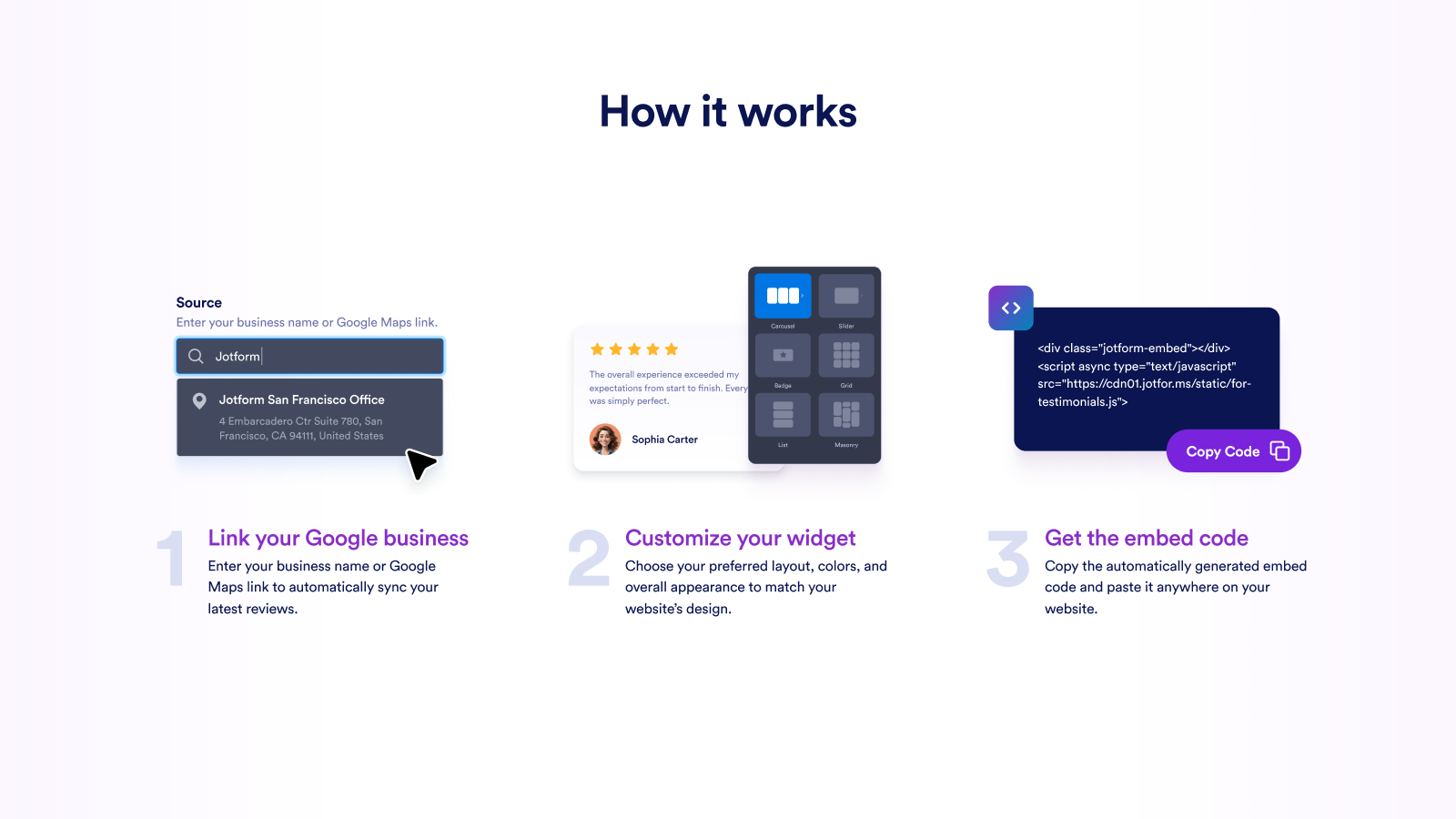
How it works
Bloky
Tento plugin poskytuje 1 blok.
- Jotform – Widgets for Google Reviews
Inštalácia
- Upload the plugin files to
/wp-content/plugins/jotform-review-widgets-for-google/ - Activate the plugin through the ‚Plugins‘ screen in WordPress
- Open Jotform – Widgets for Google Reviews in the admin menu
- Click „Connect with Jotform“ to authorize
- Configure your widget settings
Časté otázky
-
How do I add Google Reviews to my website?
-
You can add Google Reviews to your site using Jotform’s Google Reviews widget. Simply connect your Google Business account by pasting your Google Place link into the widget’s ‘Source’ field. Choose your preferred layout like carousel, slider, or badge and customize colors, themes, and width to match your website’s design. Once you’re done, click Continue and copy the embed code. Paste it into your site where you want the reviews to appear, and they’ll display instantly.
-
Can I choose how my reviews appear on the page?
-
Yes. You have full control over the look and feel of your reviews. In the Layout section of the widget, you can select between carousel, slider, badge, or grid views. You can also toggle between light and dark themes, enable full-width display, and adjust spacing for a perfect visual fit. This flexibility allows the reviews to blend naturally into your existing design – whether it’s a product page, home page, or testimonial section.
-
Will my widget update automatically when new reviews come in?
-
Absolutely. Once you connect your Google Business account, the widget stays in sync with your live reviews. Every new rating or comment posted on your Google profile appears automatically in your website widget. That means your visitors always see the latest customer feedback without you having to log in or manually update it.
-
Is it possible to filter which reviews appear?
-
The widget automatically shows 4 and 5-star reviews from your Google Business profile. It doesn’t allow you to select individual reviews or display lower ratings. This way, your site highlights your most positive customer feedback and keeps the setup simple with no extra settings to manage.
-
How much customization does the widget offer?
-
A lot. Besides layout and color controls, you can switch between light and dark themes, set full-width mode, and even adjust typography to match your brand. The live preview feature lets you see exactly how your reviews will appear before you embed them. That way, you can achieve a professional, seamless look without touching any code.
-
Can I collect new reviews using Jotform?
-
Yes. You can create a feedback or testimonial form in Jotform Form Builder to collect new customer reviews and display them on your website. Once you receive new submissions, you can add them manually to your site’s review section. This helps you keep your testimonials fresh while continuing to build trust with new visitors.
-
Is the Google Reviews widget free?
-
Yes. The widget is included in every Jotform plan, including the free one. You can access all the main display options and customization settings without any hidden costs.
-
If you can’t find your business through search in the widget, you can manually use your Google Maps share link instead.
Follow these steps:Open Google Maps in your browser.
- Type your business name into the search bar and press Enter.
- Click on your business listing to open the full profile panel.
- Click the Share button.
- In the pop-up window, click Copy link. (Alternatively, copy the full URL directly from your browser’s address bar.)
- Go back to your widget’s settings.
- Paste the Google Maps link into the source field.
That’s it! Your reviews will now be collected and displayed.
Recenzie
Pre tento plugin nie sú žiadne recenzie.
Prispievatelia a vývojári
“Jotform – Widgets for Google Reviews” je softvér s otvoreným zdrojovým kódom. Do tohto pluginu prispeli nasledujúci ľudia.
Prispievatelia
Preložiť „Jotform – Widgets for Google Reviews“ do vašho jazyka.
Máte záujem o vývoj?
Prehľadávajte zdrojový kód, preskúmajte SVN repozitár, alebo sa prihláste na odber vývojárskeho logu cez RSS.
Zoznam zmien
1.0.5 (2026-05-11)
- Update: Plugin banner image updated
1.0.4 (2026-05-06)
- Update: readme.txt file updated
1.0.3 (2026-05-05)
- Update: Screenshots updated
- Update: readme.txt file updated
1.0.2 (2026-04-29)
- Update: Plugin name updated
1.0.1 (2026-04-29)
- Update: Plugin banner image updated
- Update: Plugin icon image updated
1.0.0
- Initial release
- Jotform OAuth authorization