
Popis
KossLabs Cart Limits is a modern, ultra-lightweight order limits engine engineered specifically for modern WooCommerce stores. It is built from the ground up to support the new React-based Cart & Checkout Blocks, the official WooCommerce Store API, and High-Performance Order Storage (HPOS).
Whether you run a B2B wholesale store requiring minimum purchase thresholds or a retail store preventing unprofitable micro-orders, KossLabs Cart Limits provides frictionless limits without slowing down your website.
🚀 Key Technical Differentiators
- Dual-Engine Validation (Store API + Classic): Complete protection across traditional checkout and modern Gutenberg React Cart/Checkout blocks (
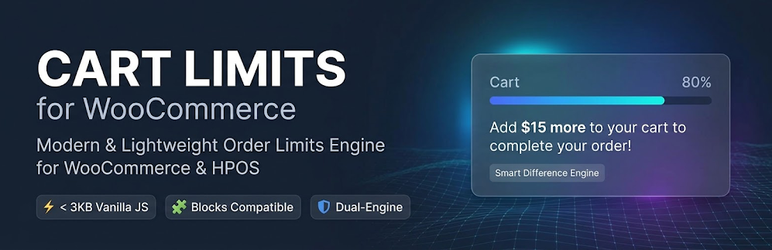
/wp-json/wc/store/v1/cart). Customers cannot bypass rules by switching checkout layouts. - Smart Difference Engine (CRO-Driven Notices): Instead of cold, frustrating error messages, CartRules displays encouraging, conversion-focused notices with real-time mathematical calculations:
{min_amount},{current_amount},{needed_amount}(exact missing money to checkout){min_qty},{current_qty},{needed_qty}(remaining quantity needed){product_title},{max_qty},{excess_qty}
- Intelligent Stock Management (Allow Remaining Stock): If your remaining stock is lower than your minimum order threshold (e.g. 2 units left in stock but minimum is 5), CartRules automatically adjusts the threshold so your last inventory does not get stranded unsold.
- Auto-Bump Loop Integration: When customers click „Add to Cart“ directly from archive/shop loops, the system automatically adds the minimum required quantity instead of locking them in an error loop.
- Zero-Bloat & HPOS Native: Zero custom SQL database tables. Zero jQuery dependency (< 3 KB pure Vanilla JS). Full Redis, Varnish, and LiteSpeed cache compatibility.
🌟 Free Features (Core)
- Set minimum order quantity per individual product.
- Set maximum order quantity per individual product.
- Enforce store-wide minimum cart amount.
- Choose amount calculation basis: Subtotal (Excl. Tax – ideal for B2B), Subtotal (Incl. Tax), Cart Contents Total, or Grand Total.
- Enforce store-wide minimum total items quantity across the entire cart.
- Full protection across Single Product, Shop Archives, Drawer/Mini-Carts, Cart, and Checkout Blocks.
- 100% translatable with clean internationalization standards (
.potincluded).
💎 Advanced PRO Features
Need enterprise B2B capabilities? KossLabs Cart Limits PRO adds:
- B2B & User Role-Based Limits: Define separate cart thresholds for Wholesalers ($500) vs Retail customers ($30).
- Category-Specific Limits: Enforce unique order thresholds based on product categories.
- Dynamic Cart Progress Bar: Visual progress tracker in cart blocks („Add $15 more for free shipping!“).
- Tiered Cart Notices: Multi-tiered encouragement for higher order values.
Inštalácia
- Upload the
kosslabs-cart-limitsfolder to your/wp-content/plugins/directory, or install directly via the WordPress Plugins menu. - Activate the plugin through the ‚Plugins‘ menu in WordPress.
- Ensure WooCommerce is installed and active.
- Navigate to WooCommerce > Settings > Cart Rules to configure store-wide thresholds and notice templates.
- To set product-specific limits, edit any product and navigate to the Product Data > Inventory tab.
Časté otázky
-
Does this plugin work with the new WooCommerce Cart and Checkout Blocks?
-
Yes! 100%. CartRules hooks directly into the official WooCommerce Store API (
woocommerce_store_api_cart_errors). When a limit is violated, the Checkout Block is immediately locked with a native, seamless alert banner. -
Does this plugin slow down my store?
-
Not at all. The frontend script is written in pure Vanilla JavaScript and weighs less than 3 KB. It loads conditionally only on shop, product, cart, and checkout pages. Zero external libraries, zero custom database tables.
-
What happens if I have only 2 items left in stock but the minimum order quantity is 5?
-
With our „Allow Remaining Stock“ feature enabled, CartRules automatically lowers the minimum requirement to the remaining stock (2) so you can sell out your inventory without getting stuck.
-
Can I customize the notice messages?
-
Yes. In WooCommerce > Settings > Cart Rules, you can customize all notification templates using dynamic tags like
{min_amount},{needed_amount},{min_qty}, and{needed_qty}.
Recenzie
Pre tento plugin nie sú žiadne recenzie.
Prispievatelia a vývojári
“KossLabs Cart Limits” je softvér s otvoreným zdrojovým kódom. Do tohto pluginu prispeli nasledujúci ľudia.
Prispievatelia
Preložiť „KossLabs Cart Limits“ do vašho jazyka.
Máte záujem o vývoj?
Prehľadávajte zdrojový kód, preskúmajte SVN repozitár, alebo sa prihláste na odber vývojárskeho logu cez RSS.
Zoznam zmien
1.0.1
- Connected official Freemius PRO upgrade checkout link.
- Added direct Settings and Upgrade action links in plugins list.
1.0.0
- Initial public release.
- Added Store API and Gutenberg Checkout Blocks validation.
- Added Smart Difference Engine with dynamic placeholder tags (
{needed_amount},{needed_qty}). - Added intelligent remaining stock fallback.
- Added Auto-Bump loop add-to-cart integration.
- Full HPOS (High-Performance Order Storage) declaration.