
Popis
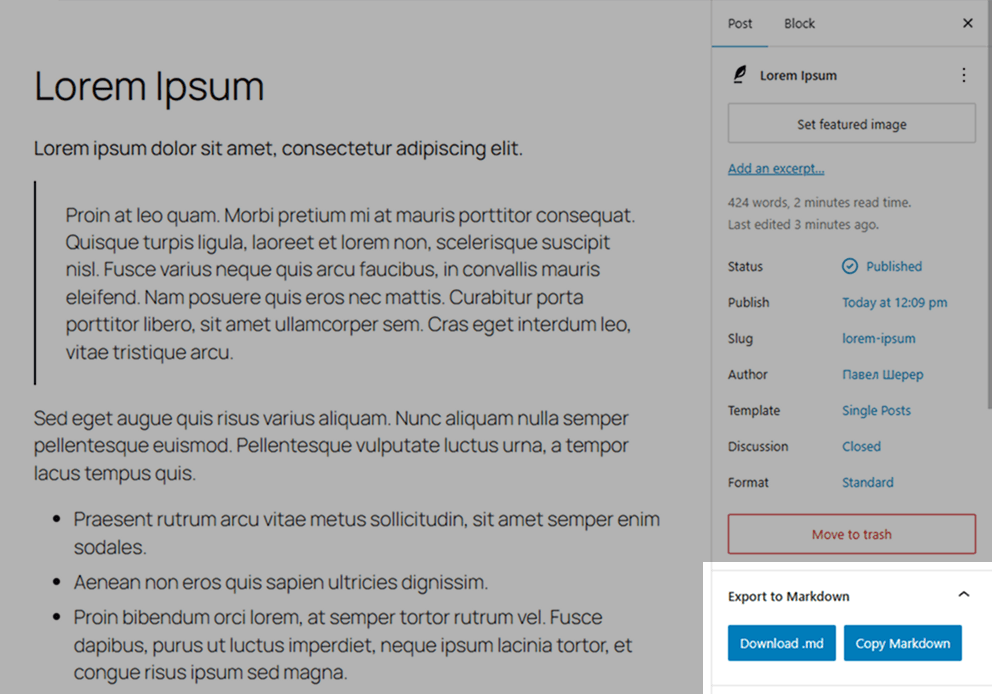
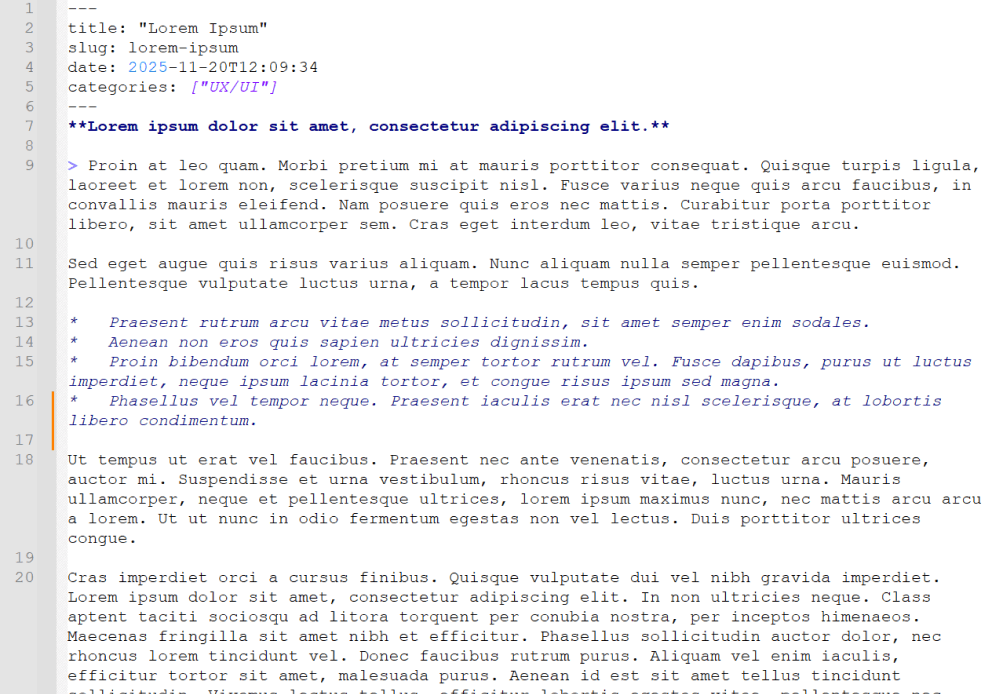
Simple Export to Markdown adds a small panel inside the WordPress block editor. With one click, editors can download the current post or page as a .md file or copy the generated Markdown to the clipboard.
The plugin uses the bundled Turndown library to convert serialized Gutenberg blocks in the browser. It does not create server-side export files, make external API calls, add REST/AJAX endpoints, or store exported content.
Features
- Export Gutenberg content directly to Markdown.
- Download
.mdfiles or copy Markdown to the clipboard. - Auto-generated YAML front matter for
title,slug,date,categories, andtags. - Uses the edited post state, including unsaved title, slug, date, category, tag, and block changes.
- Loads only in the block editor for users with
edit_posts. - PHP and JavaScript translations are loaded from the plugin language files.
- Simple tables export as GFM; complex tables retain sanitized HTML.
- Missing block content is reported in the panel while available content is exported.
- Incomplete category or tag loading blocks export and offers a retry action.
Requirements
- WordPress 6.0 or newer.
- PHP 7.4 or newer.
- Active Gutenberg/block editor.
License
This plugin is open-source software licensed under the GPLv2 or later.
Obrázky
Inštalácia
- Upload the plugin folder to
/wp-content/plugins/, or install it through the WordPress Plugins screen. - Activate the plugin through the „Plugins“ menu in WordPress.
- Open any post or page in the block editor.
- Find the Export to Markdown panel in the editor sidebar.
- Click Download .md or Copy Markdown.
Časté otázky
-
Does this work in the Classic Editor?
-
No. The plugin is designed for the WordPress block editor.
-
Does it save files on the server?
-
No. Conversion, download, and clipboard copy happen locally in the browser.
-
Can it export custom blocks?
-
Custom blocks are serialized by WordPress before Turndown converts the resulting HTML to Markdown.
Blocks without saved HTML, including synced pattern references, cannot be fully exported. The panel lists omitted blocks in a persistent warning. Server rendering and reference expansion are not performed, and warnings are not added to the Markdown content.
-
How are tables exported?
-
Rectangular tables without merged cells export as GFM. If there is no header, an empty header is added and all data rows are preserved. Tables with merged cells, captions, nested tables or code blocks retain sanitized HTML.
-
Why are the JavaScript translation files named with the script handle?
-
PHP translations use
simple-export-md-{locale}.mo. JavaScript translations use thesimple-export-md-{locale}-simple-export-md.jsonpattern so translations work for both the source and minified editor scripts. -
How should release builds be verified?
-
Run
npm ci,npm run build,npm test,npm audit --audit-level=low, andphp -l simple-export-md.php. The minified editor script should only be committed as the Terser output fromnpm run build.
Recenzie


Prispievatelia a vývojári
“Simple Export to Markdown” je softvér s otvoreným zdrojovým kódom. Do tohto pluginu prispeli nasledujúci ľudia.
Prispievatelia
„Simple Export to Markdown“ bol preložený do 2 jazykov. Ďakujeme prekladateľom za ich príspevky.
Preložiť „Simple Export to Markdown“ do vašho jazyka.
Máte záujem o vývoj?
Prehľadávajte zdrojový kód, preskúmajte SVN repozitár, alebo sa prihláste na odber vývojárskeho logu cez RSS.
Zoznam zmien
0.1.4
- Preserve table structure with GFM or sanitized HTML.
- Load all selected categories and tags, detect incomplete metadata, and support retry.
- Warn about omitted block content without modifying exported Markdown.
- Improve download cleanup, filenames, persistent error notices and editor isolation.
- Add browser and PHP regression checks and refresh translations.
0.1.3
- Hardened editor asset loading.
- Fixed JavaScript translation file names.
- Improved Markdown export reliability and filename sanitization.